- DATE:
- AUTHOR:
- SAP LeanIX Product Team
Weekly feature improvement and bugfix summary
Change announcement
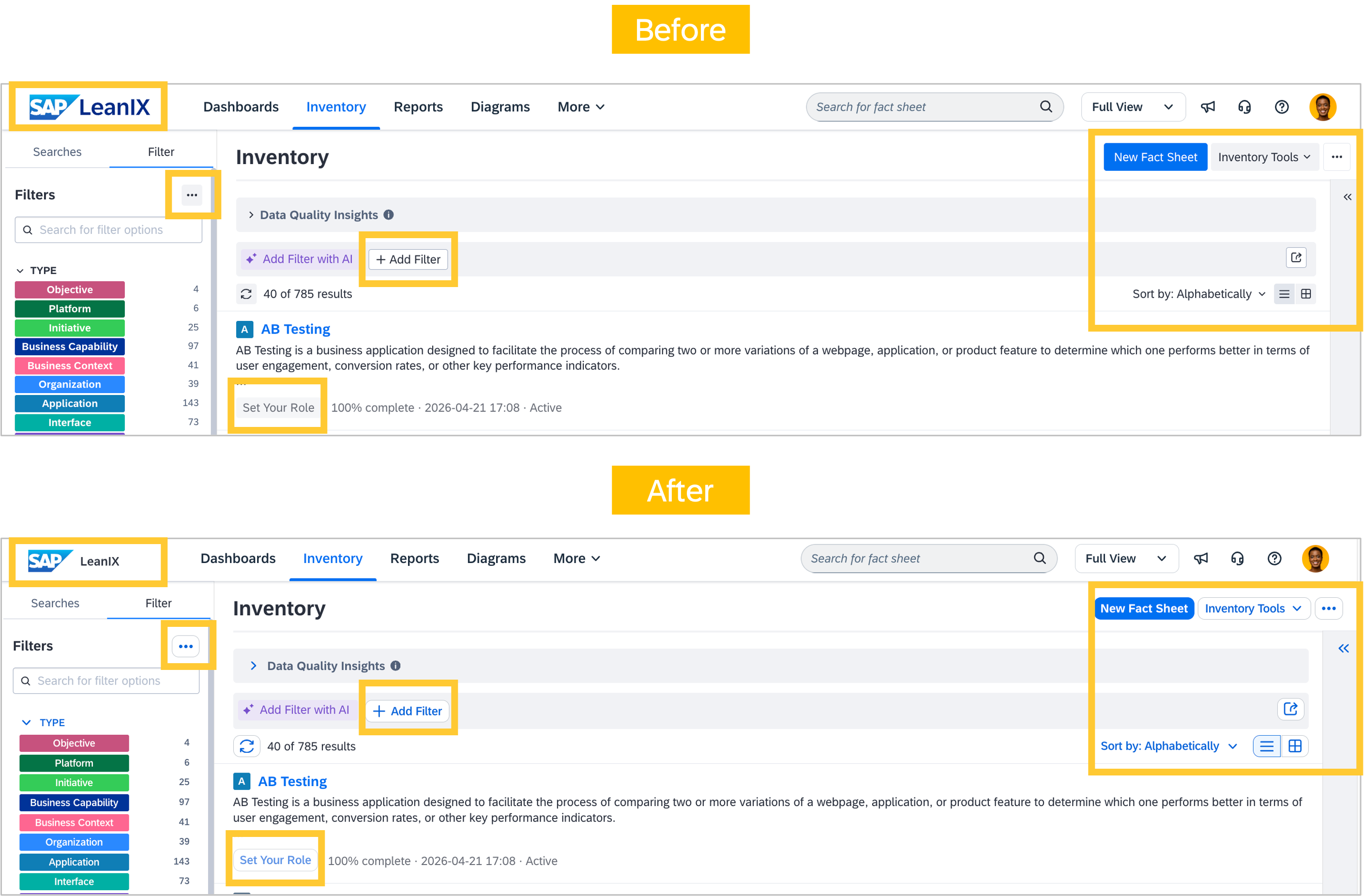
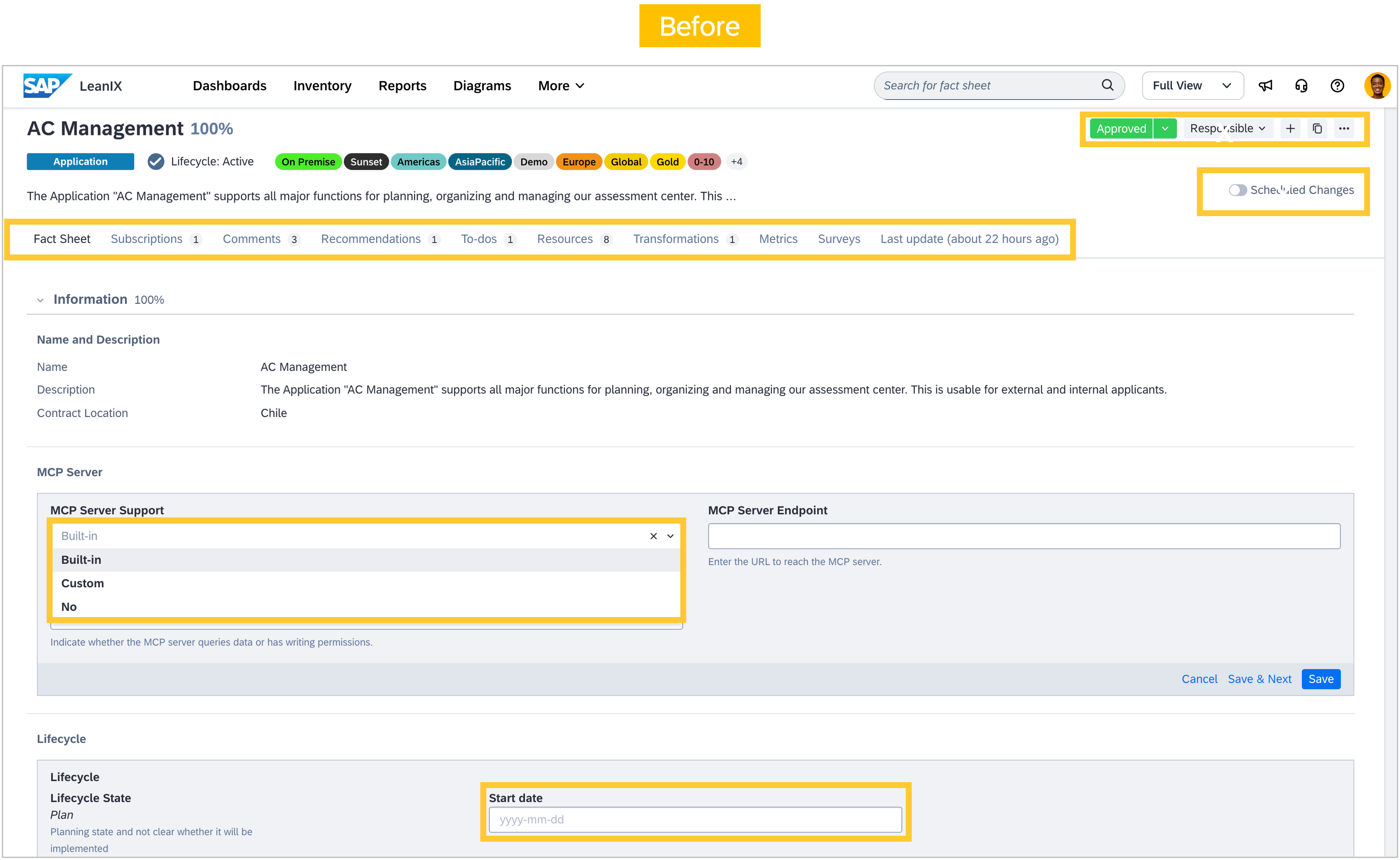
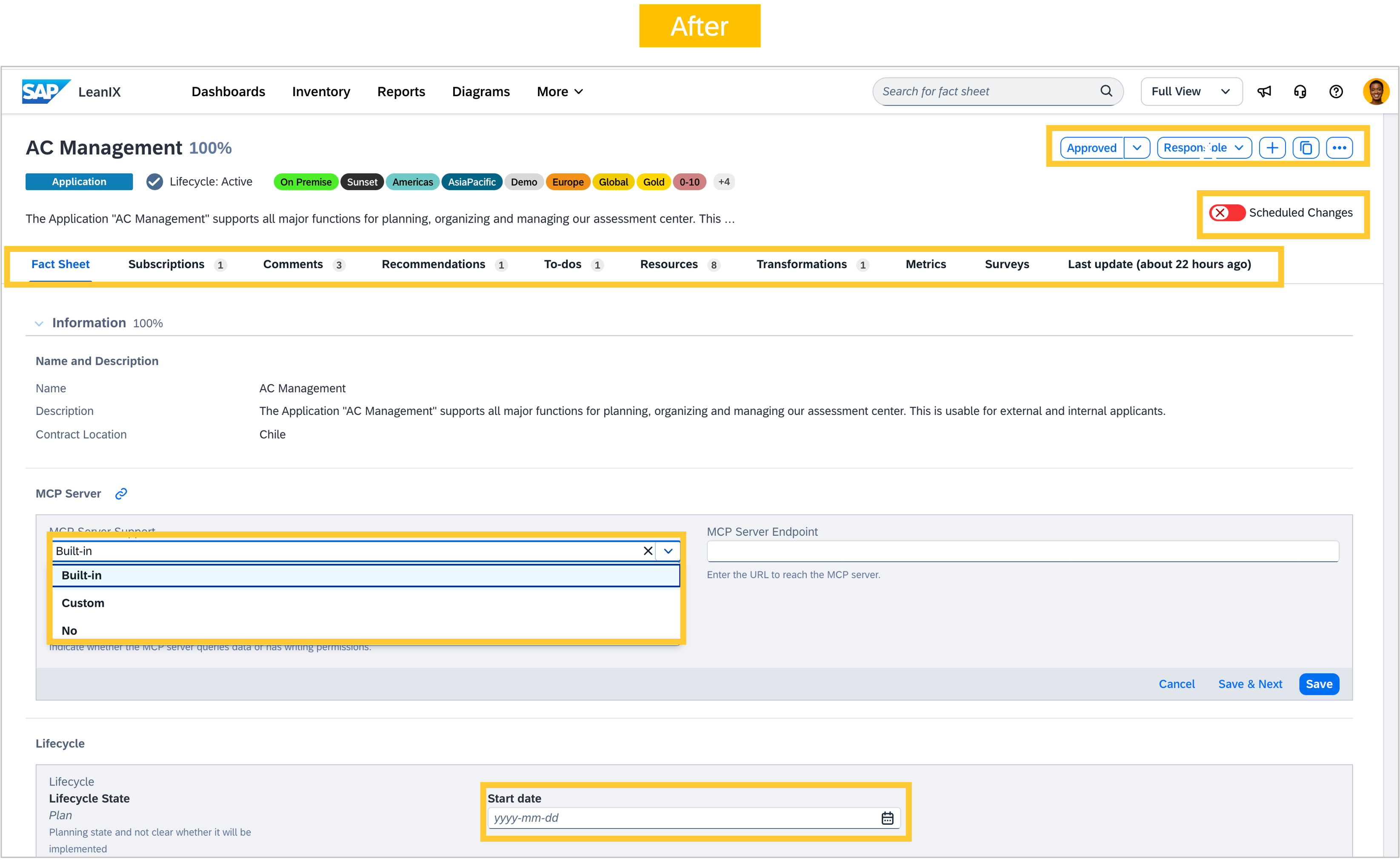
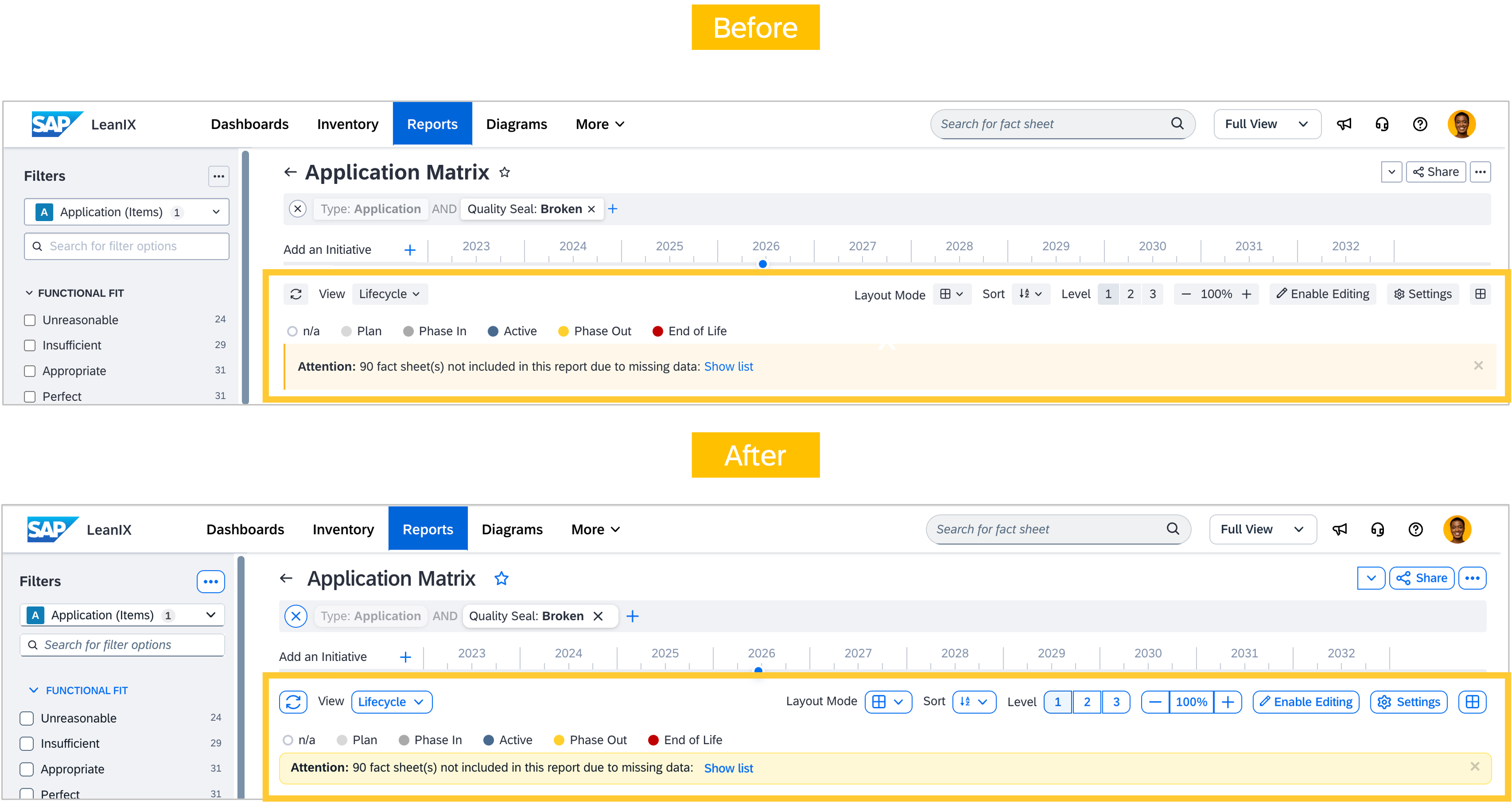
As we shared in April, we are rolling out visual updates across your workspace to align with SAP's design standards. We want to give you a timely heads up: the first set of changes is coming in the first weeks of July, with most workspaces receiving the update in mid-July as part of a staged rollout. In this first update, you will notice a refreshed appearance for common UI elements, including buttons, checkboxes, banners, navigation, and filter bars. The changes are purely visual. No workflows, features, or behaviors are affected, and everything will work exactly as before. Please see the screenshots below for the most noticeable changes. We will share a follow-up announcement once the rollout is complete.
Change announcement
Since our March announcement, we have started rolling out updates to address German‑language translation gaps across your workspace. Last Thursday (11 June), we released our first major batch, and another one is planned for the end of June. These include newly translated UI elements that were previously available only in English, refinements to improve clarity and consistency, and updates to the underlying English text to better support multiple languages. While we have made a strong effort to preserve established product terminology, you may still notice some changes as we continue to release and refine updates.
Your feedback is essential to this process. If you see anything that seems unclear, inconsistent, or incorrect, please raise a support request. Your input helps us prioritize and resolve issues quickly. Thank you for your continued support as we improve the German‑language experience.
Inventory
We have released the fix we announced last week for tag display. Tags on fact sheets are now shown in full by default again, just as before. When tags exceed the available space, they are displayed in their entirety rather than hidden behind a counter. When space is limited, you can collapse them to achieve a more compact view.
We fixed a bug in the inventory table view that displayed only the first relation for a fact sheet when a relation column included field-on-relation subcolumns. All relations are now shown correctly.
Reports
We fixed a bug in the landscape report where clustering by the many side of a 1:many relation, for example, clustering by children, or by a self-referencing relation such as blocks/blocked by, only rendered a single cluster instead of the expected multiple. This is now resolved.
Diagrams
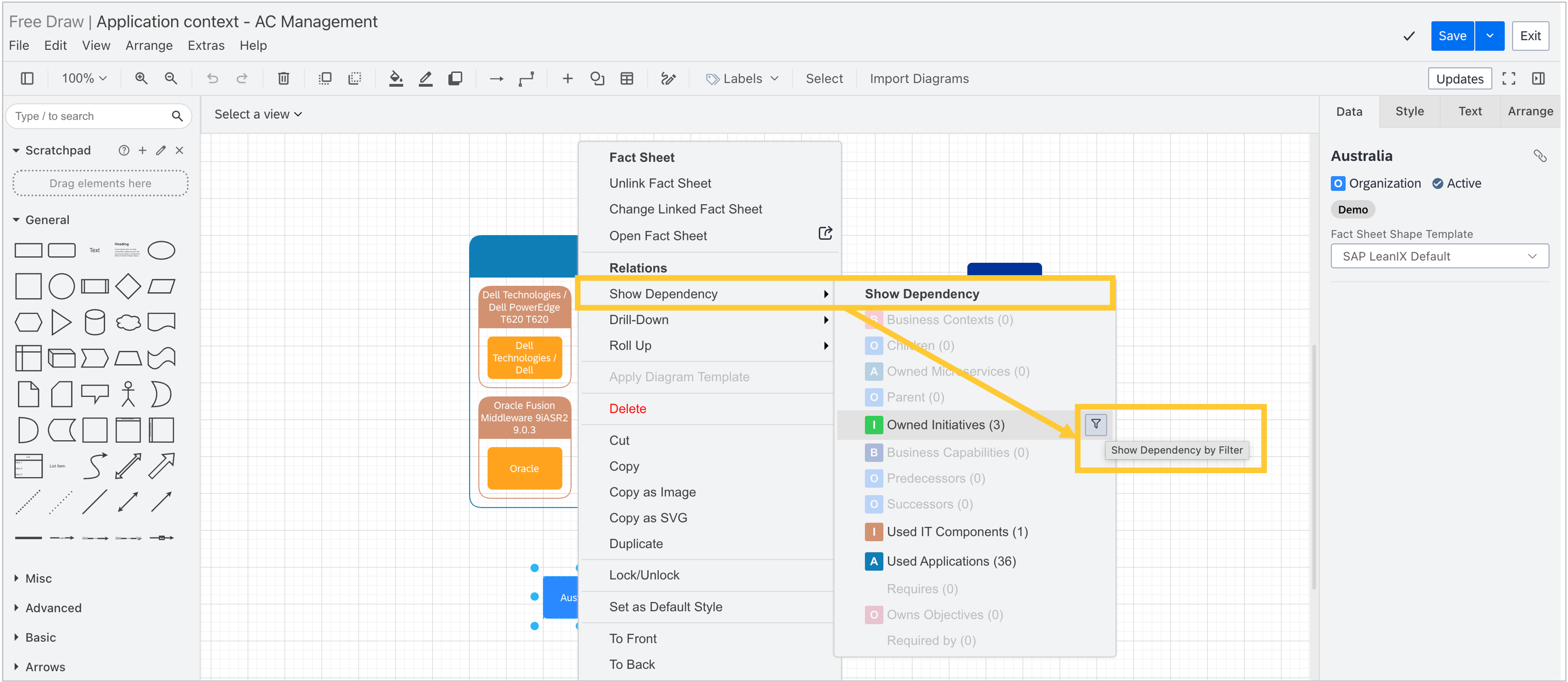
Diagrams now use a cleaner interaction for filtered drill-downs and dependency views. Instead of separate menu entries, a filter icon appears on hover next to the Show Dependency and Drill-Down menu entries. Clicking the icon opens the same submenu as before. All functionality remains unchanged.
Dashboards
We fixed a bug in the architecture executive dashboard where KPIs calculated as averages were displayed with up to 15 decimal places. Values are now consistently rounded to 2 decimal places, matching the behavior in all other dashboards and the KPI administration area.
Reference catalog
We released improvements for our reference catalog, both for applications and for business capabilities:
Reference catalog data is now accessible through the LeanIX MCP server connected to your workspace, with initial support for applications. You can use your AI client to search the reference catalog by application name and retrieve details, such as its description, provider, and vendor webpage, directly. For application fact sheets already linked to a catalog item, those same details can be retrieved to provide additional context. The catalog content for applications has also been extended to include a new MCP capability field indicating whether an application supports MCP server connectivity. This field is not visible in the UI but is available through the MCP server and the existing catalog API. This unlocks the ability to answer questions like "Which applications in my inventory have no MCP usage defined but list MCP capability in the catalog?" Activation for this new toolset is required as described in the SAP Help Portal. Support for business capabilities and IT components in the catalog via the LeanIX MCP server is coming next, and we will keep you informed via our public roadmap and further release announcements.
In the reference catalog, when browsing business capabilities to import them into your workspace, the process filter now links to Signavio Process Navigator instead of Signavio Process Explorer, which is being decommissioned. You can continue viewing process details without changing your workflow.
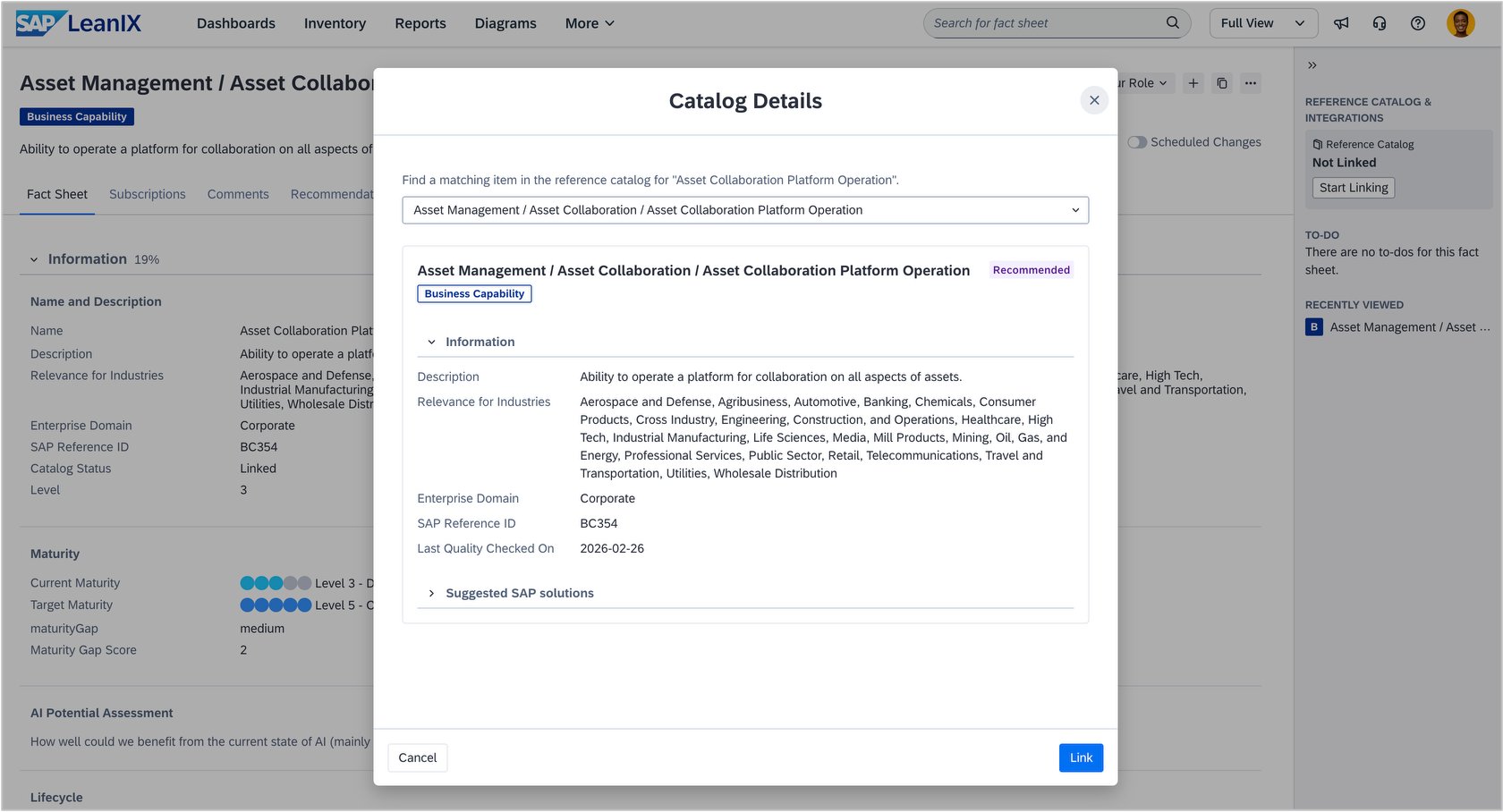
Linking business capability fact sheets to the reference catalog from a fact sheet details page now opens in a modal rather than navigating you to a separate full-page layout. With the fact sheet still visible in the background, you always have context for the link you are about to create. Users with read access to the catalog can also open the modal to view catalog details for an existing link, but they cannot modify it.
Integrations
The SAP Signavio integration now supports an additional authentication option via an SAP platform capability, in addition to the existing credential-based setup. If you are using or planning to set up the Signavio integration, you can now set up authentication via SAP for Me, which establishes and centrally manages the connection between Signavio and LeanIX. This removes the need to manage credentials directly in your LeanIX workspace.
To use this option, go to the integration configuration in your workspace admin area, select SAP for Me as the authentication method, and follow the guided flow in SAP for Me. For detailed setup instructions, see the SAP Help Portal. If you are already using the integration, there is no need to change your current setup. Switching to the new authentication method is optional and can be done at your convenience.
Transformations
In workspaces with SAP Architecture and Road Map Planning, we have made two improvements to transformations.
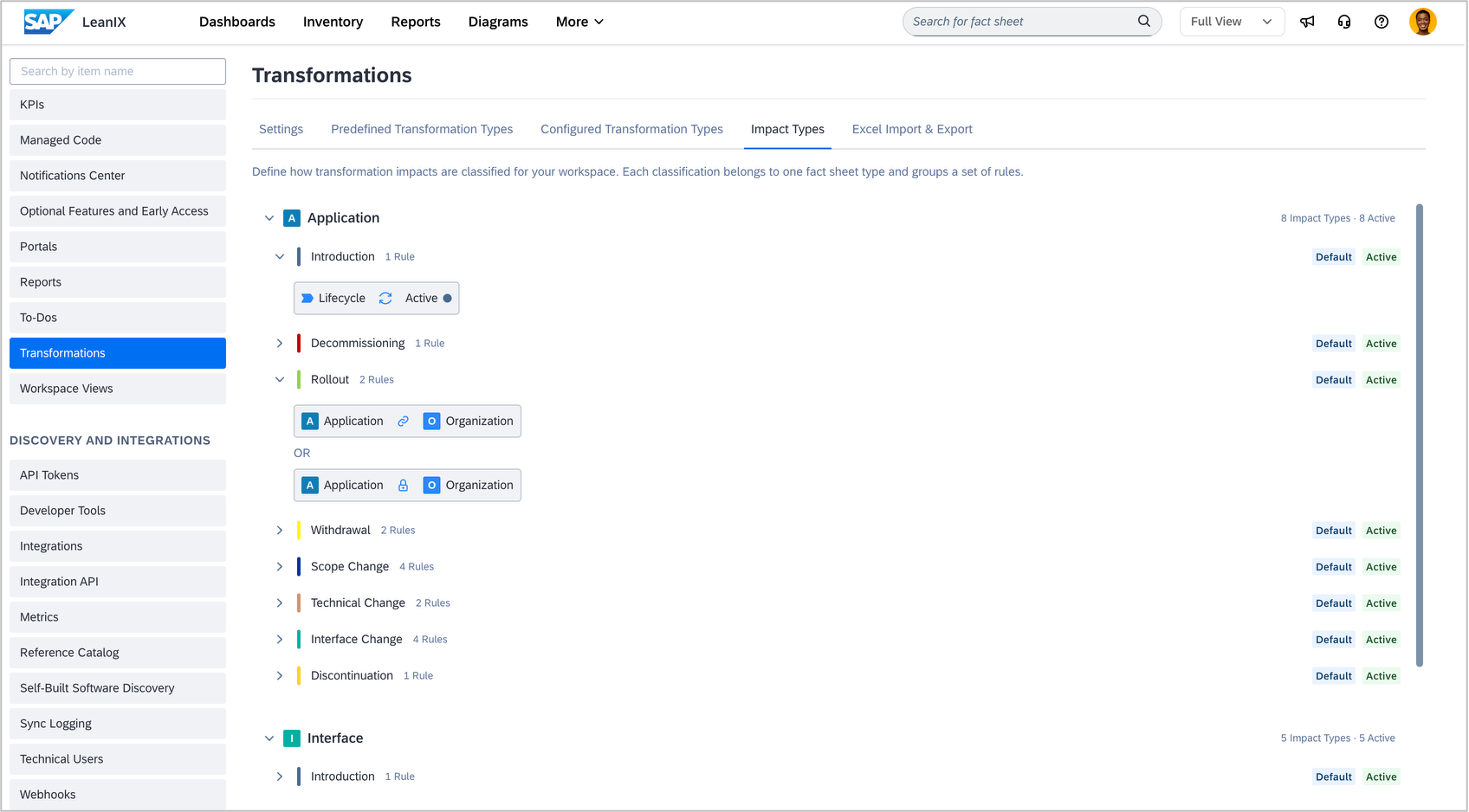
Workspace admins can now view transformation impact type classifications in the admin panel under Transformations > Impact Types. This read-only view shows how impacts are categorized, grouped by fact sheet type, along with their associated rules and active/inactive status.
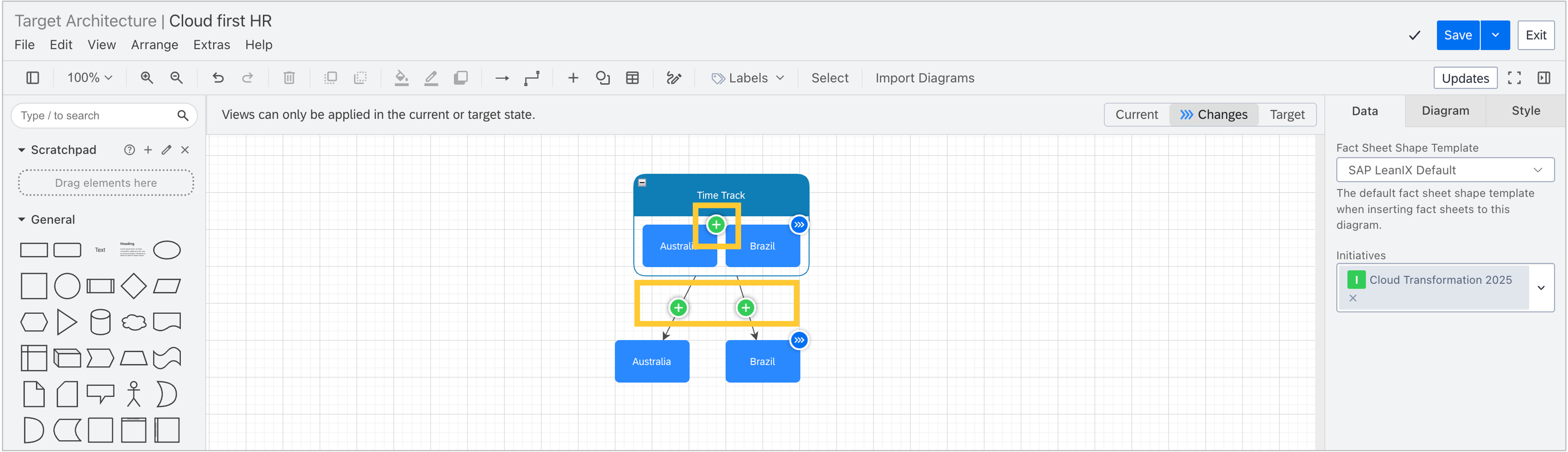
Additionally, target architecture diagrams now correctly visualize the full impact of the custom impact type "move-all-relations" across all three view modes. In changes mode, removed relations appear as red cross overlays and added relations as green plus overlays, on both relation lines and drill-down panels. In current mode, relations and fact sheets that do not yet exist are now hidden. In target mode, relations and fact sheets that will be removed are now hidden.
Support
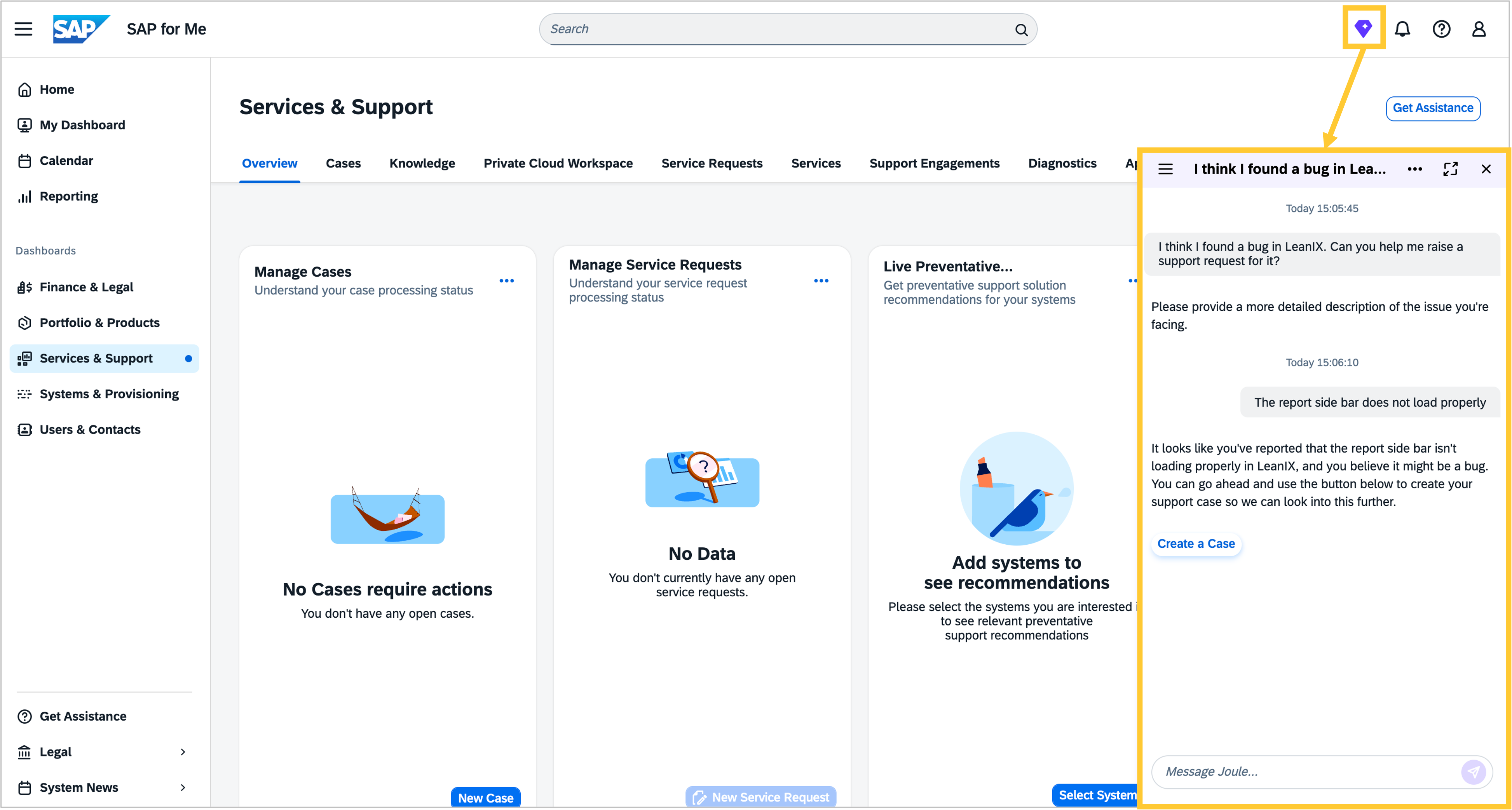
Joule, SAP's native AI assistant, is now available to all customers in SAP for Me, the SAP customer portal for managing your SAP products, licenses, and support cases. If you need to raise a support request with the SAP LeanIX team, depending on your setup, you can do so either via the SAP Built-In support widget or via SAP for Me. Access to SAP for Me requires users to have an S-user account, which every customer has assigned to people in their organization. Within SAP for Me, you can access Joule via the diamond icon in the top navigation bar. It can guide you through creating a support request and help you find answers on SAP LeanIX product functionality based on official SAP documentation and knowledge base articles.