- DATE:
- AUTHOR:
- SAP LeanIX Product Team
Weekly feature improvement and bugfix summary
Reports
As announced, we released improvements to our roadmap and landscape reports to increase consistency and usability.
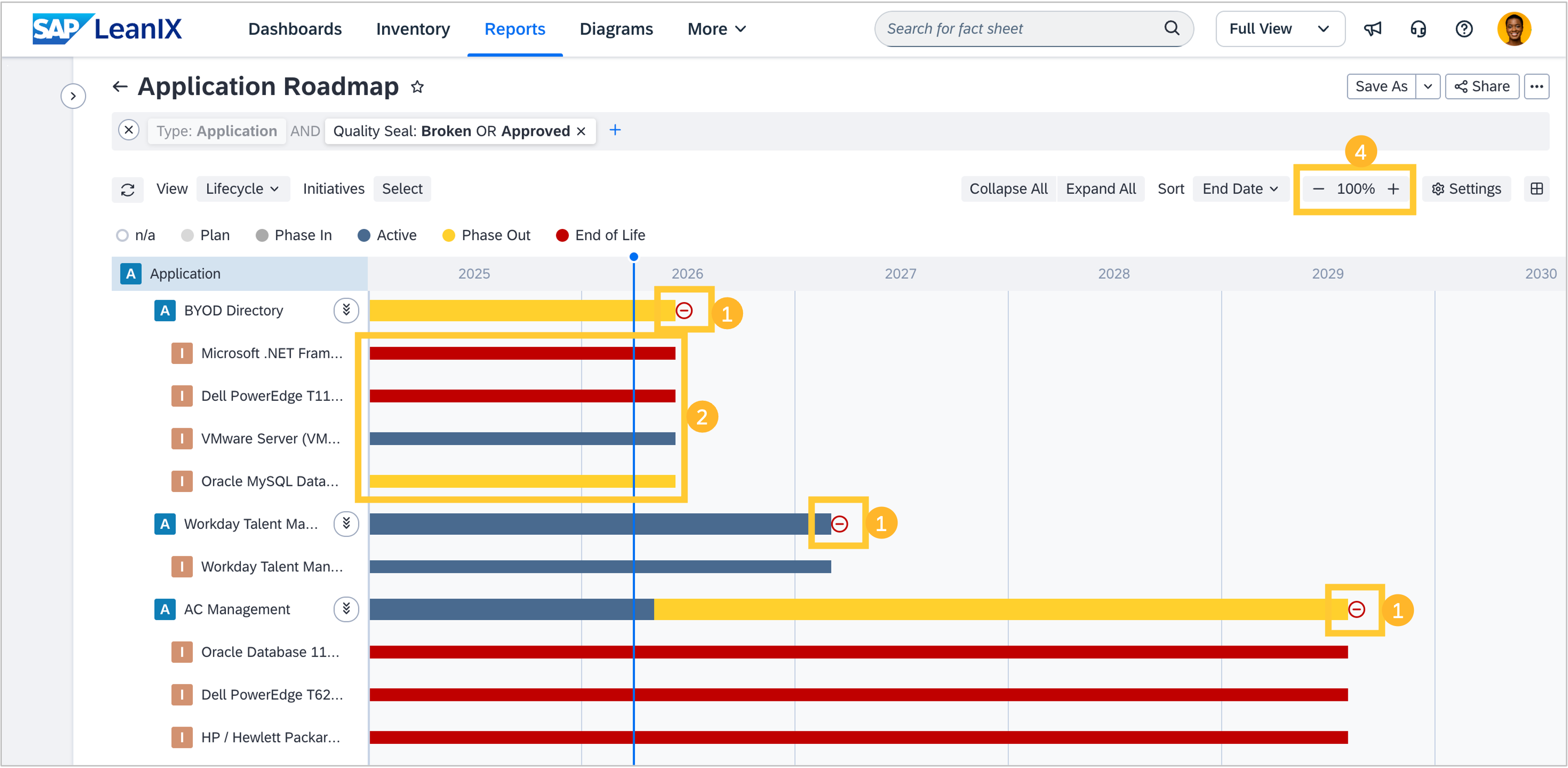
Consistent end-of-life display: Currently, end-of-life (EOL) dates on roadmap items appear as either an icon or a colored bar, depending on a report setting. With this release, EOL will consistently be displayed as a point-in-time icon across all roadmap items, and the bar-based display setting will be removed. Drill-down items, such as IT components shown within an application's lifecycle, will continue to show the EOL bar where it provides necessary context, for example, when a component reached EOL before the parent application became active. Please note: if you currently use the bar-based EOL display in saved report bookmarks, the display will automatically switch to the icon representation.
Selected view applied to drill-downs: Today, the roadmap report always shows the lifecycle view for drill-down items, regardless of the view you select for the main items. This can lead to confusion when the drill-down colors do not match the report legend. With this release, your selected view will apply to all bars, including drill-downs. This is consistent with how the landscape and matrix reports already behave. Please note: drill-down items in existing reports and bookmarks will begin reflecting the selected view rather than defaulting to the lifecycle view.
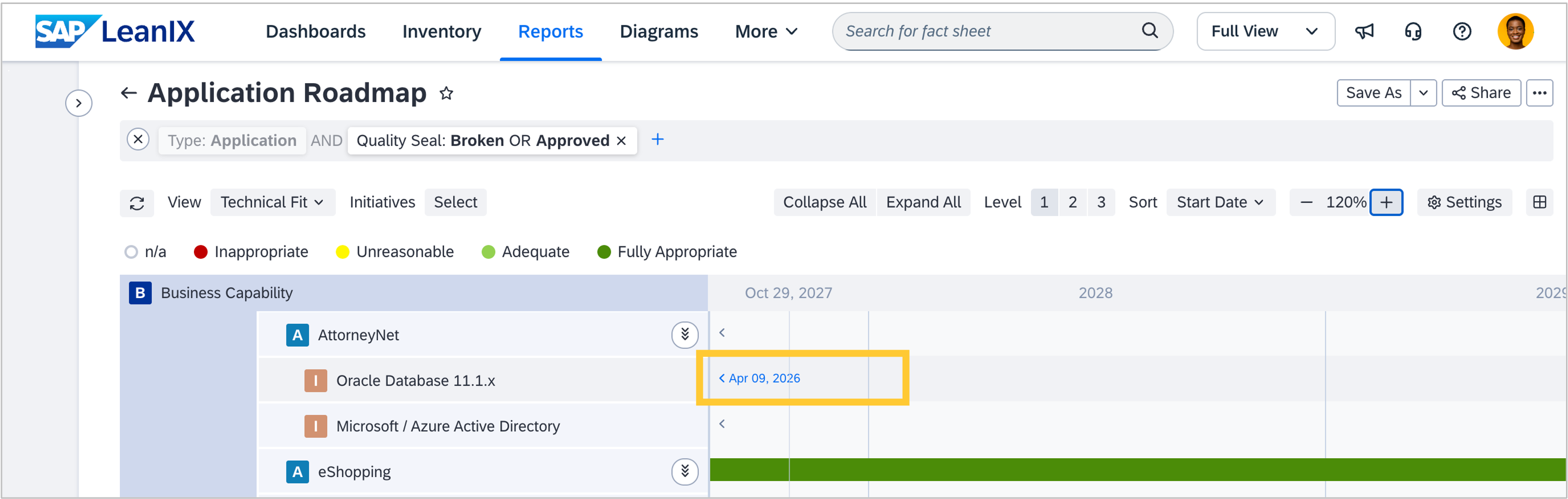
Off-viewport indicators and navigation: When you zoom into a specific timeline range, bars that fall outside the visible area can be difficult to locate. With this release, small arrow indicators will appear at the edges of each row to show where off-screen bars are located. Hovering over an arrow reveals the bar's start or end date, and clicking it scrolls directly to the bar. This makes it much easier to navigate large roadmaps without losing your place or accidentally triggering browser back navigation.
Percentage-based zoom settings: Instead of the previous selection of years, months, or weeks, you can now zoom in and out of roadmap reports via the plus and minus buttons of the zoom scale. In the same way as in other report types. The zoom can also be interactively adjusted by left-clicking and moving the mouse left or right.
When you open a landscape report, if you use the "SAP Suggestions in Your Landscape" meta model extension, the suggestions dropdown will be visible by default. Currently, the dropdown is hidden and has to be manually expanded. This change helps you discover and act on SAP suggestions more easily.