- DATE:
- AUTHOR:
- SAP LeanIX Product Team
Weekly feature improvement and bugfix summary
Dashboards
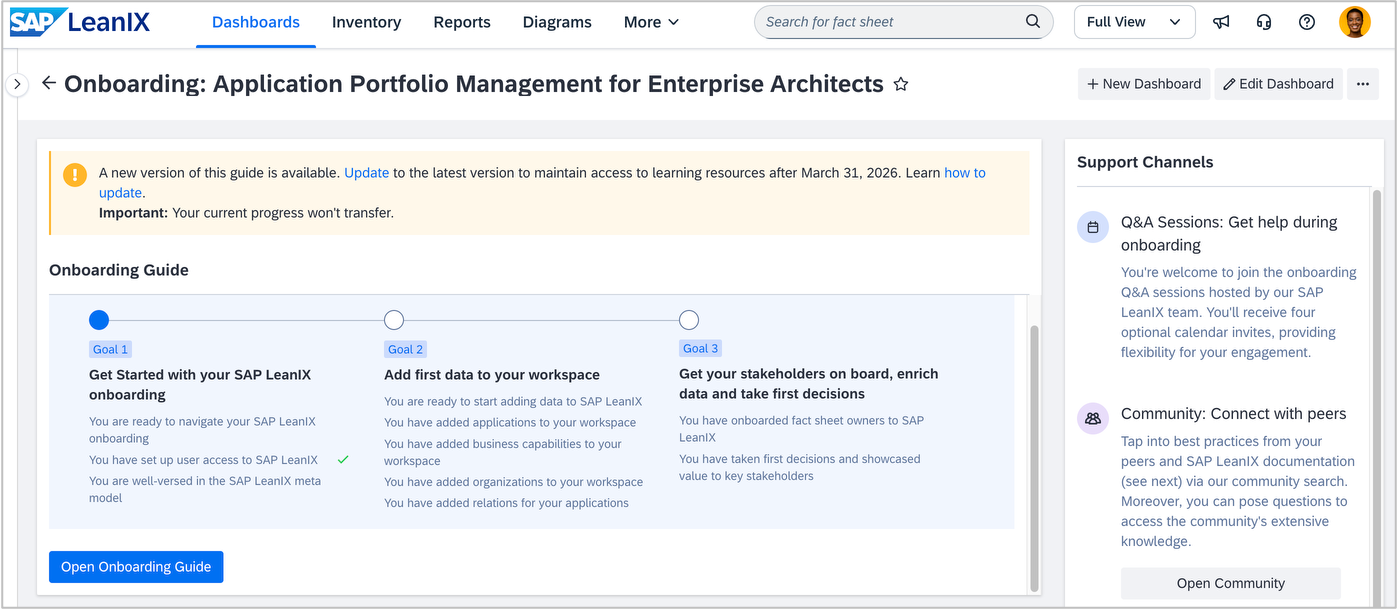
We have made minor updates to the application portfolio management onboarding dashboard for enterprise architects. To improve the flow, we moved tasks between milestones, adjusted task order, and removed the TIME assessment step. Additionally, we updated links to learning resources to align with the migration of the SAP LeanIX Academy. For all workspaces created on or after February 4, 2026, the current version of the dashboard is automatically available. For workspaces created previously with the dashboard activated, you can update to the latest version via self-service. A banner on the dashboard highlights that a new version is available. We recommend that you update to get the latest content. However, please be aware that this will reset the visual progress of your learning journey (the green check marks). This does not affect your actual workspace data or configuration, but only the guide checklist.
Diagrams
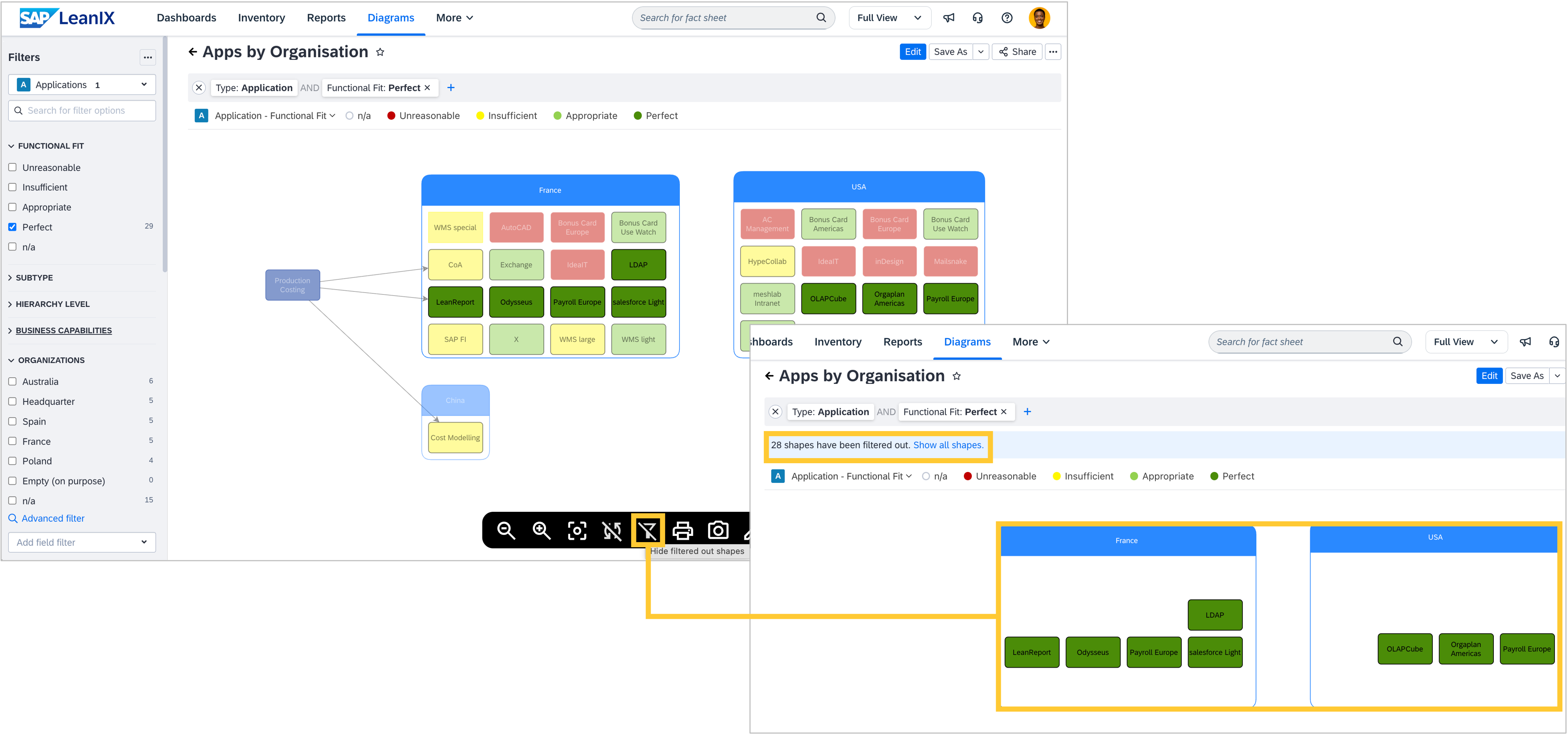
A new filtering display option is now available in the view mode of free draw and data flow diagrams. This allows you to choose whether fact sheets and relations that do not match the applied filter criteria remain visible in the diagram or are hidden. By default, non-matching fact sheets and relations remain visible at 50% opacity, preserving context and relationships. Choosing to hide filtered items will show only matching fact sheets and relations. When hiding filtered items, an indicator shows the number of hidden items with an option to temporarily reveal them. A toggle control in the black hover menu at the bottom of the canvas lets you switch between two filtering display modes. Your chosen display model is saved with the diagram when you click the Save button. If not saved, the setting returns to the default setup on page reload.
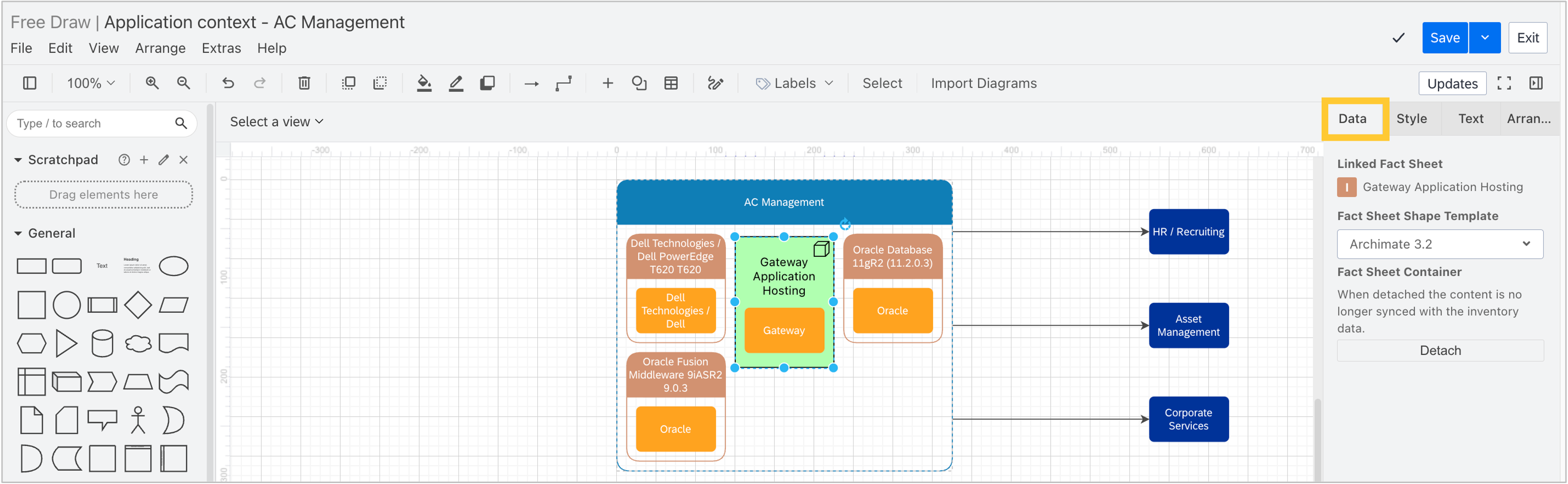
In the edit mode for data flow diagrams, free draw diagrams, and diagram templates, we have consolidated all LeanIX‑specific inputs and data into a new, integrated Data tab in the right pane, making key information easier to access and separate from layout settings. For example, you can see details of a linked fact sheet, unlink a fact sheet, or detach a fact sheet container. Especially useful within diagram templates, you can also adjust the fact sheet shape template (e.g., to ArchiMate 3.2).
Reports
On the roadmap report, we improved the positioning of the tool tips, which are shown in the middle of a lifecycle bar when hovering over it.
Self-built software discovery
As announced on January 23, in tech stack discovery, we stopped matching discovered database drivers to database technologies in the reference catalog on February 9. No data in your workspace has been modified or deleted. See the past announcement for details.
When uploading your manifest file within self-built software discovery, the SBOM ingestion endpoint on the Self-Built Software Discovery REST API now enforces rate limits. Requests exceeding the limit will receive a '429 Too Many Requests' response. The background is that the SBOM ingestion endpoint handles large file uploads, making it vulnerable to resource exhaustion during traffic spikes. The rate limit ensures that no uncontrolled load degrades service health for all users. Please ensure your integrations handle 429 responses with a retry logic and exponential backoff.