- DATE:
- AUTHOR:
- SAP LeanIX Product Team
Create automations with ease within the redesigned automations section
As announced, we have introduced a redesign of the automations section in the admin area, built to improve clarity and ease navigation as automation configurations grow in complexity.
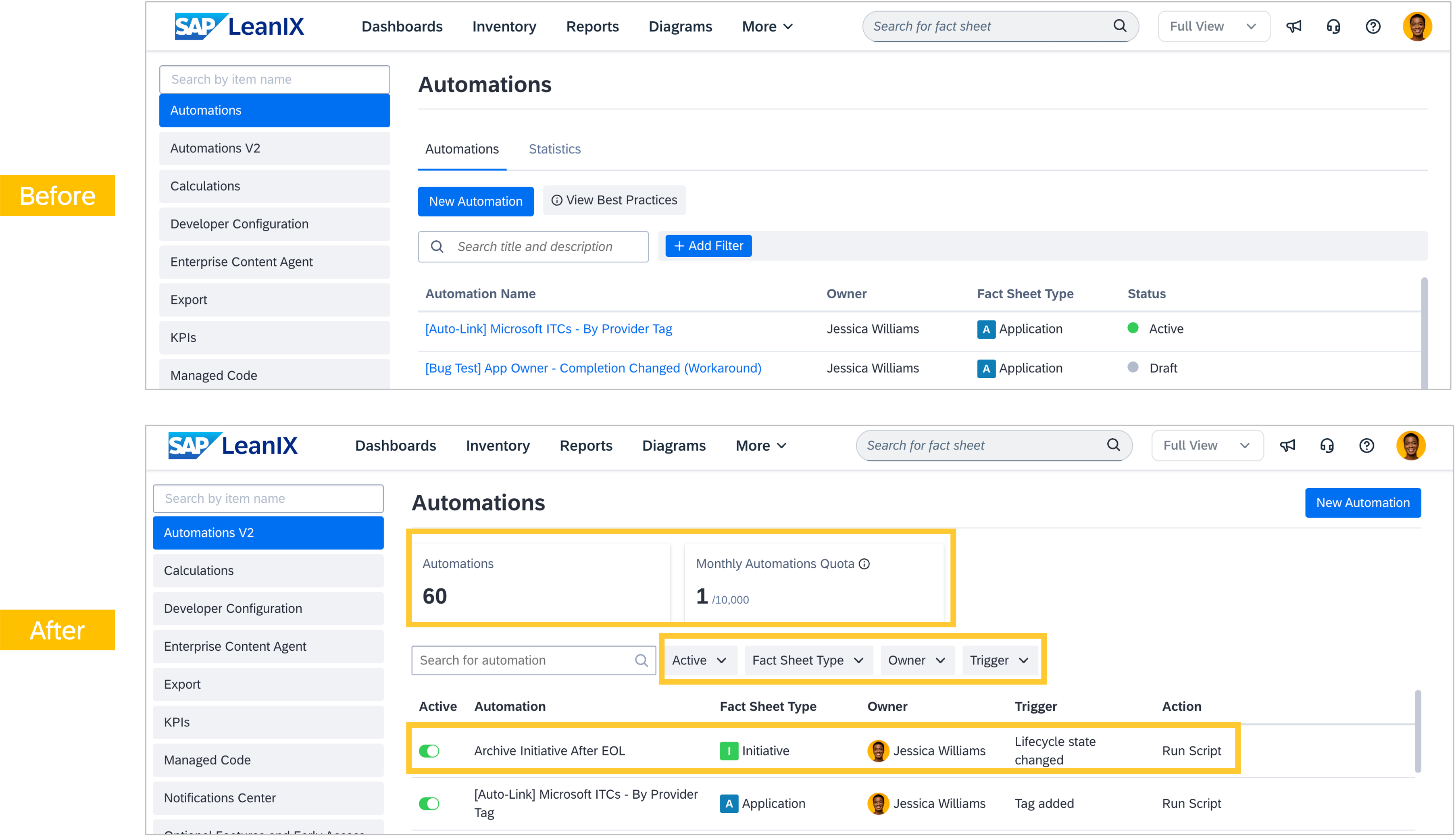
On the overview page, you are now able to see the total number of automations in your workspace and your monthly quota usage at a glance. New filters let you narrow the list of automations by fact sheet type, owner, or trigger, and each row will show the automation's primary action inline, with additional actions revealed on hover.
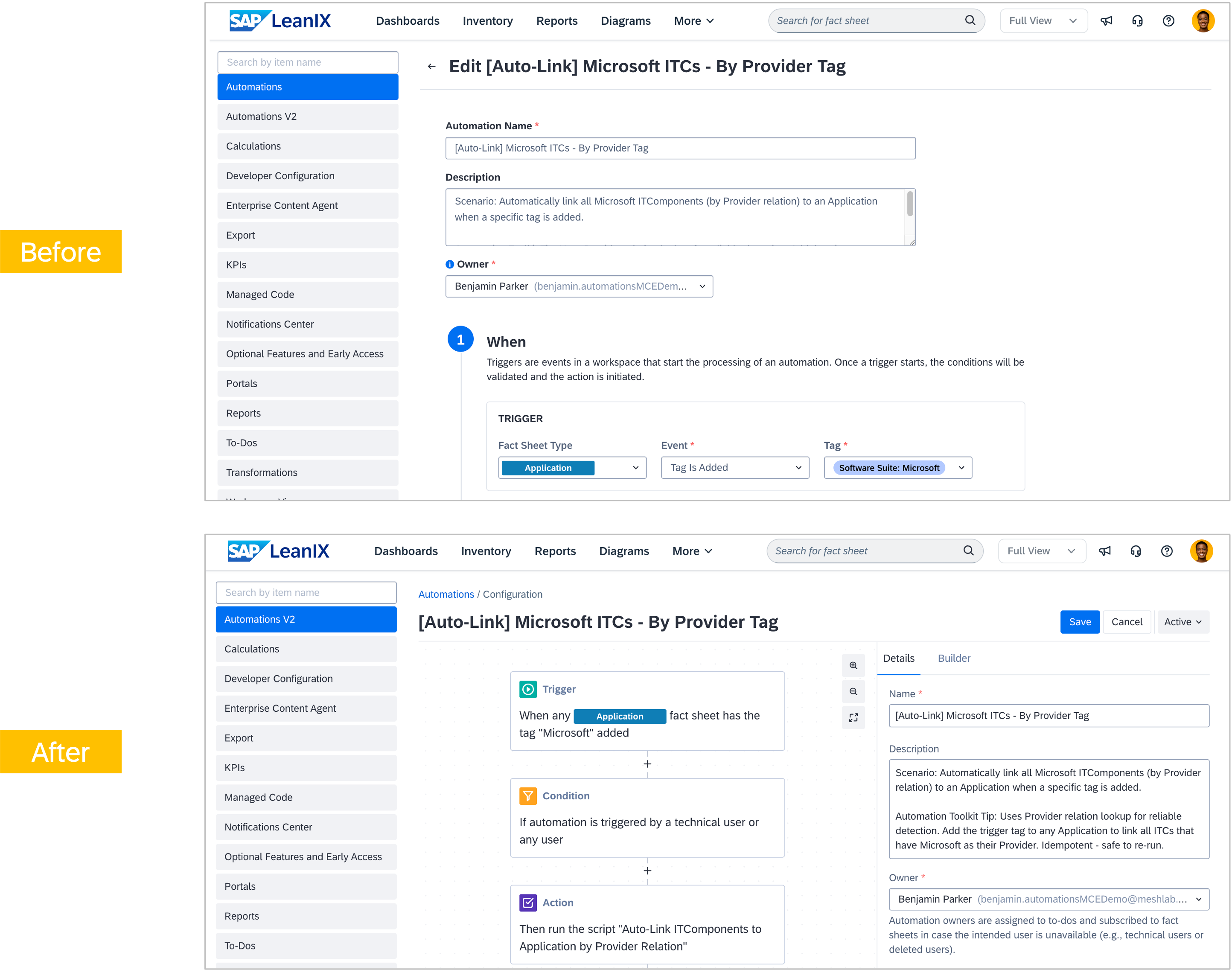
When editing an automation, the configuration page presents the complete flow of triggers, conditions, and actions as a step-by-step view, with a plain-text description of what it will do. This makes it significantly easier to understand what an automation does at a glance, reduce cognitive overhead for complex templates, and make newer trigger types, conditions, and actions easier to discover.
Existing automations have migrated automatically, which means no action is required on your part. This redesign also lays the groundwork for AI-powered automation authoring, where you will be able to describe what you want to achieve in everyday language and have a draft automation template generated.