- DATE:
- AUTHOR:
- SAP LeanIX Product Team
Weekly feature improvement and bugfix summary
Release update
We have changed the release date for the redesign of the automations section. The new interface with improved filtering, sequential configuration layout, and plain-language descriptions is now scheduled for May 18 instead of May 13. There are no changes to the feature itself and all details in the original announcement remain valid.
Diagrams
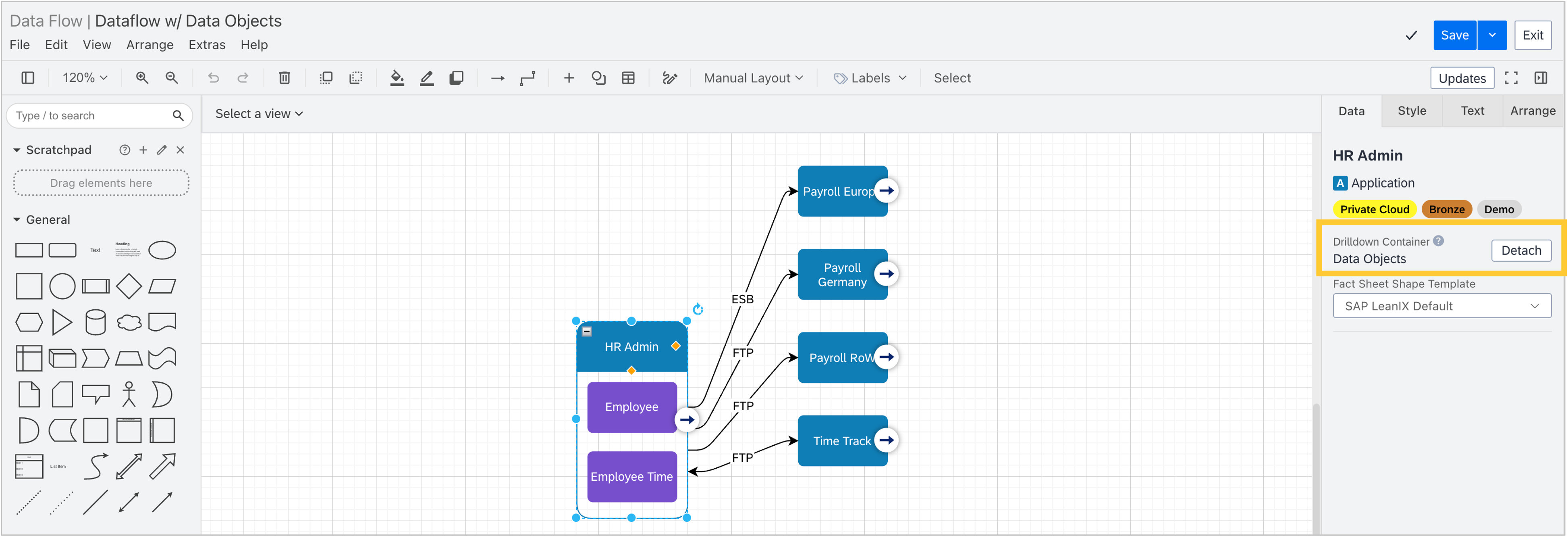
When working with diagrams, for shapes with an active drilldown, the Data tab now includes a drilldown container row showing the drilldown type and a detach action. This replaces the previous separate drilldown strip and consolidates all drilldown information in a single, consistent location.
Reference catalog
You can now request missing IT component catalog items programmatically via the REST API. Previously, submitting requests was only possible one-by-one through the UI, a manual process that made bulk submissions impractical. A new endpoint (/services/catalog/v1/requests) lets you automate and batch catalog item requests, making it significantly faster to keep your IT component landscape complete.
Integrations
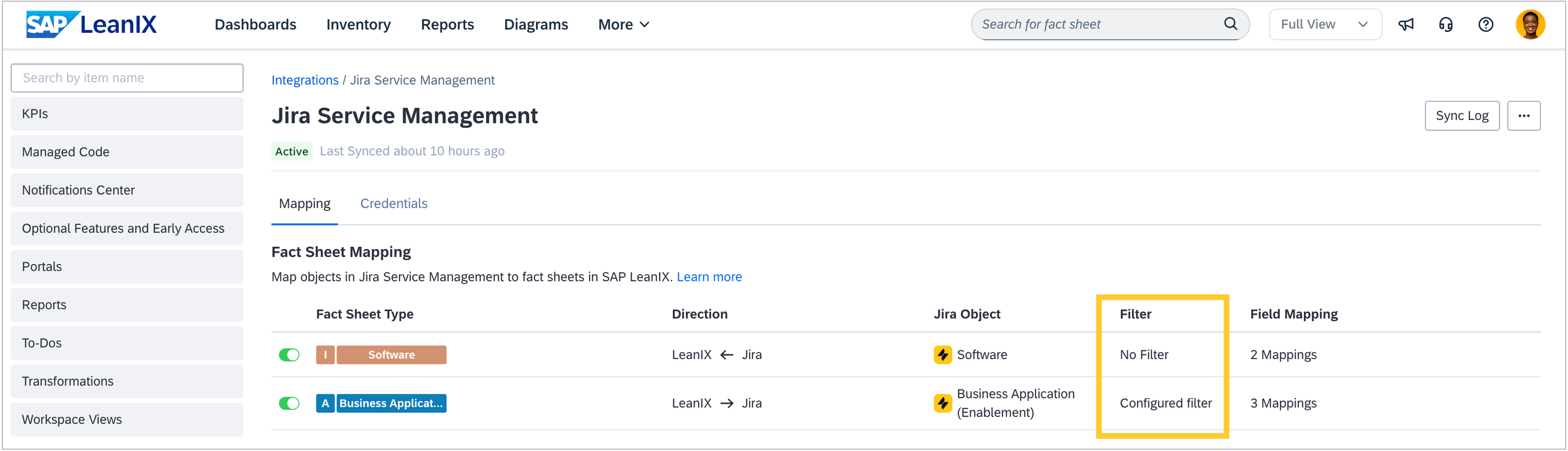
In workspaces with SAP Technology Risk Management, when using the Jira Service Management integration, you can now apply filters to control exactly which fact sheets will get synchronized with Jira Service Management. The same way, you can filter which Jira assets will get pulled into your LeanIX workspace. Previously, all fact sheets and assets of a given type or object were automatically included when running a sync, giving you no way to scope the synchronization to a specific subset of your IT landscape, and potentially syncing fact sheets and assets that were out of scope. With this release, you can use the known filter capabilities directly in your Jira Service Management integration configuration, ensuring only the relevant fact sheets and assets are considered during sync.
MCP Server
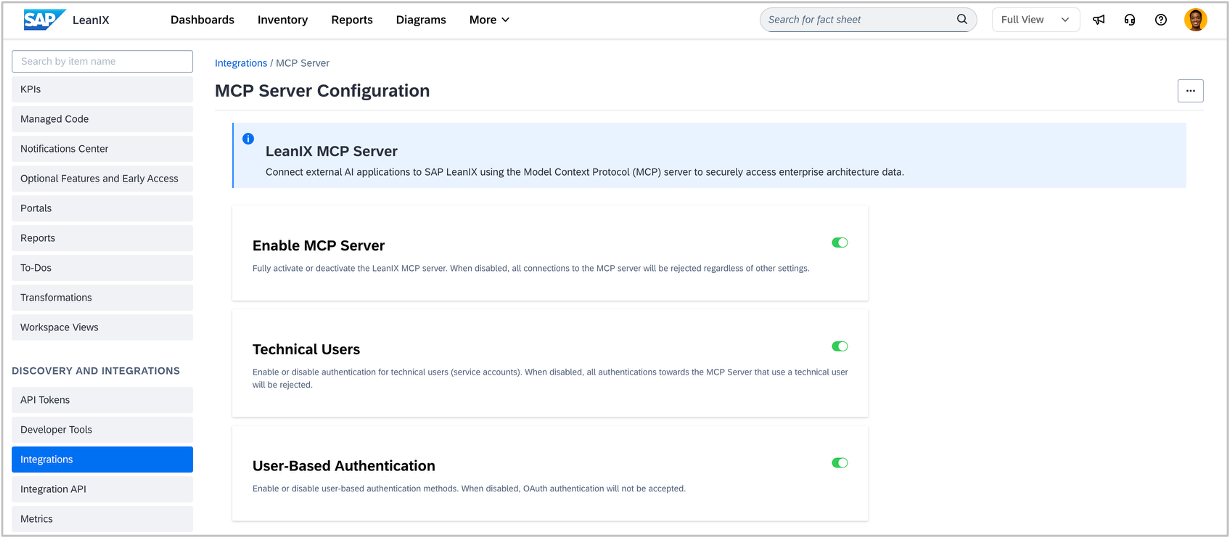
As an admin, you can now manage the MCP server configuration directly from the integrations section of the administration area. There you can configure authentication settings and choose between OAuth for individual users or technical user tokens for automated systems.
Tagging
When using the Pre-defined tag groups or on-the-fly tagging mode, we have fixed an issue where users could create new tags on the fly even when tag groups were already defined for a fact sheet type. On-the-fly tag creation is now correctly blocked when a matching tag group exists, aligning with the intended behavior of this tagging mode.
Webhooks
You can now configure webhooks to receive notifications for to-dos in your workspace. The following events are available:
A to-do is created, updated, or deleted (TODO_CREATED, TODO_UPDATED, TODO_DELETED)
A user is added, updated, or removed as an assignee on a to-do (TODO_ASSIGNEE_CREATED, TODO_ASSIGNEE_UPDATED, TODO_ASSIGNEE_DELETED)
This lets you connect your workspace to-dos with external systems and automate workflows based on task activity, for example, syncing task assignments to a project management tool or sending notifications when responsibilities change. For a full list of available webhook event types, see webhook events.