- DATE:
- AUTHOR:
- SAP LeanIX Product Team
Weekly feature improvement and bugfix summary
Inventory
We fixed a bug that appeared in workspaces with many fact sheets and deep hierarchies. When typing into a relation field via inline editing in the inventory table view, the view appeared unresponsive. Your typed characters now appear immediately while search results load in the background.
Reference catalog
The reference catalog now includes the Education and Research industry, with new level-2 business capabilities such as Academic Operations and Delivery, Procurement Intake Management, or Enterprise Performance Management, each with suggested SAP solutions.
Enterprise Architecture Assistant
The Enterprise Architecture Assistant's intermediate reasoning steps are now collapsed by default in the chat. You see the final answer immediately and can expand the reasoning trace on demand to review how the assistant arrived at its conclusions.
MCP Server
You can now query the SAP LeanIX product roadmap via the MCP server. Items with a status of on roadmap, in progress, early adopter, or open for voting are searchable by title and description. Combined with the possibility to query recent product releases, this gives you full visibility into past and upcoming product releases.
Automations
You can now trigger automations externally via the REST API and the MCP server, enabling AI agents and enterprise workflow tools to invoke them as part of their workflows. Previously, automations could only be triggered by internal workspace events. When triggered externally, automation conditions and active/inactive status are still checked, so an automation will not run if it is inactive or if the target fact sheets do not meet the configured conditions. External triggers require admin permissions.
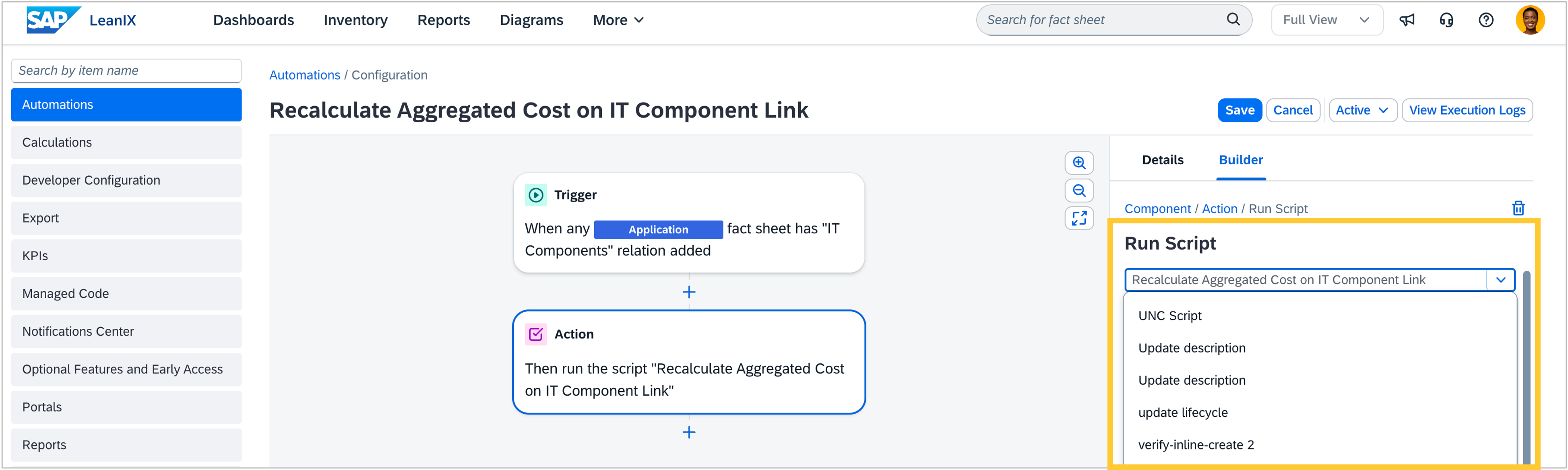
Scripts you have written for the Run Script action can now be saved and reused across multiple automations, so you no longer need to rewrite the same logic for each one. You can edit, duplicate, and delete saved scripts directly from the action. If a script is used by other automations, you see a warning before any changes take effect. In workspaces with base AI capabilities enabled, you can also refine any script by describing the change you want in plain language. The script updates in the editor, and your automation only changes when you explicitly save. No AI credits are consumed.