- DATE:
- AUTHOR:
- SAP LeanIX Product Team
Weekly feature improvement and bugfix summary
Inventory
We fixed two bugs in the inventory:
Consecutive searches in smart search did not update results correctly, but showed results from previous searches. This has now been fixed.
Relation permissions were not consistently enforced: users could open read-only relations in edit mode via the mandatory attributes list (see screenshot), and the same restrictions were missing from the GraphQL API, allowing updates and deletes that should have been blocked. Both gaps are now fixed.

Reports
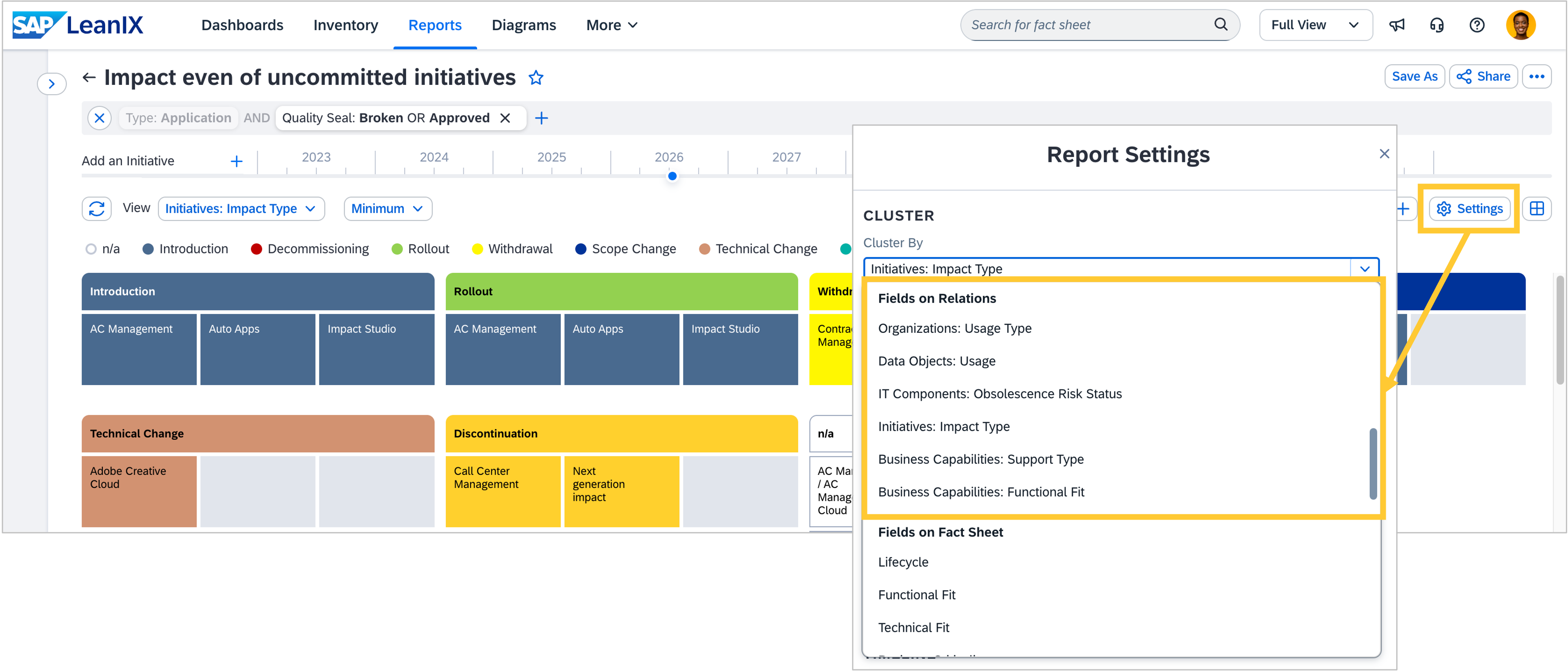
You can now cluster reports by fields on relations. For example, you can cluster applications by the usage type of their relation to organization fact sheets, instantly separating applications owned by a team from those merely used by them. In workspaces with SAP Architecture and Road Map Planning, a particularly powerful use case is unlocked for target architecture planning: you can cluster applications by the impact type of linked initiatives to understand which parts of your landscape are affected by planned changes. Single-select and multi-select relation fields are supported.
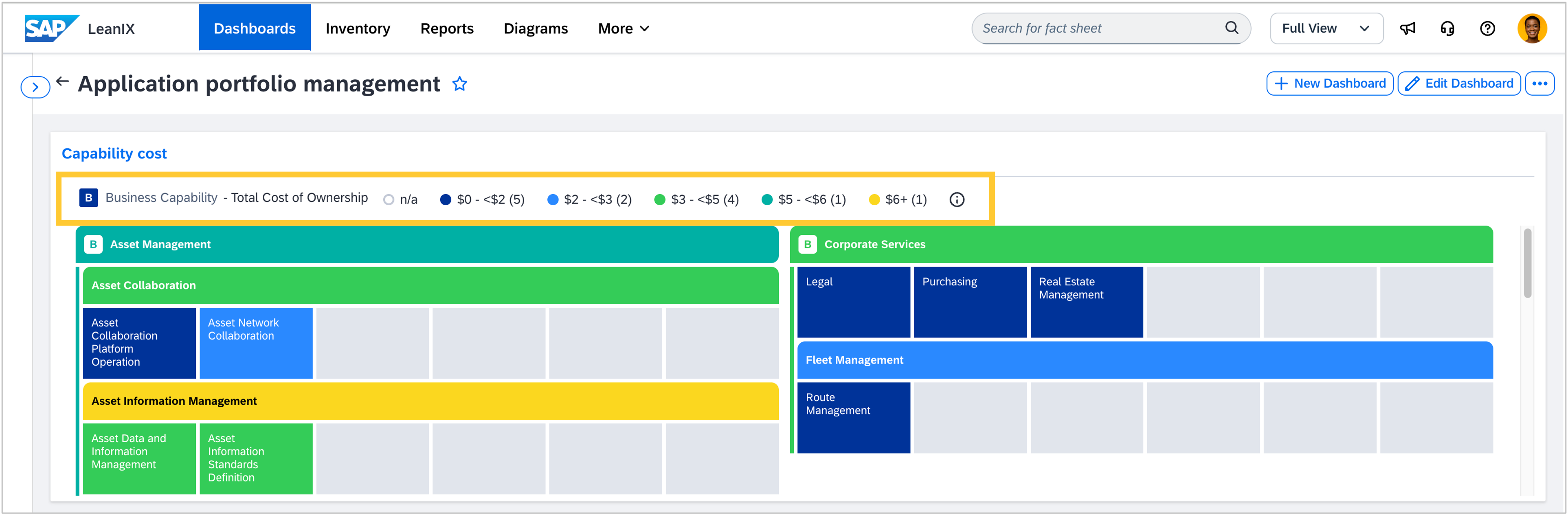
We made two improvements to how views are displayed in reports. Report legends on dashboards and in presentations now show the view legend in front of the individual values, consistent with how diagrams display it. We also fixed a bug where smart bucketing on number fields produced overlapping color ranges, making it impossible to tell which color a boundary value belonged to. Ranges are now non-overlapping with explicit bounds on every bucket.
Diagrams
We made several improvements to the diagram editor:
In workspaces with SAP LeanIX Architecture and Road Map planning, when working with target architecture diagrams, we fixed three issues in the initiative creation modal: the subtype field for initiatives now appears consistently across all entry points, a missing translation key is replaced with the correct label when creating a new diagram, and naming in the Sync Transformations modal is aligned with the rest of the interface.
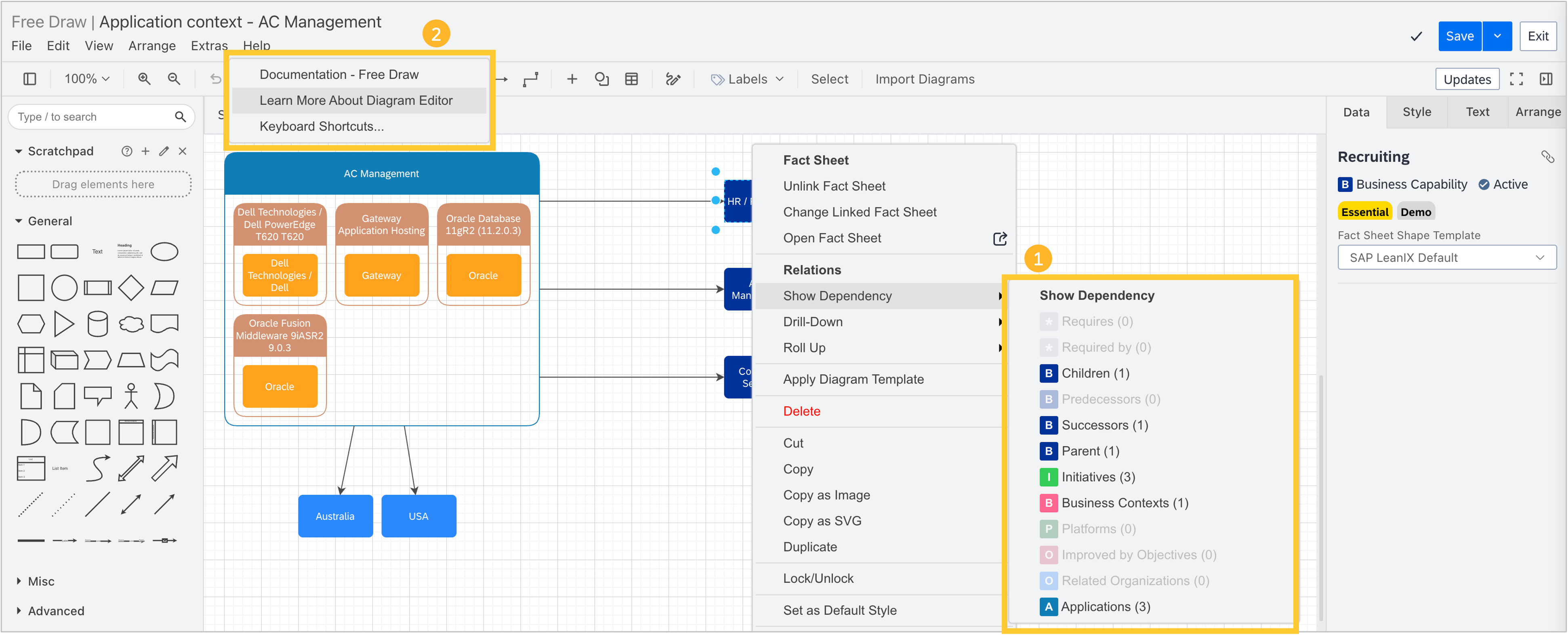
Relations in the drill-down, dependencies, and roll-up panels are now ordered more intuitively. Relations to the same fact sheet type appear at the top, making it easier to find what you are looking for. We also fixed a broken "Learn More About Diagram Editor" link in the Help menu.
Enterprise Architecture Assistant
We fixed two bugs in the enterprise architecture assistant
For certain queries, fact sheets appeared twice in the same response. The assistant now leads with a summary of the findings rather than repeating the list of fact sheets that the chat interface already displays.
We also fixed a bug that caused the assistant to search application fact sheets only by name, missing fact sheets registered under other types, such as IT components.
MCP server
The SAP LeanIX MCP server supports two types of integration: standard tool calls, which work across all MCP clients, and MCP apps, which render interactive LeanIX components directly inside the chat interface. MCP apps support depends on the client. As the MCP specification is still maturing, client implementations vary. Based on customer adoption and availability, we currently focus our MCP apps support on Claude (claude.ai and Claude Desktop) and are working with Microsoft to bring their platform to the same level.
Integrations
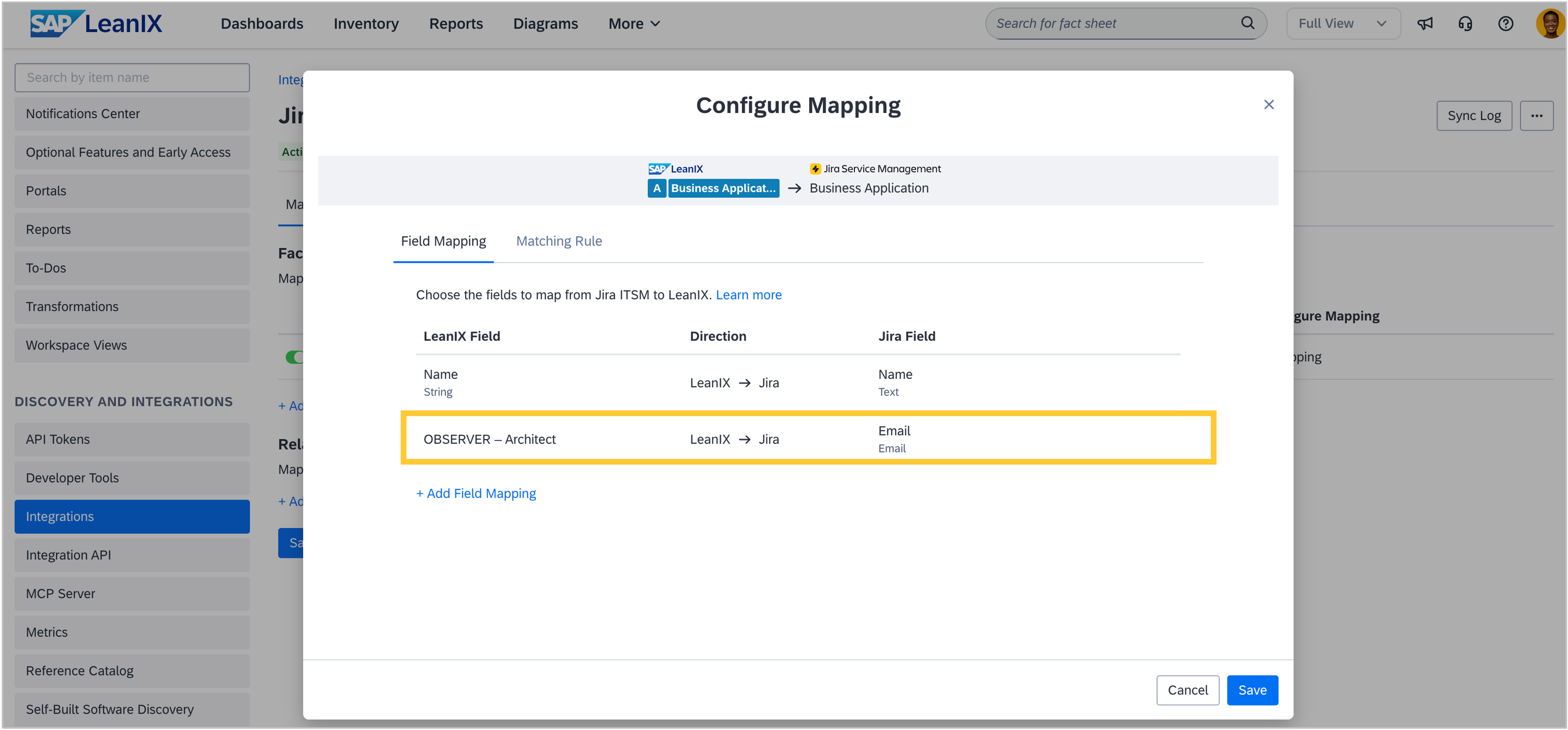
In workspaces with SAP LeanIX Technology Risk and Compliance, the Jira Service Management integration now supports subscription mappings. You can sync subscriptions as part of your fact sheet field mapping configuration.
Extension hub
The TCO and AI Governance use case extensions are now also available directly from the extension hub. Previously, these could only be enabled via the Optional Features & Early Access section in the admin area. To ensure they show up, navigate to the extension hub from your workspace via More > Extension Hub.