- DATE:
- AUTHOR:
- SAP LeanIX Product Team
Weekly feature improvement and bugfix summary
Release update
As announced in March, we are working on a new way to manage contracts in your workspace. The feature will allow you to surface connections between your IT inventory, contracts, and renewal timelines directly as part of your EA practice. Originally planned for release in mid-May, we now expect to ship it in the first week of June. We will share a dedicated announcement once it is released.
Reports
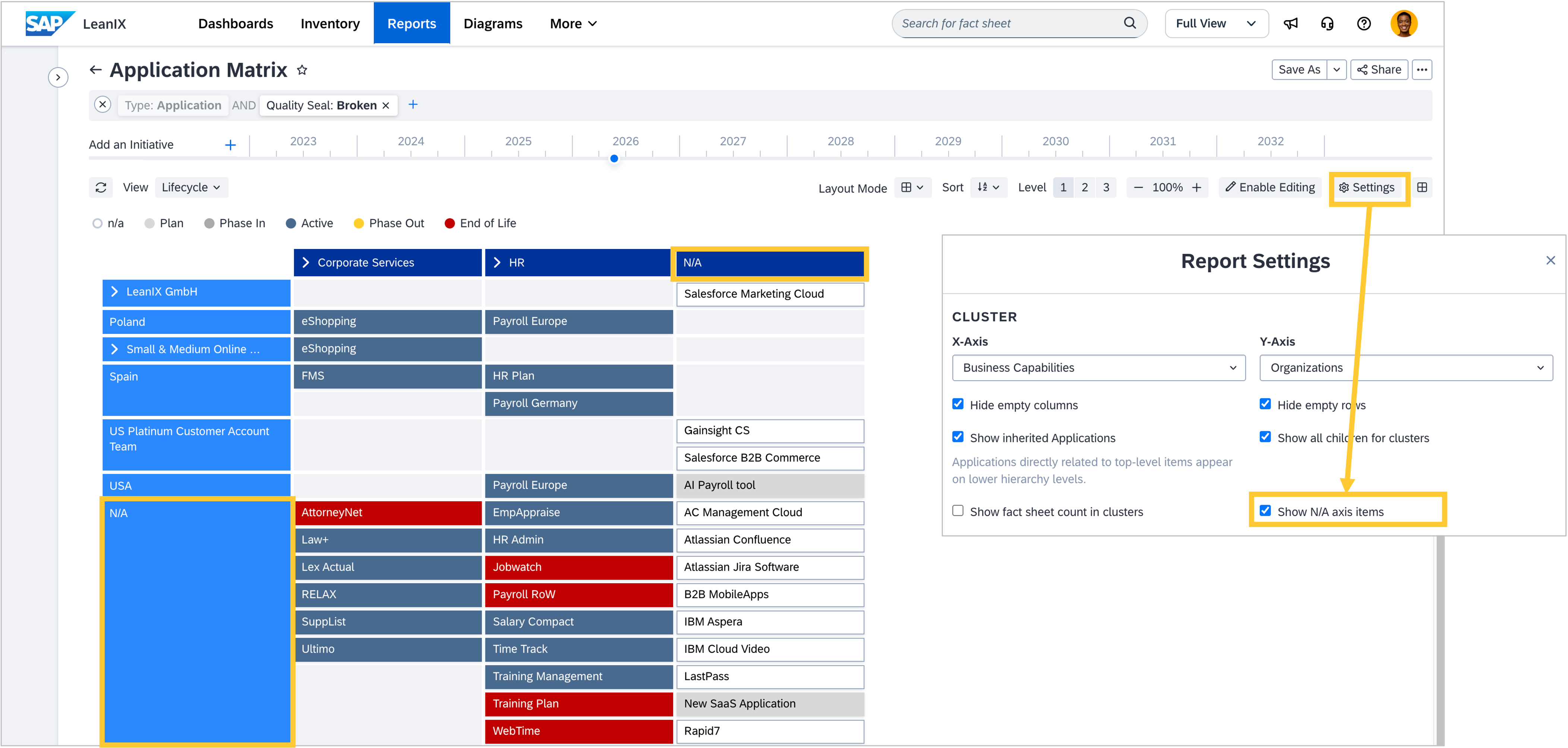
Fact sheets that are missing a relation on one or both axis of the matrix report can now be visualised via a new "Show N/A axis" setting, instead of landing in the excluded-items warning. The setting is disabled by default, and you can enableg it in the Settings modal to show a N/A row and column for those fact sheets.
Diagrams
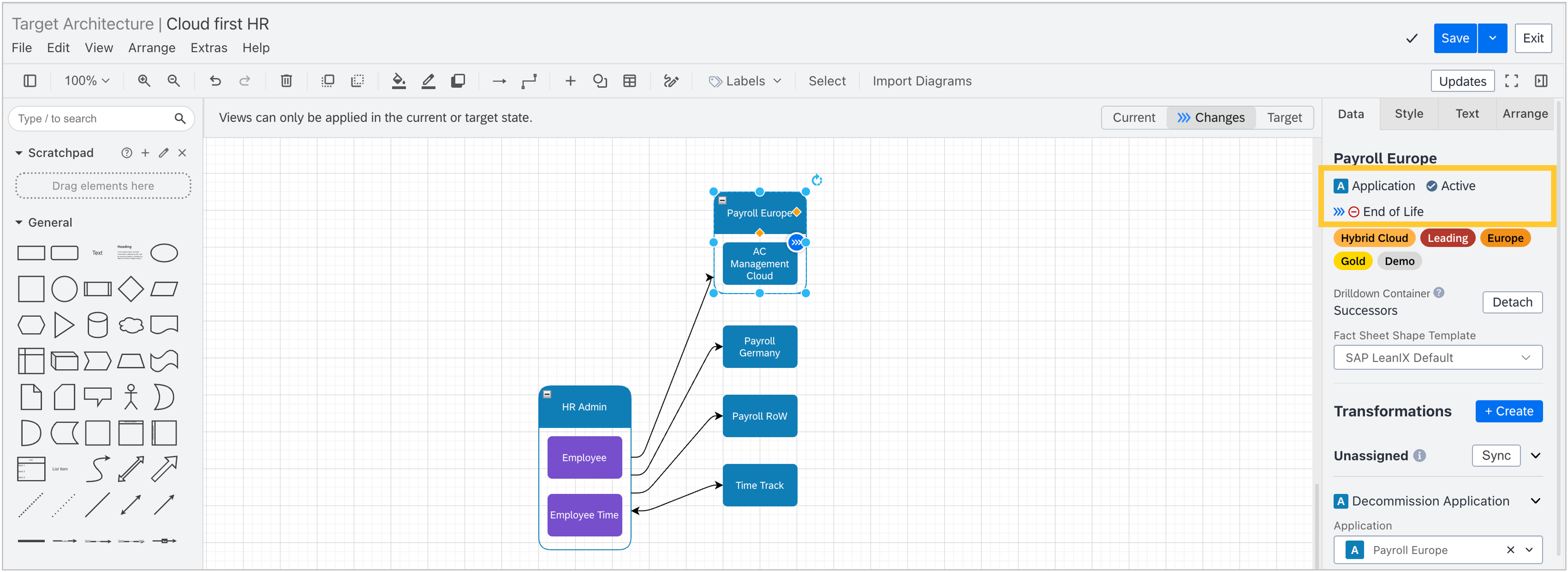
The fact sheet’s current lifecycle value is now displayed on the same row as the fact sheet type in the Data tab of a diagram when in edit mode. Additionally, in workspaces with SAP Architecture and Road Map Planning, the Changes view of a target architecture diagram shows an additional lifecycle value if a planned transformation includes a lifecycle change, giving you a clearer at-a-glance overview of planned lifecycle transitions without having to open the full fact sheet.
MCP Server
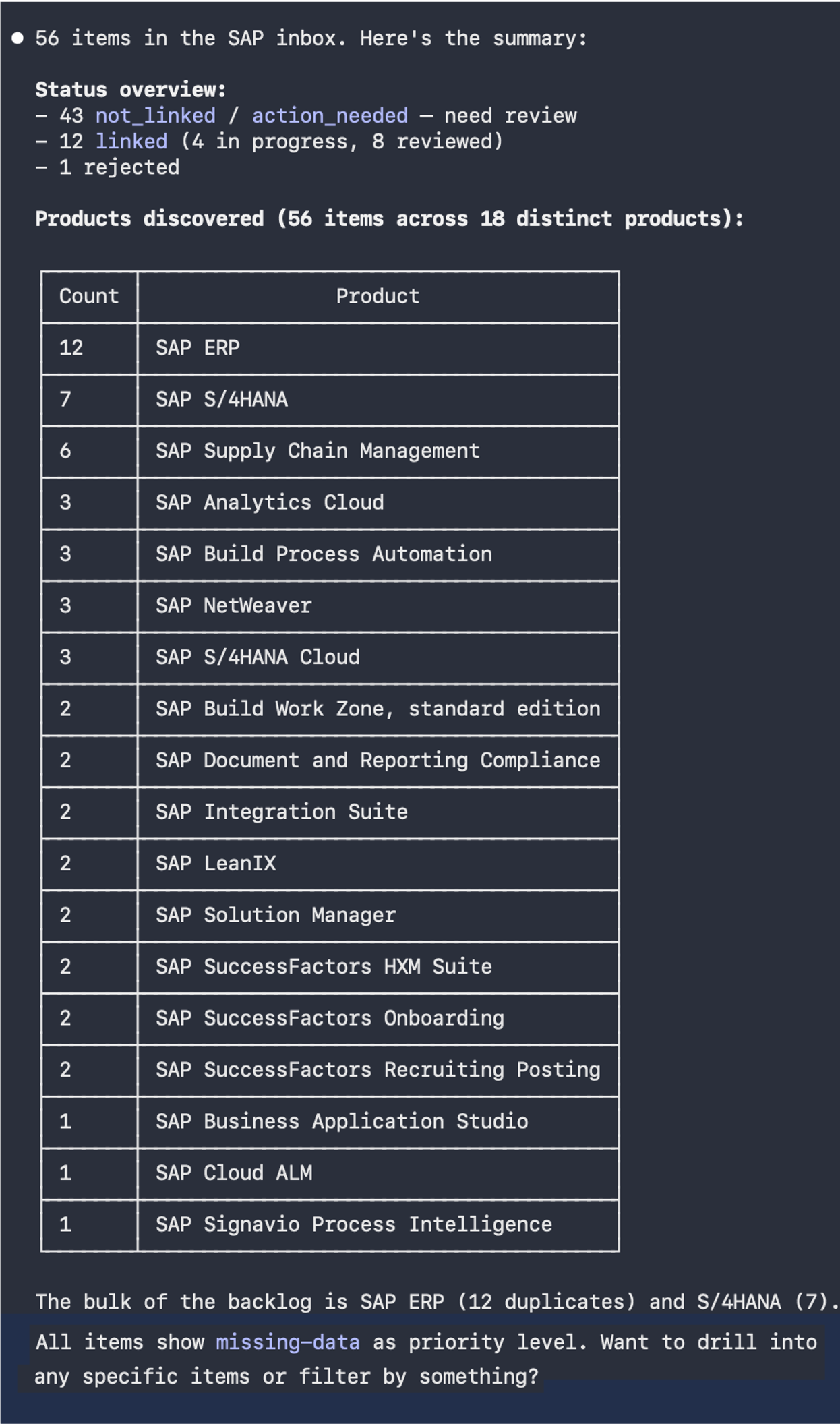
When you use available discovery sources such as SaaS discovery, SAP discovery, or AI agent discovery to populate your workspace, the discovered data is shown in the respective discovery inbox, where you can review it, link it to existing fact sheets, or reject it. Until now, this triage step had to be done manually in the UI. You can now automate discovery inbox workflows through the MCP Server via a new toolset. By adding "?toolsets=discovery_inbox" to your MCP Server URL, AI agents gain access to tools for searching and filtering discovery items, inspecting linking suggestions, previewing and confirming links to fact sheets, and rejecting irrelevant items across all discovery inboxes. See the SAP Help Portal for all available toolsets and how to activate them.