- DATE:
- AUTHOR:
- SAP LeanIX Product Team
Weekly feature improvement and bugfix summary
Change announcement
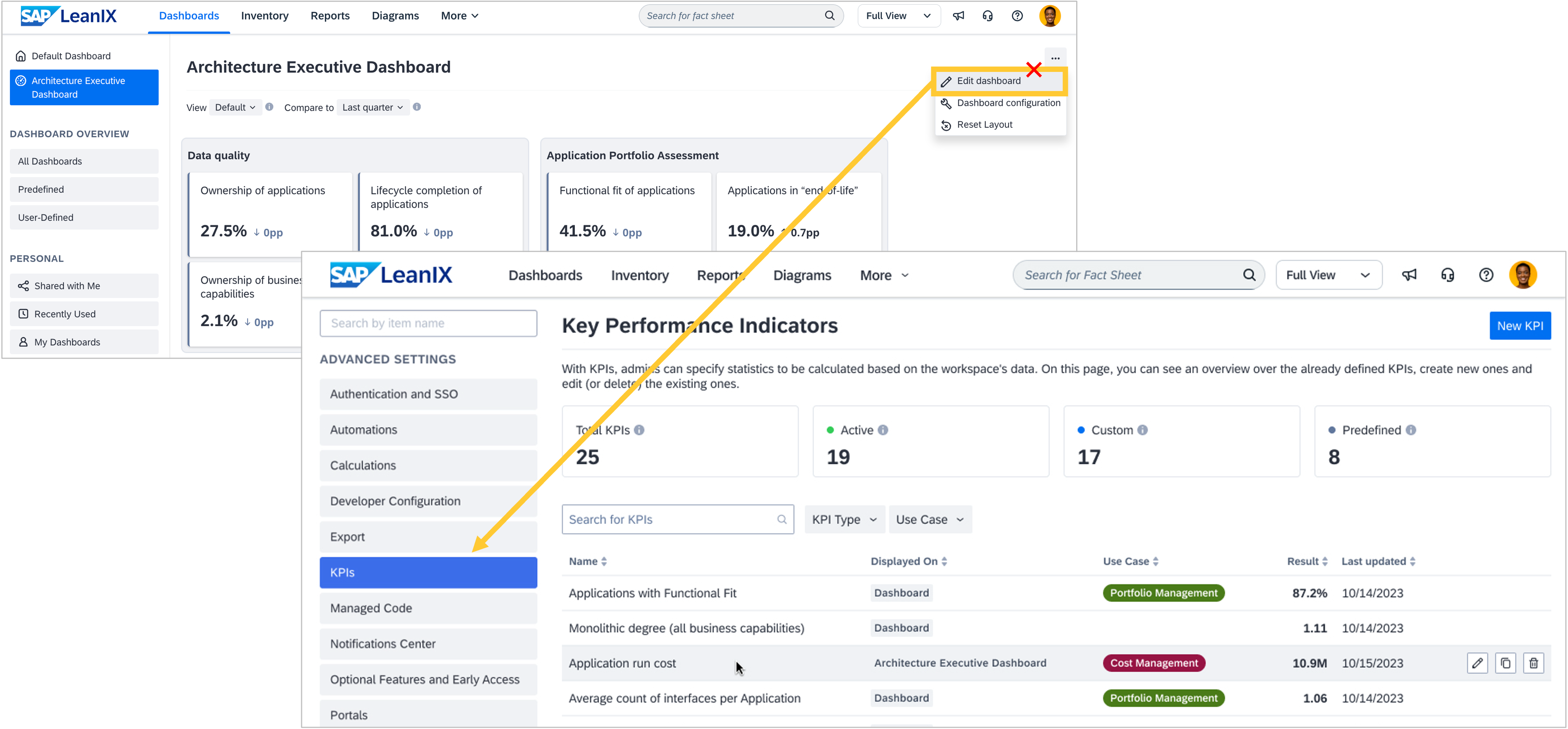
We previously shared that KPI management for general and executive KPIs in your workspace will be consolidated. We can now confirm this will take place on April 27. The ability to manage executive KPIs will move from the architecture executive dashboard edit mode to the KPI section in the admin area. Existing KPIs will be automatically migrated, no KPI values will be impacted or changed, and no action is required on your part.
From that date, the KPI section in the admin area becomes the single place to create, govern, and monitor all KPIs, including those shown on the architecture executive dashboard. With that change, you will be able to include any KPI on the architecture executive dashboard visualization. As an admin, you can not only control which KPIs are displayed on the architecture executive dashboard, but also define your own groupings, names, and descriptions. This allows you to customize the architecture executive dashboard to your organization's needs. As a consequence of these improvements, the edit mode of the architecture executive dashboard will be retired, as it is no longer needed, with its functionality moving to the admin area. We will inform you once the changes are live.
Reports
We fixed a bug where chart-based visualizations in custom reports appeared blank when exported to PDF or PNG, and in the grid view thumbnails. The reporting framework now automatically converts charts to images before export, so your exported reports accurately reflect what you see on screen. Please update the LeanIX reporting library to version v0.4.174 or higher to take advantage of this fix. The change will not apply to existing custom reports using older versions of the library.
Calculations
We have made two improvements to calculations.
New readable fields: Calculations can now read two additional fields: Quality Seal state (lxState) and “Leave Empty” information (naFields). This means you can use seal status directly in scoring and governance logic, and distinguish between fields intentionally left empty versus fields with missing data — without workarounds. For example, you can build a health score that automatically penalizes fact sheets with a broken quality seal, or avoid penalizing fact sheets where fields were intentionally left empty.
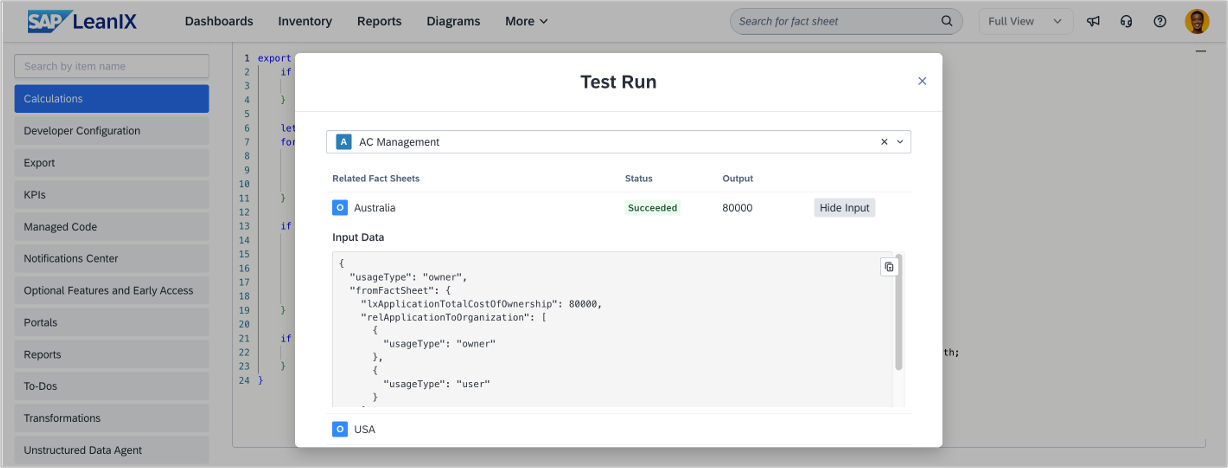
Test run now shows input data: The calculations test run now shows input data alongside output results. For each fact sheet, you can click “See Input” to expand the full input data the calculation used, making it easy to verify your logic and spot data issues before activating. Input data is displayed in raw JSON format.
Integrations
In workspaces with SAP LeanIX Technology Risk and Compliance, the Jira Service Management integration now supports all fact sheet types except projects and initiatives for fact sheet mappings. Previously, only applications and IT components could be mapped for synchronization. Expanding the scope to more fact sheet types gives you greater flexibility to keep your Jira Service Management data in sync.
