- DATE:
- AUTHOR:
- SAP LeanIX Product Team
Weekly feature improvement and bugfix summary
Inventory
When leveraging workspace views, we fixed a bug that prevented displaying the correct data in the inventory when navigating to it from a report using "Show in inventory" or from a dashboard by clicking on a fact sheet chart.
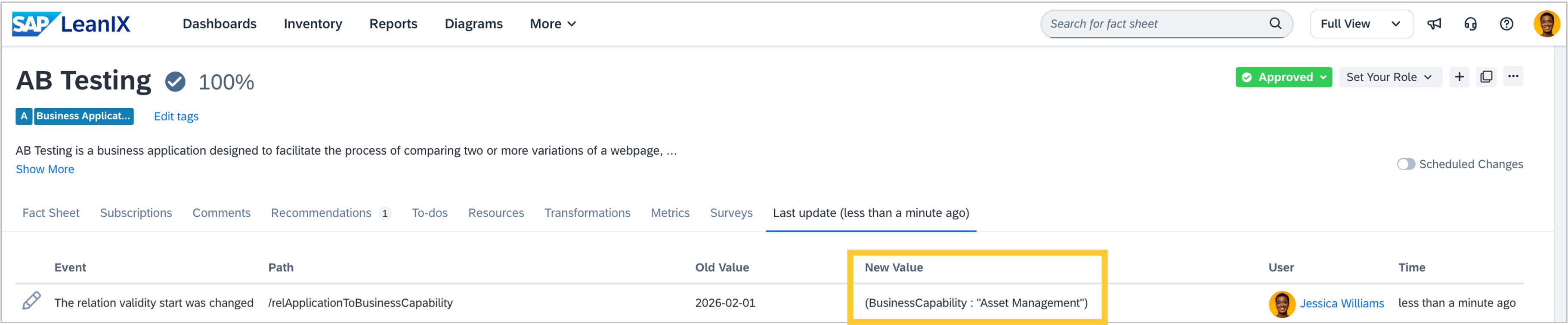
When the active from or until date gets deleted from a relation, the fact sheet update log now shows the type and display name of the relation target fact sheet in the New Value column. This is true for both of the two individual fact sheet update logs, regardless of which end of the relation you look at. This improves audit trail clarity when relation validity dates are deleted.
Reports
In the report side panel, we fixed a bug so that the calendar date picker is displayed as an input for custom date fields rather than text.
Diagrams
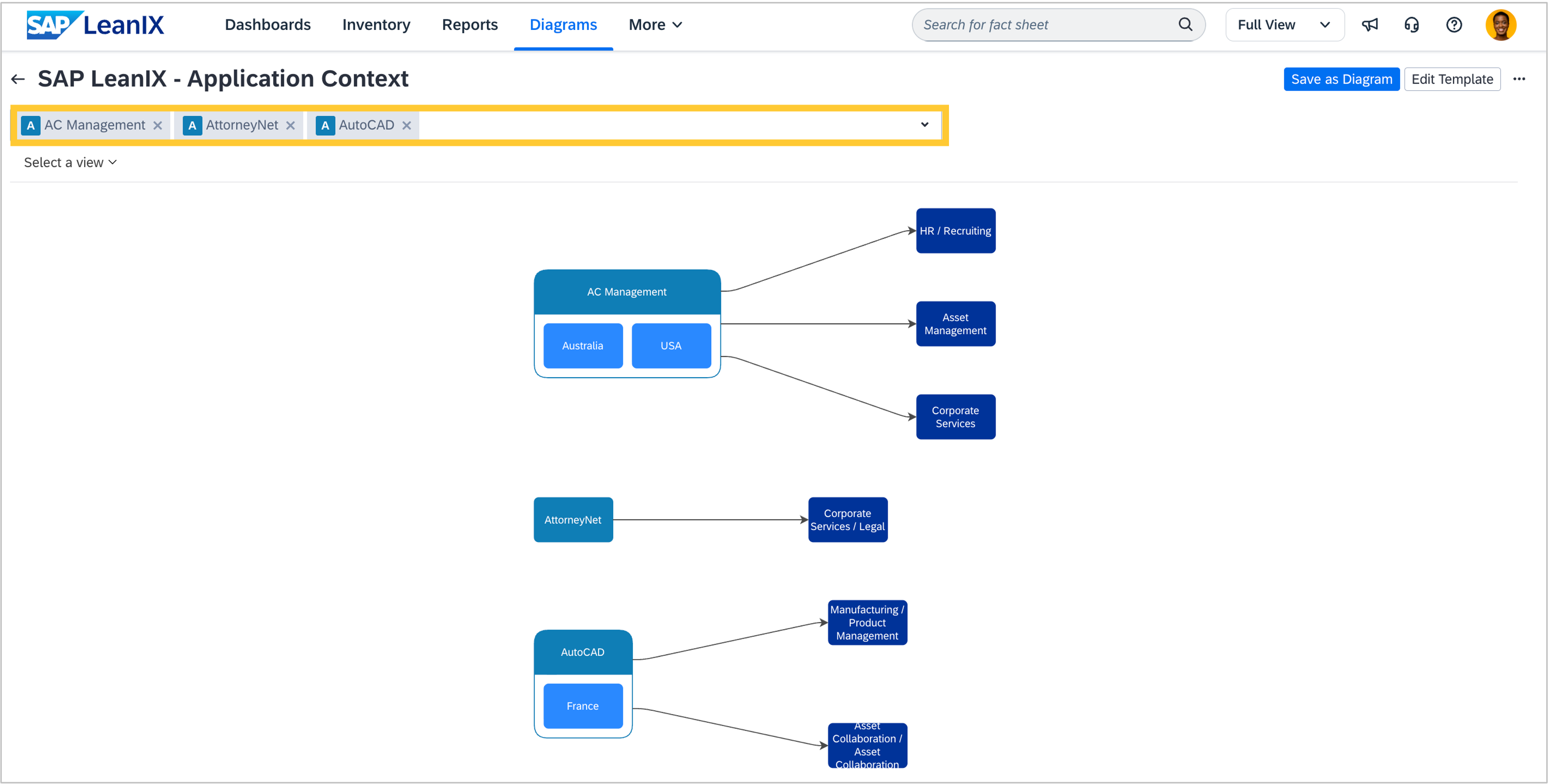
When working with diagram templates, you can now select up to 5 source fact sheets to generate a preview on the diagram template details page. This allows you to easily compare fact sheets and accelerate the creation of comprehensive diagrams.
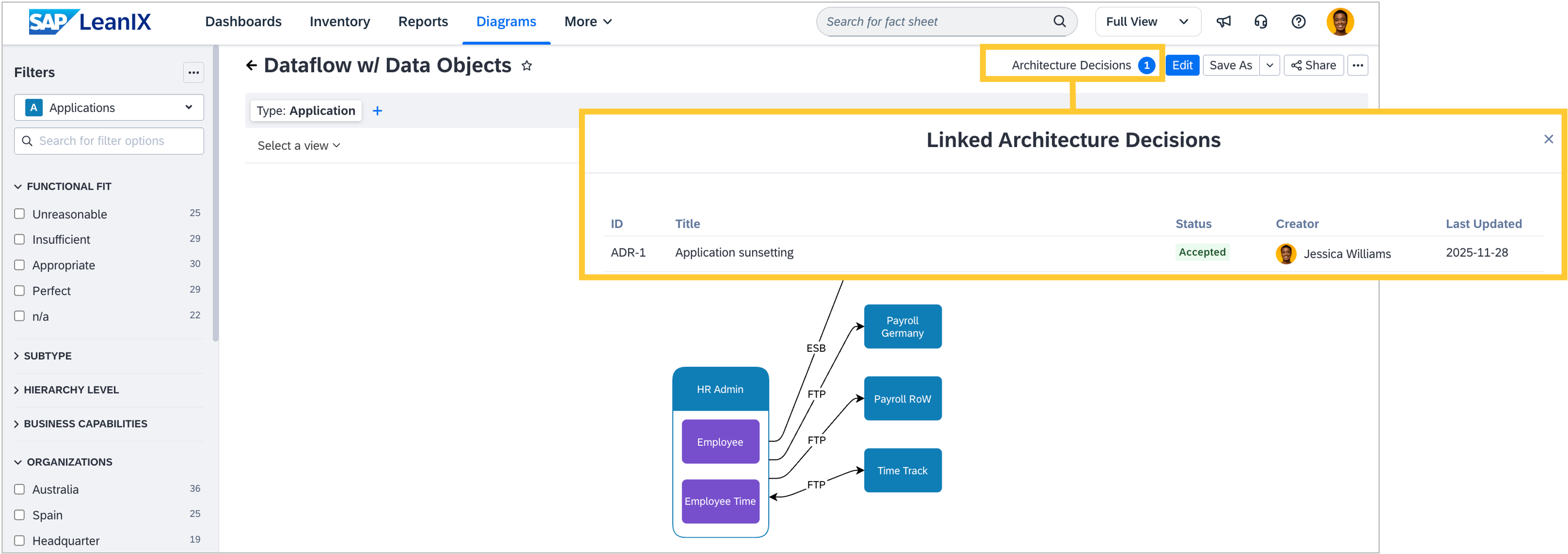
In workspaces with SAP Architecture and Road Map Planning, a new button was added on the diagram view mode toolbar to display the architecture decisions that reference that specific diagram. This allows you to quickly grasp the connection between a diagram and one or several architectural decisions. In case no architectural decision references the diagram, a modal provides links to the architecture decisions page in the workspace and to the SAP Help Portal.
Discovery inboxes
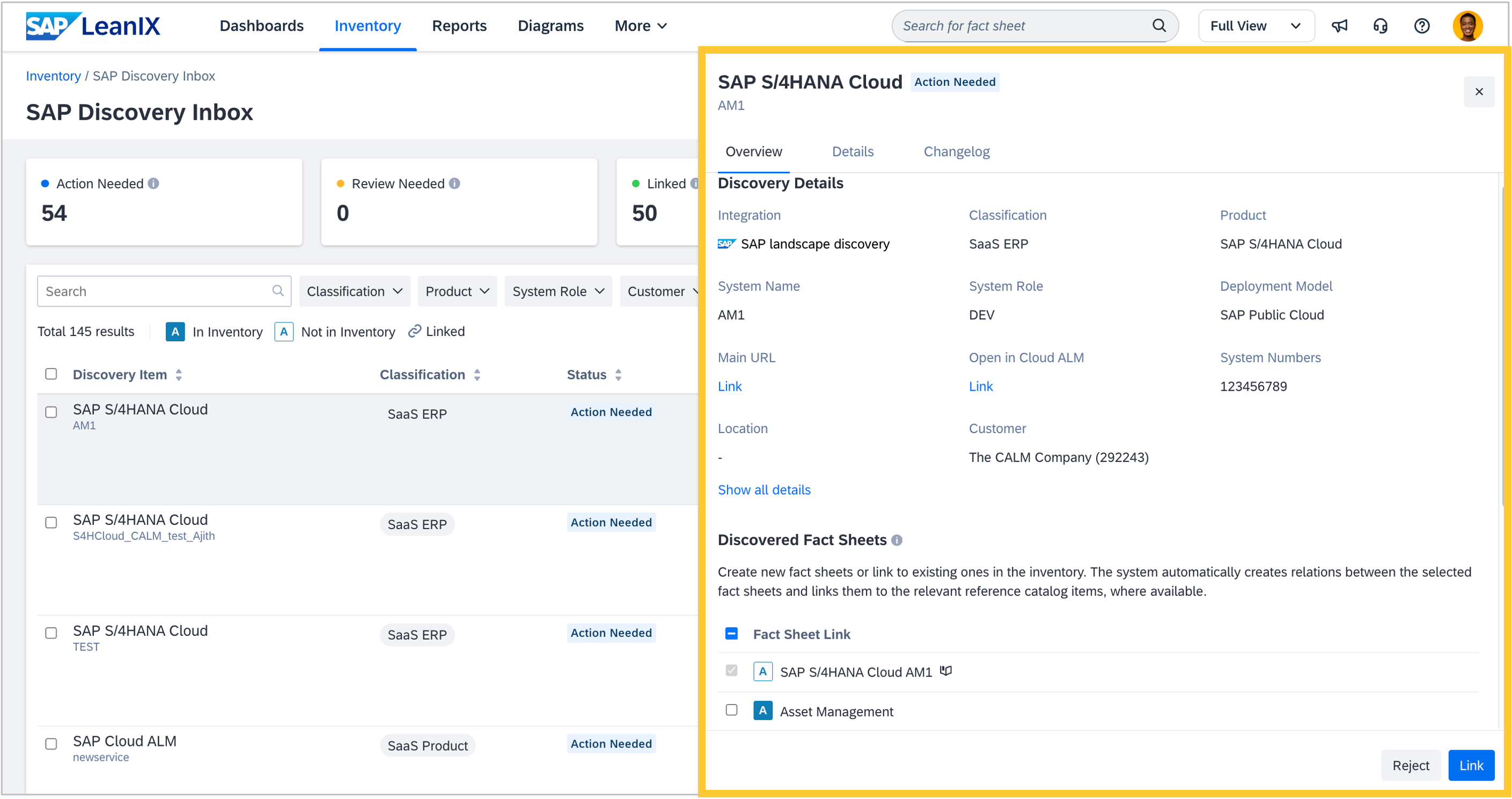
We updated the side panel displaying discovered items for all discovery inboxes (SaaS discovery, AI agent discovery, SAP discovery). Now, a flat list of discovered items shows all items in a single, scrollable list rather than being nested under parents. The side panel focuses on details of the discovered items and suggested fact sheets without relying on tree expansion. This update significantly improves performance on large datasets, reduces UI complexity, and makes scanning and filtering more intuitive.
Self-built software discovery
When bringing microservices into your workspace via self-built software discovery, you can now add subscribers of a microservice as part of the manifest file metadata. This helps to ensure clear accountability for your technology landscape. By managing subscribers directly through manifest files, you can now codify ownership as part of your infrastructure-as-code workflow, eliminating manual subscription management and ensuring your fact sheets always reflect the current state of responsibility.
Calculations
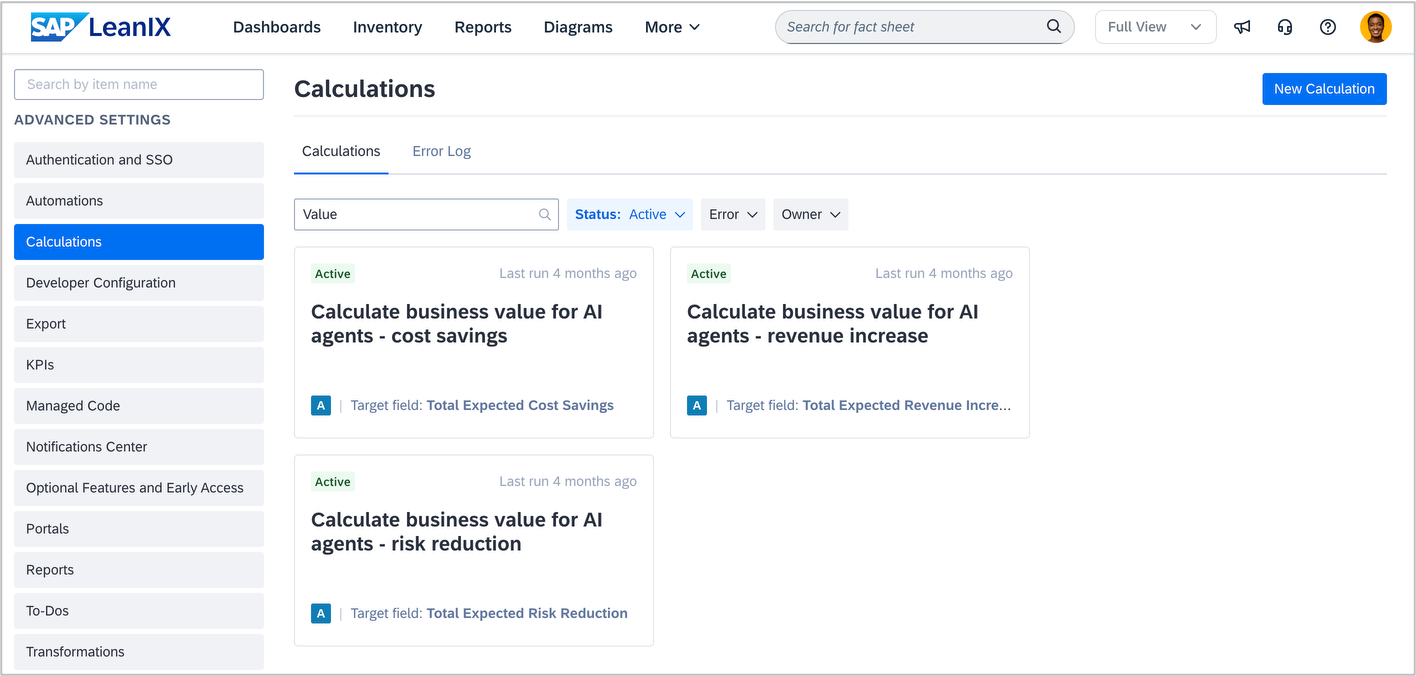
The calculation section in the admin area now includes filtering and searching to make it easier to find the right calculation. In addition to searching by ID, name, or description, you can also filter by status, error type, or owner.
AI capabilities
Over the past two years, the AI landscape has evolved rapidly. While we initially standardized on Microsoft Azure-hosted OpenAI models, the ecosystem has expanded significantly and remains dynamic. Going forward, selecting adequate models will become an ongoing product decision, choosing the best model for each specific use case. This will allow us to remain flexible in our choice of AI technologies, always guided by performance, security, and our commitment to SAP Responsible AI. Visit the SAP Help portal to learn more about our AI capabilities and SAP’s global AI ethics principles.
Notifications
On March 9, we will update the sender name in all automated email notifications from "LeanIX Team" to "SAP LeanIX", while keeping the same email address (support@leanix.net) and unchanged content. This affects all system-generated emails sent via the default LeanIX email delivery, including daily/weekly notification summaries, survey invitations, and to-do assignments. If you have created email rules or filters in your email provider for the sender name "LeanIX Team", you will need to update them to "SAP LeanIX" after March 9. Filters and rules based on the email address (support@leanix.net) will continue to work without modification. The change ensures consistent branding while maintaining all existing email functionality and formatting.