- DATE:
- AUTHOR:
- SAP LeanIX Product Team
Weekly feature improvement and bugfix summary
Inventory
We fixed a bug that displayed an incorrect error message on the fact sheet details page for an approved fact sheet when removing content from a mandatory field (e.g., a description) without saving the changes.
Application to business capability recommendations are now fully suppressed when the respective feature is disabled in the admin area. Recommendations no longer appear in the relation creation dropdown, the recommendations tab, or the recommended business capability section.
Reports
We have released several improvements to our reports.
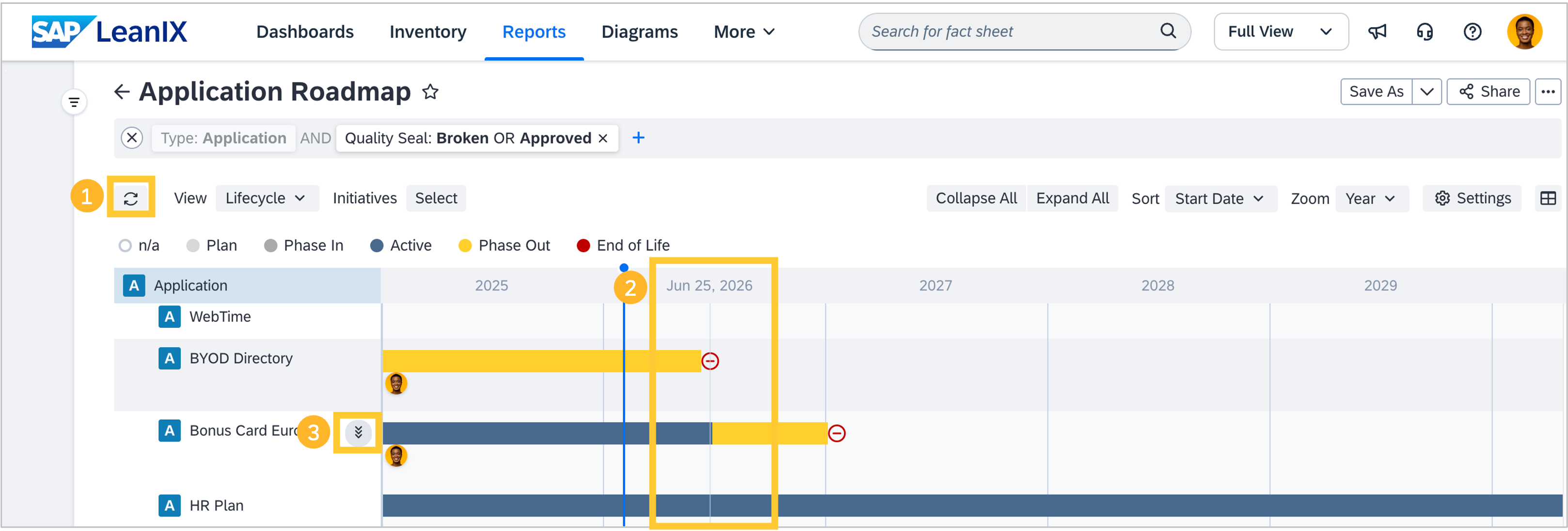
We have added a refresh button that reloads any report for new data, keeping applied settings, filters, or views even if they are not saved as a report. This allows you to see the latest data in a report without losing any unsaved changes to the report configuration.
Roadmap reports now show exact dates and a vertical grey line matching the cursor position when it hovers over the area underneath the timeline. This allows you to see the exact dates of individual entries without having to click.
We have migrated our icon library to an SAP standard to improve consistency and increase ease of use. Some icons may appear visually different as a result of this change (e.g., the drilldown icon in a roadmap report).
Diagrams
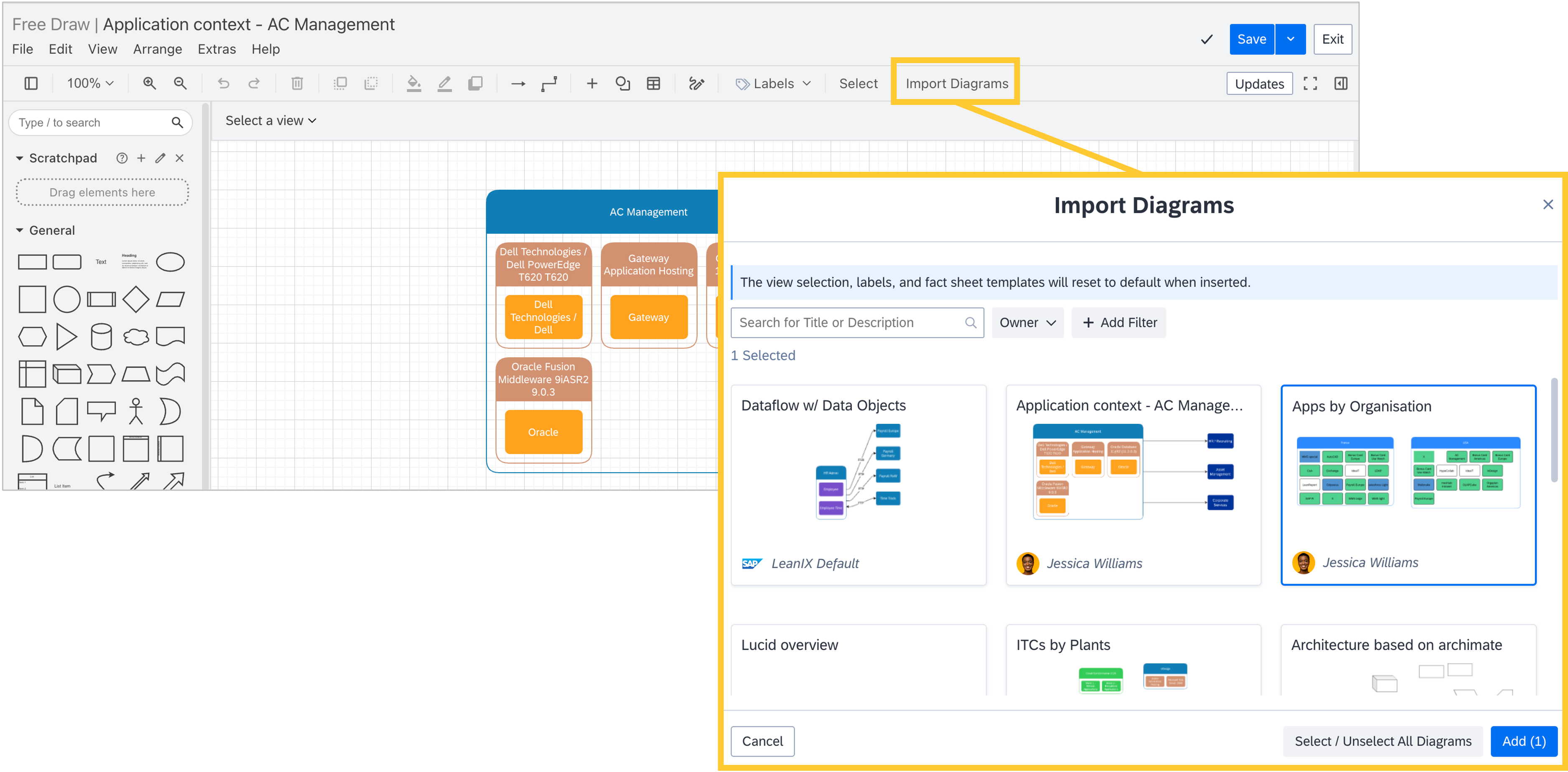
For free draw diagrams, a new option to import diagrams is now available. It lets you import existing diagrams directly into your current one. Imported diagrams appear as additional shapes on the canvas, enabling faster reuse and smoother modeling. When in edit mode, a dedicated Import Diagram button has been added to the toolbar next to the Select button. You can also import diagrams via File → Import from… → Diagrams.
Integrations
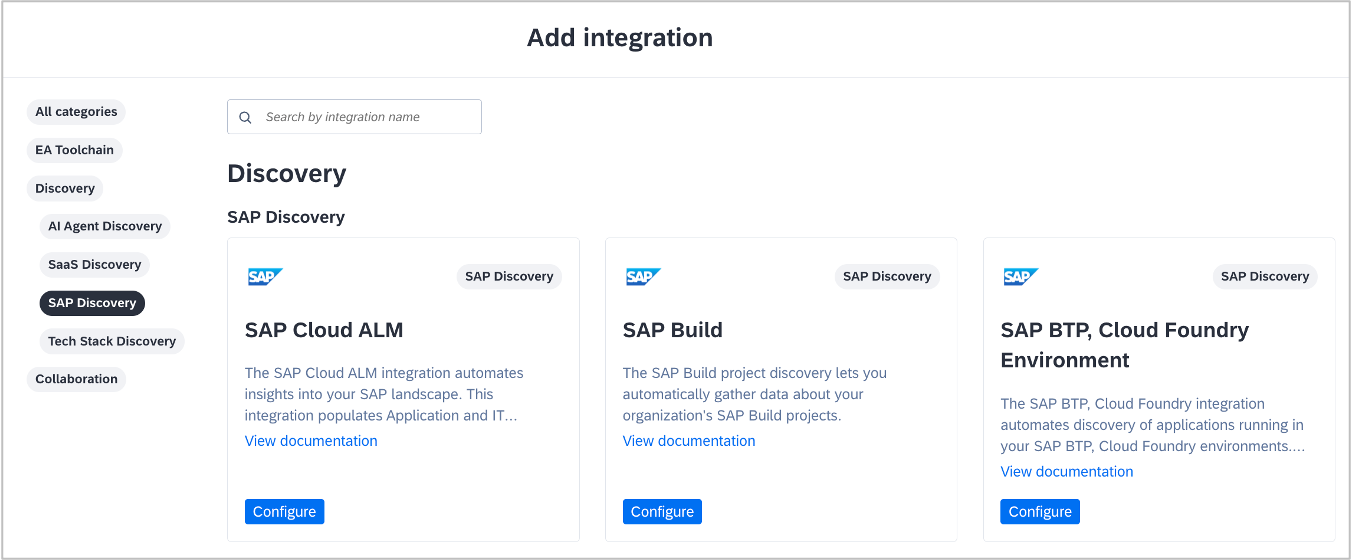
We are standardizing our SAP-related discovery capabilities under the unified name SAP discovery, while also naming integrations by the SAP system they connect to, e.g., SAP Cloud ALM; SAP Build; SAP BTP, Cloud Foundry. In this context, SAP Cloud ALM now appears in your workspace with two distinct integrations: one dedicated to SAP discovery (formerly SAP Landscape Discovery) and another focused on managing projects. These updates are purely about naming and navigation, and do not change any existing configurations, discovery behavior, or data in your workspace.
When you leverage the SAP Signavio integration to synchronize and represent process variants in your workspace, it is now possible to visualize process variants in a matrix report clustered by the business context fact sheet type and the organization fact sheet type. This allows you to accurately represent process variants across various business contexts, improving visibility and reporting for better decision-making.
Obsolescence risk management
In workspaces with SAP Technology Risk and Compliance, the obsolescence risk management capabilities now extend to self-built microservice-based applications. Until now, obsolescence risk has been aggregated only from IT components directly linked to applications, not via microservices. Microservice-based applications appeared risk-free, even when their underlying technology stack was approaching end-of-life. With this change, risk aggregation now follows the complete path from applications through microservices to their supporting IT components, so your application landscape reports and obsolescence risk dashboard reflect the true risk posture of your entire portfolio, including internally developed software.
To-Dos
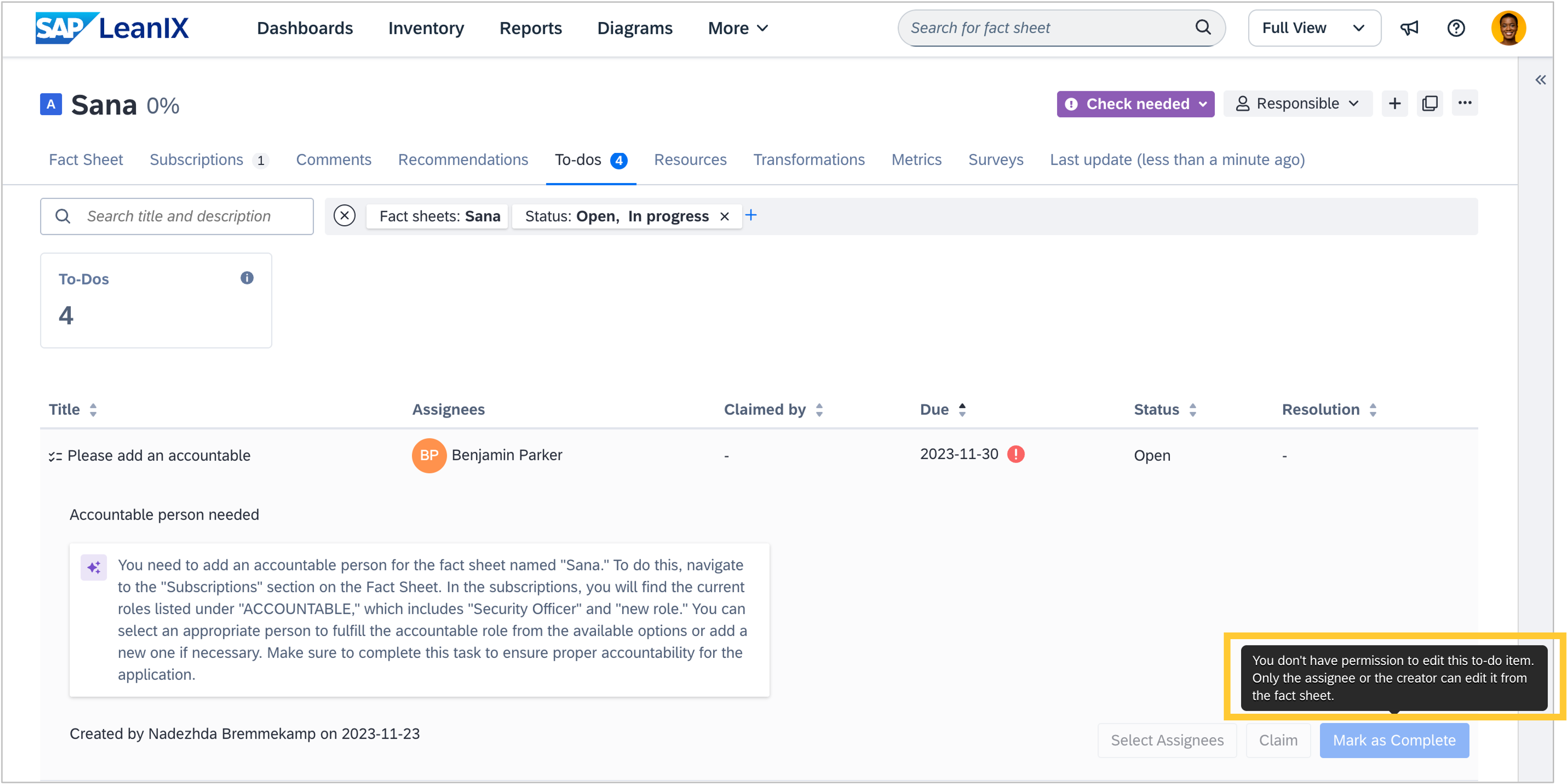
It is now possible to restrict to-dos so they can be modified only by admins, creators, or assigned users. This ensures that only the designated to-do assignees, creators, or workspace admins can edit, claim, or complete a to-do, providing tighter control over approval workflows. For example, this allows you to ensure only an assigned expert can complete critical compliance to-dos. If you wish to have the feature activated, please reach out to our Support team.
Reference catalog
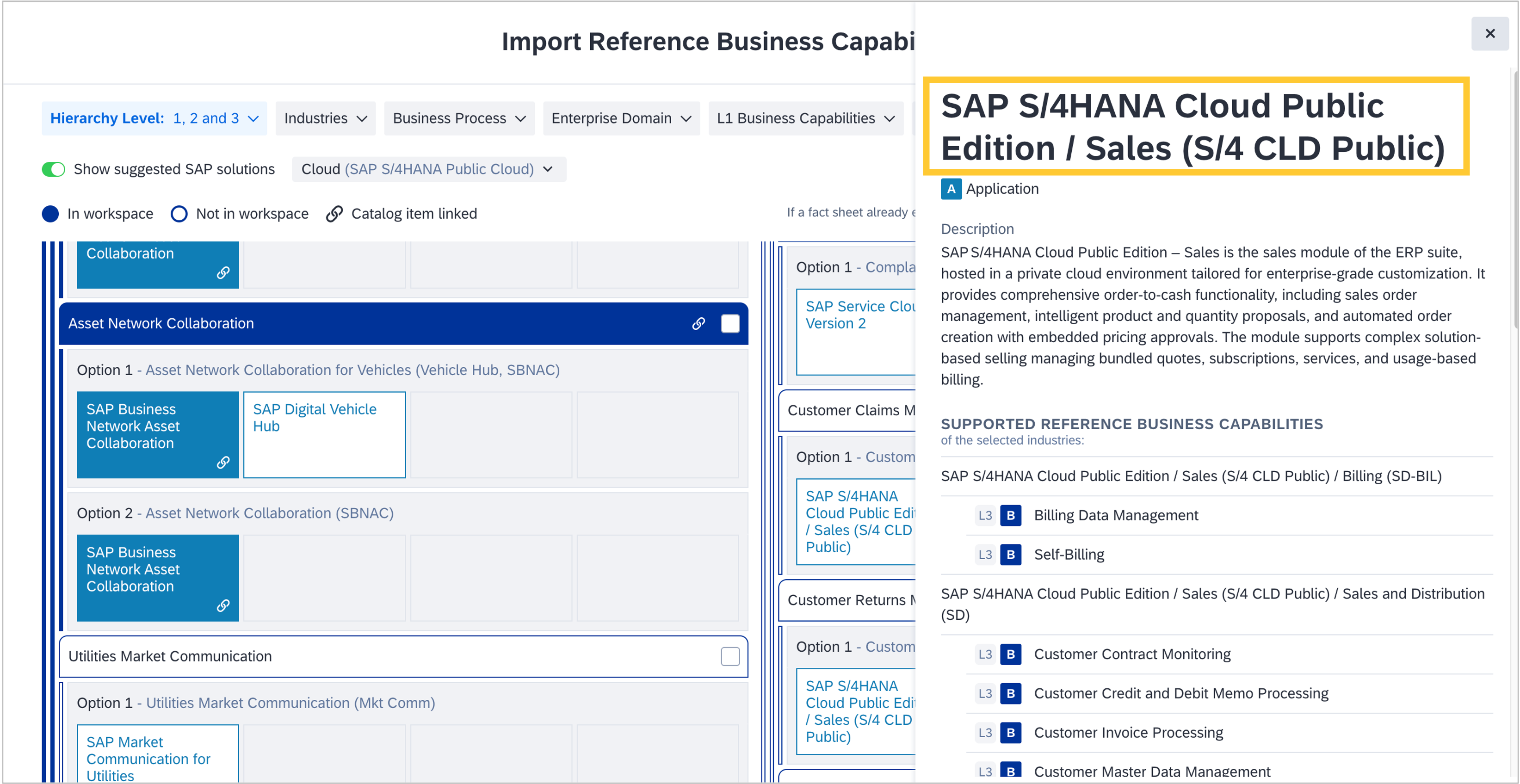
When exploring suggested SAP solutions for business capabilities in the reference catalog, SAP S/4 HANA was previously listed as a monolithic application. To allow for a more detailed representation, SAP S/4 HANA is now broken down into application entries by line of business (e.g., "Sales", "Human Resources"), which are added to the reference catalog as separate applications. The side pane in the catalog shows for each line of business which precise SAP S/4HANA module supports which capabilities. We suggest modeling SAP S/4HANA as a level 1 application and the line of business as a level 2 application. Visit the SAP Help portal for more information and modeling advice.
APIs
When using the /bookmarks endpoints within the Pathfinder REST API (e.g., as part of a custom integration), it is no longer possible to save temporary bookmarks, nor to update existing bookmarks to become temporary, to prevent unintentional use. The API will return with a 422 HTTP status code and a descriptive error message.