- DATE:
- AUTHOR:
- SAP LeanIX Product Team
Weekly feature improvement and bugfix summary
Inventory
In workspaces with a complex hierarchy of fact sheets, when adding a business capability relation to an application via the hierarchy view, not all children were displayed correctly. This issue has now been resolved, and the full hierarchy is being displayed correctly.
Reports
When creating a description for a report, we have removed the AI-assisted text functionality to create and edit the report description due to low adoption.
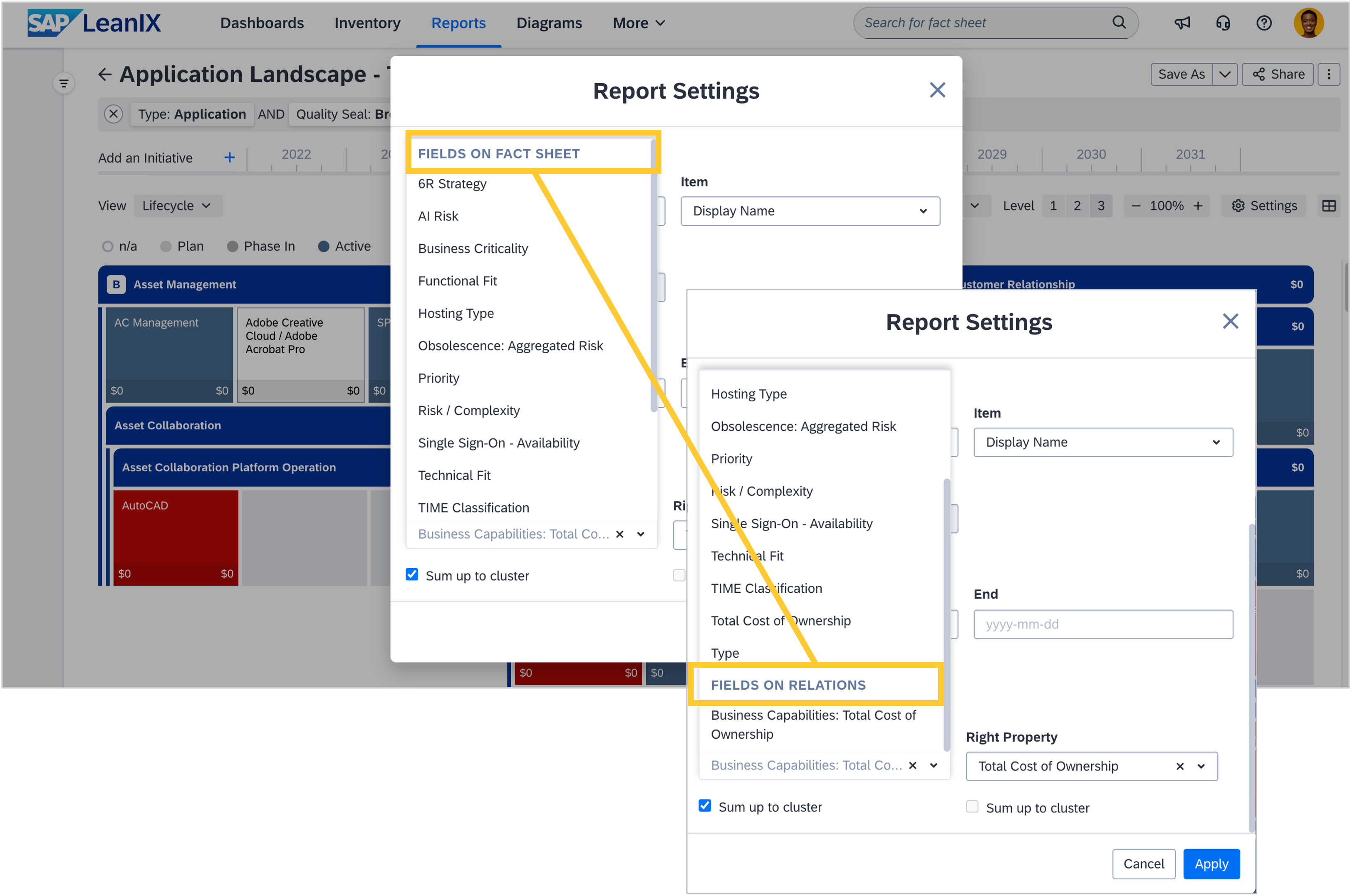
To improve the experience when picking a field from the left/right properties drop-downs in a landscape report, the available fields are now grouped by "Fields on Fact Sheet" and "Fields on Relations". This setup is similar to the grouping in the "View" dropdown.
Diagrams
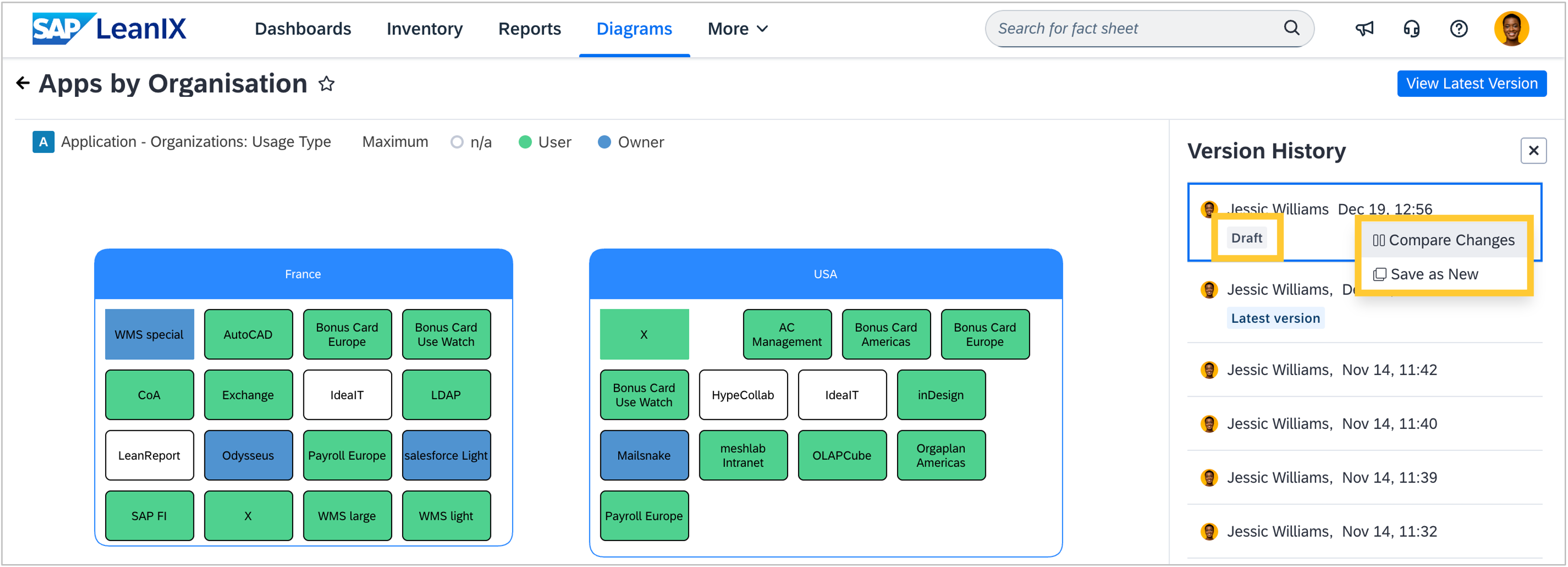
Admins and users with write permissions on a diagram can now compare the draft of this diagram with any previous version while browsing the version history. Additionally, they may now create a copy of the draft directly from the version history, enabling more efficient exploration of alternative designs without altering the original work.
Discovery
When provisioning the self-built software discovery feature in your workspace, the relations between the two subtypes, microservice and business application, are now created correctly. This allows you to find and link fact sheet types to their corresponding opposite fact sheet types. Previously, a misconfiguration in the meta model prevented you from creating relations to and from microservices.
MCP server
We expanded the capabilities of our MCP server by enhancing the existing inventory toolset and introducing a new toolset for self-built software.
Inventory toolset: Until now, our MCP server has used fact sheet-based fields of the predefined meta model. We have now significantly expanded the scope of fields and relations that the MCP server can use. This means that all custom attributes, relations, fields on relations, and data on fact sheets can now be processed by AI agents connected to your workspace via the MCP server. For example, an agent can return a list of applications that you marked with a custom attribute as replacement candidates and search online for alternative solutions.
The MCP server utilizes the technical keys of fields and relations, returning the most accurate results when the technical key and translation are similar. As a next step, we are already working on incorporating translations as well.Self-built software toolset: In workspaces with SAP LeanIX Technology Risk and Compliance, we introduced a toolset for Tech Stack Management, enabling AI agents and custom applications to work directly with your tech stack data in your workspace. With this, you can now query, analyze, test, and create tech stacks programmatically, making it easy to automate governance workflows and enhance data quality. For example, you can let agents autonomously check for outdated frameworks or create tech stacks for newly detected technologies.
SAP Help portal
As announced last week, we removed the option for full PDF downloads on December 18, 2025, to optimize the experience with PDF export options for our documentation on the SAP Help Portal. You can still create custom PDFs to export specific pages or sections for offline use.
Whether you celebrate during the holidays or simply enjoy some quieter days, we wish you a joyful year-end and a great start to the new year. The next weekly summary will be sent on January 9, 2026.