- DATE:
- AUTHOR:
- SAP LeanIX Product Team
Weekly feature improvement and bugfix summary
Inventory
Sorting of hierarchy levels within filters now follows a natural logic rather than an alphabetical one. This means that hierarchy “Level 10” comes after “Level 9”, and not after “Level 1”. We suggest keeping the number of hierarchy levels to a minimum, as excessive depth in your categorization may lead to over-compartmentalization, potentially making it challenging for most users to understand the data structure. Modeling guidelines for hierarchies are available, for example, for business capabilities.
When searching for a fact sheet to relate it to another one (e.g., relating an application to a business capability), we optimized search accuracy, sorting by relevance & performance in the drop-down menu, especially for workspaces with complex hierarchical structures and fact sheets that include hyphens or slashes ("-", "/") in the fact sheet name.
Additionally, and specifically for application fact sheets, when searching for which business capabilities an application supports, scrolling through available business capabilities ends when you have reached the total number of business capabilities. Previously, a loading symbol was displayed even though the loading was completed.We corrected a change that was hiding the 6R classification field on the application fact sheet for workspaces with the AI agent extension enabled. The field is now displayed on an application fact sheet, either when no subtype is selected or when the subtype business application is selected. The field is hidden for the subtypes of AI agent, microservice, and deployment.
Reports
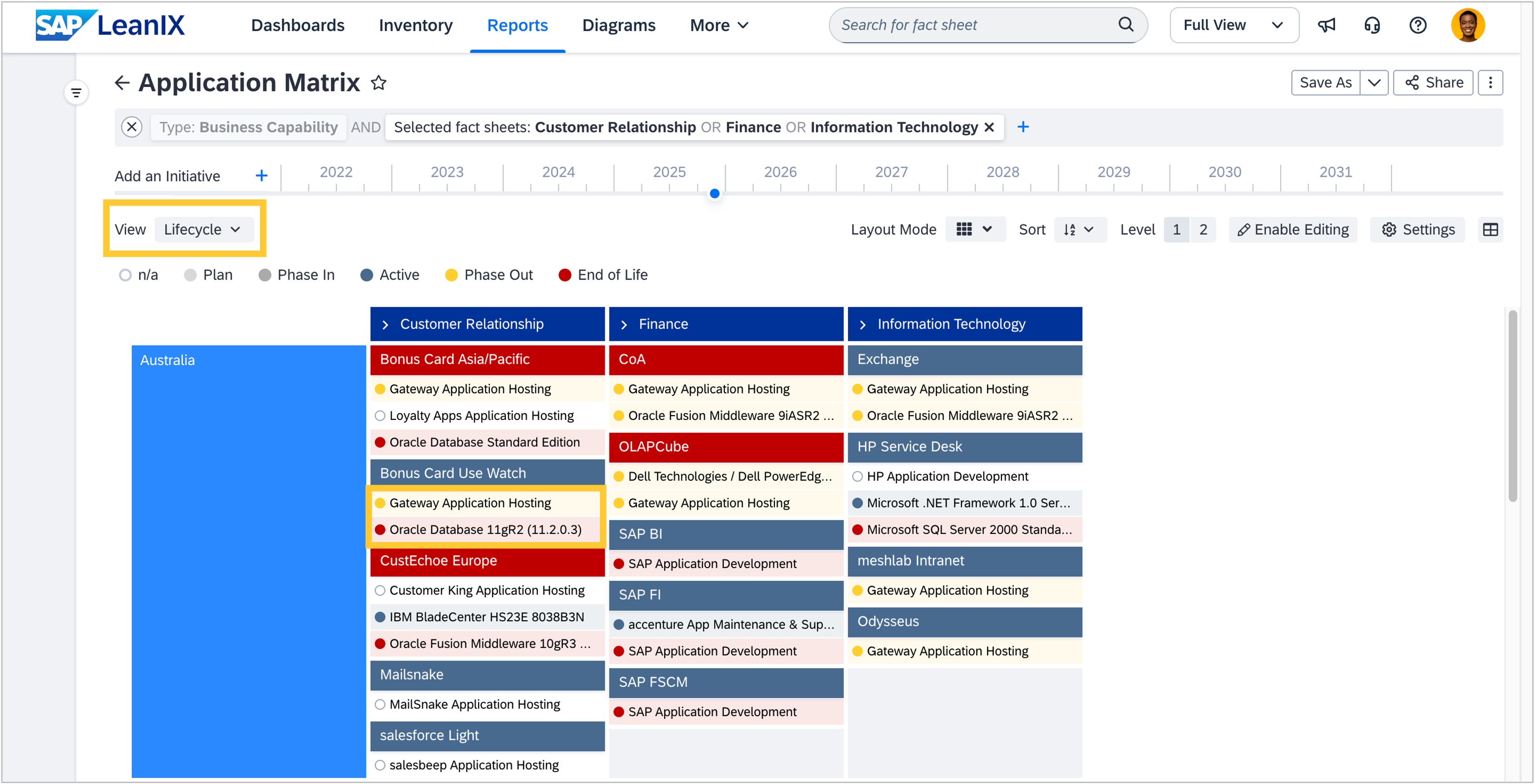
Matrix reports now support color-coded drill-downs, bringing visual consistency with landscape reports and improving data readability. This enhancement significantly improves the visual clarity of the matrix report, making complex data easier to read and interpret. You can now benefit from consistent color-coding across both landscape and matrix reports, creating a more cohesive and intuitive reporting experience.
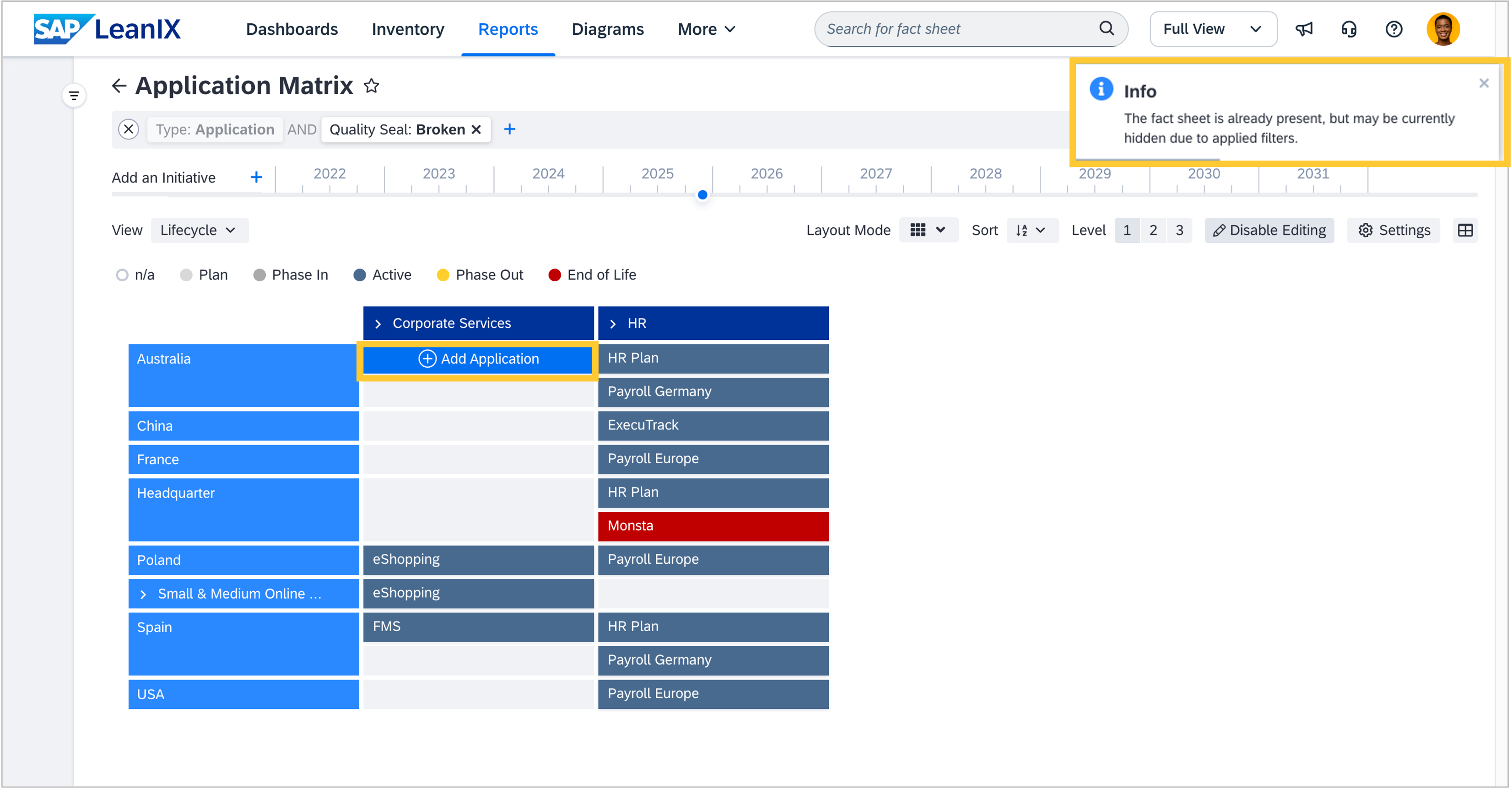
Filters allow you to hide fact sheets from a given report. While editing the content of a matrix report, this may lead to a situation where you want to add a fact sheet that is already present but filtered out and therefore not visible in a cell. When attempting to add such a fact sheet, you now receive a notification stating that the application is already present, even though it is not visible due to the current report filter settings (e.g., quality seal filter excludes "approved" applications).
Architecture decisions
Over the past month, we have enhanced the UI and functionality of architecture decisions. Filters now stay active when navigating across your workspace. This allows you to research information in other parts of the workspace and return to your architecture decisions to continue where you left off. We also introduced a more compact template view and included icons for component types, which makes it easier to design decision templates. Furthermore, when a decision is open, its title is displayed in the browser's page title, allowing you to multitask across documents. We also added tool tips for a more intuitive editing experience and improved accessibility, which allows for smoother PDF exports. Lastly, on the resource tab of fact sheets, the number of decisions is now correctly displayed.
Transformation explorer
When using your workspace in a language other than English, the filters in the transformation explorer now display the correct translations and default to English if no translation is available.
Automations
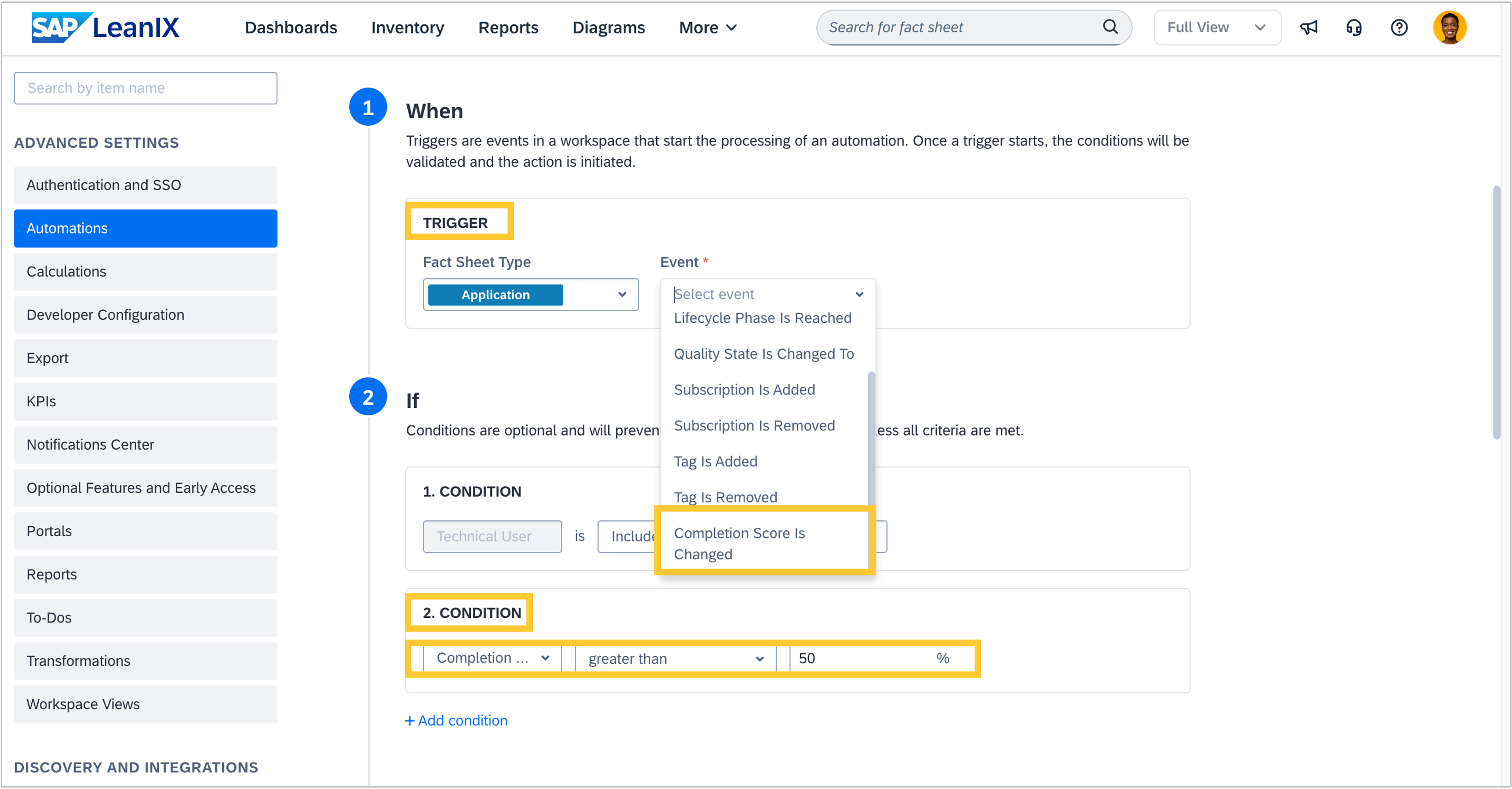
You can now add the fact sheet completion score as a trigger to your automations, as well as use it as a condition.
This allows you to govern any critical field without workarounds, by allowing you to check if the fact sheet completion score has changed or if the new completion score value is equal to, greater than, greater than or equal to, less than, or less than or equal to a specified value at trigger time.