- DATE:
- AUTHOR:
- SAP LeanIX Product Team
Weekly feature improvement and bugfix summary
Change announcement: Adding process fact sheet field to default transformation templates
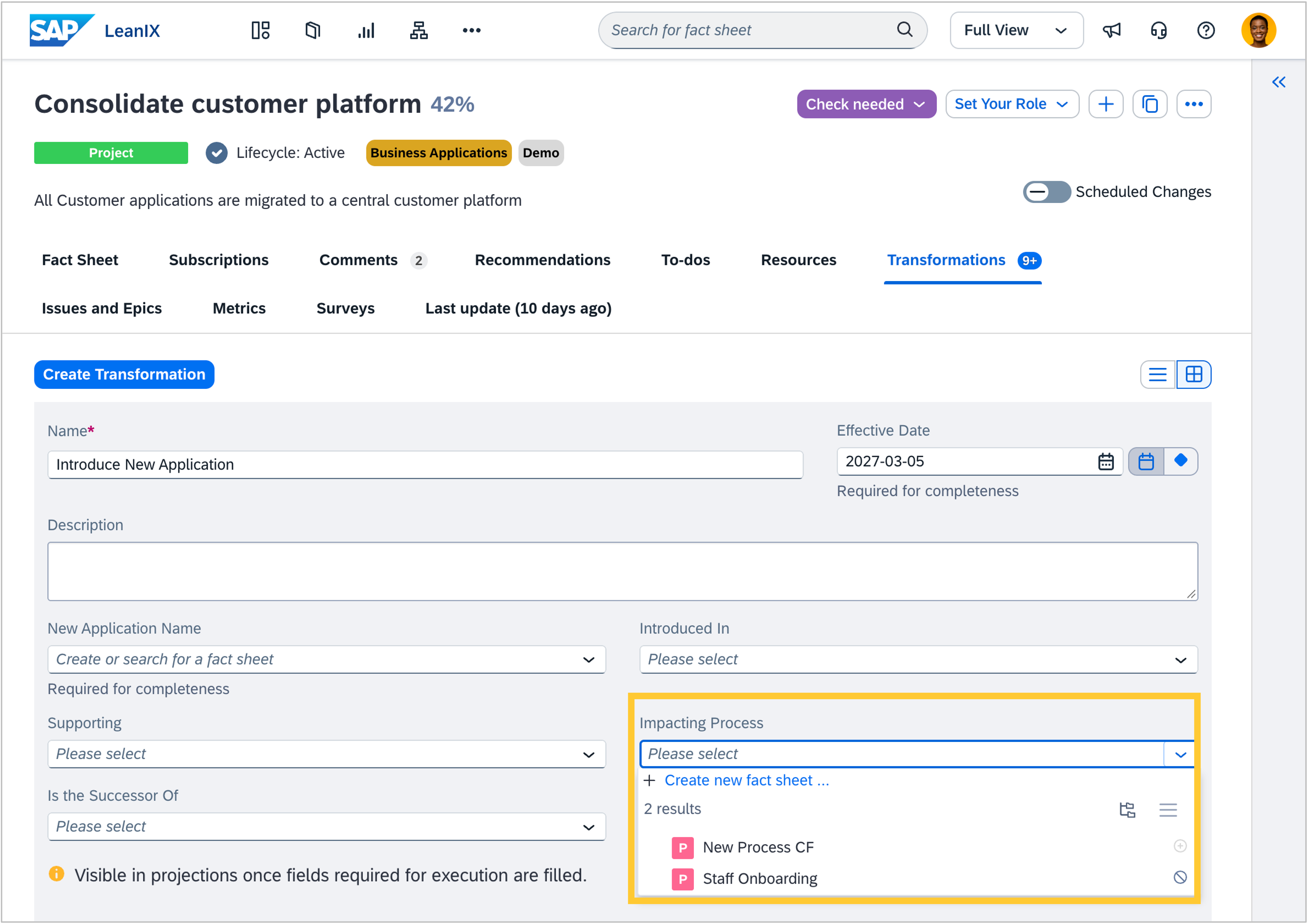
Starting in the week of 12 October, four default transformation templates (Introduce new application, rollout application, withdraw application, and decommission application) will include a process fact sheet field, as application changes often affect the processes that support them. Adding the process fact sheet field to these templates makes this impact traceable from within the transformation, without requiring a custom template. No configuration is required.
When you edit one of the transformation records you have already created, the option to add a process fact sheet will appear. If you have internal documentation about how transformations should be filled out in your workspace, consider updating it to reflect the new field. We will inform you once the changes have taken effect.
Reports
We fixed two bugs in reports:
We fixed a bug in the matrix report where clustering by a relation-level field while using the same relation as an axis caused phantom intersections. Fact sheets appeared at all related items for every selected value, rather than only where the relationship specifically had that value assigned. The report now constrains results correctly using the combined context of both the axis and the cluster.
If your workspace had more than 100 custom reports, a report that had not been modified recently could gradually drop out of the system's fetch window as newer reports accumulated activity. Saved bookmarks to that report would fail to open, and it would stop appearing under Administrator > Reports. All installed reports are now fetched regardless of their last-modified date.
Diagrams
We fixed a bug in target architecture diagrams where fact sheets and relations from a fulfilled transformation could disappear after you applied and executed the transformation, clicked update, and reloaded the diagram. Executed transformations are now preserved during the update step and shown as regular diagram content, so reloading no longer removes those elements.
Transformations
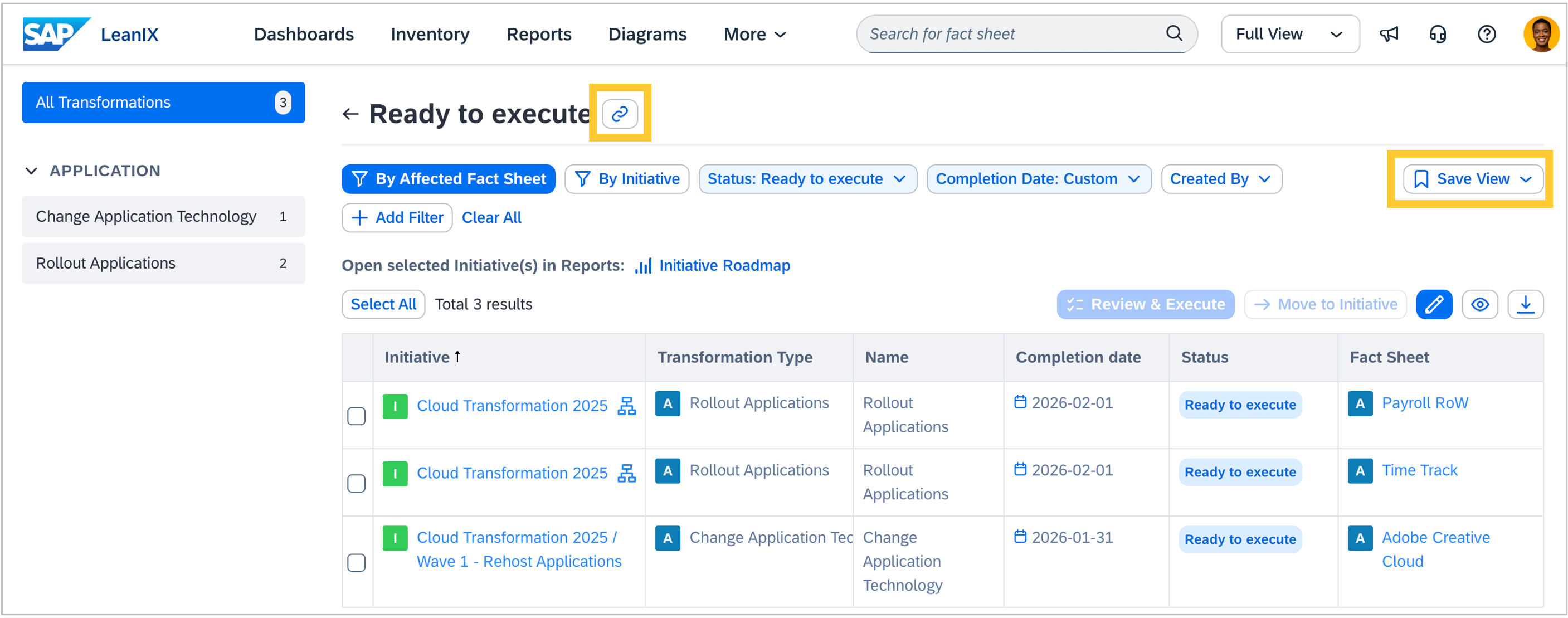
You can now share your saved transformations explorer views with colleagues. Two new share link options let you copy a direct link from either the explorer header or the saved views list. Recipients can open the link, view it, and save it as their own copy.
Enterprise Architecture Assistant
Transformation and program leads managing RISE with SAP can now use the EA Assistant to compare their inventory against RISE toolchain deliverables and get concrete, workspace-specific action recommendations. Ask the EA Assistant what needs to be updated, how to model transformation steps, how to coordinate process assignments across tools, or how to prepare for Fit-to-Standard workshops. The agent also covers toolchain deliverables and best-practice guidance throughout the transformation. The EA Assistant must be enabled to access these capabilities. Deeper integration with SAP Signavio and SAP Cloud ALM is planned for subsequent phases.
Calculations
We have made two improvements to calculations:
Calculation owners now receive an email notification when a calculation first breaks, with a direct link to the fix. Notifications are not repeated until the calculation recovers and breaks again. Admins can control notifications under My Settings > Notifications > Calculations. If no owner is set on a calculation, no notification is sent. We recommend reviewing your calculations and assigning an owner to each.
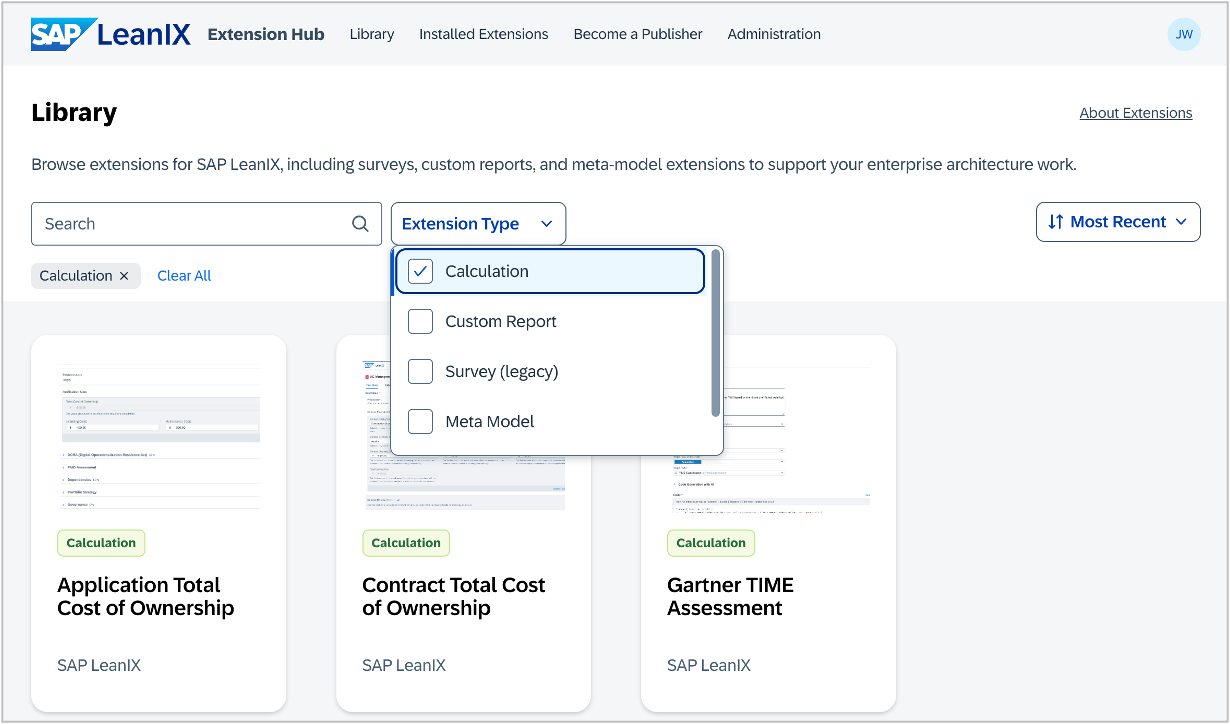
Predefined calculation templates are now available in the extension hub. Install a template to automatically populate fact sheet fields and relations using custom JavaScript logic that runs whenever source data changes. Available templates include TCO and the Gartner TIME assessment.
Automations
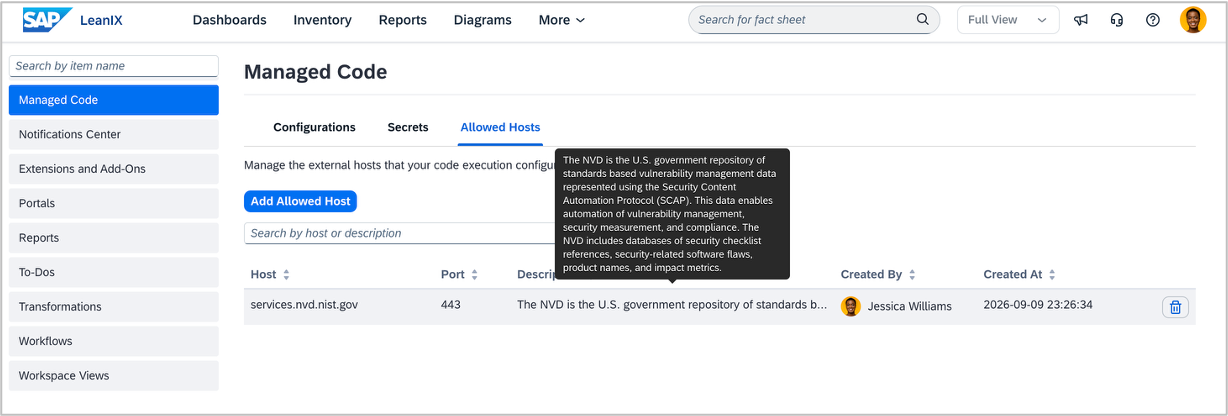
Your automations can now enrich fact sheet data and trigger external workflows by calling APIs outside your workspace. Define permitted hosts in the Managed Code administration area to control which endpoints scripts can reach, and store API credentials as secrets for secure runtime access. Example use cases include pulling Common Vulnerabilities and Exposures (CVE) scores from external databases, triggering workflows in tools such as Jira, ServiceNow, or Power Automate, and processing data with external AI models.
User management
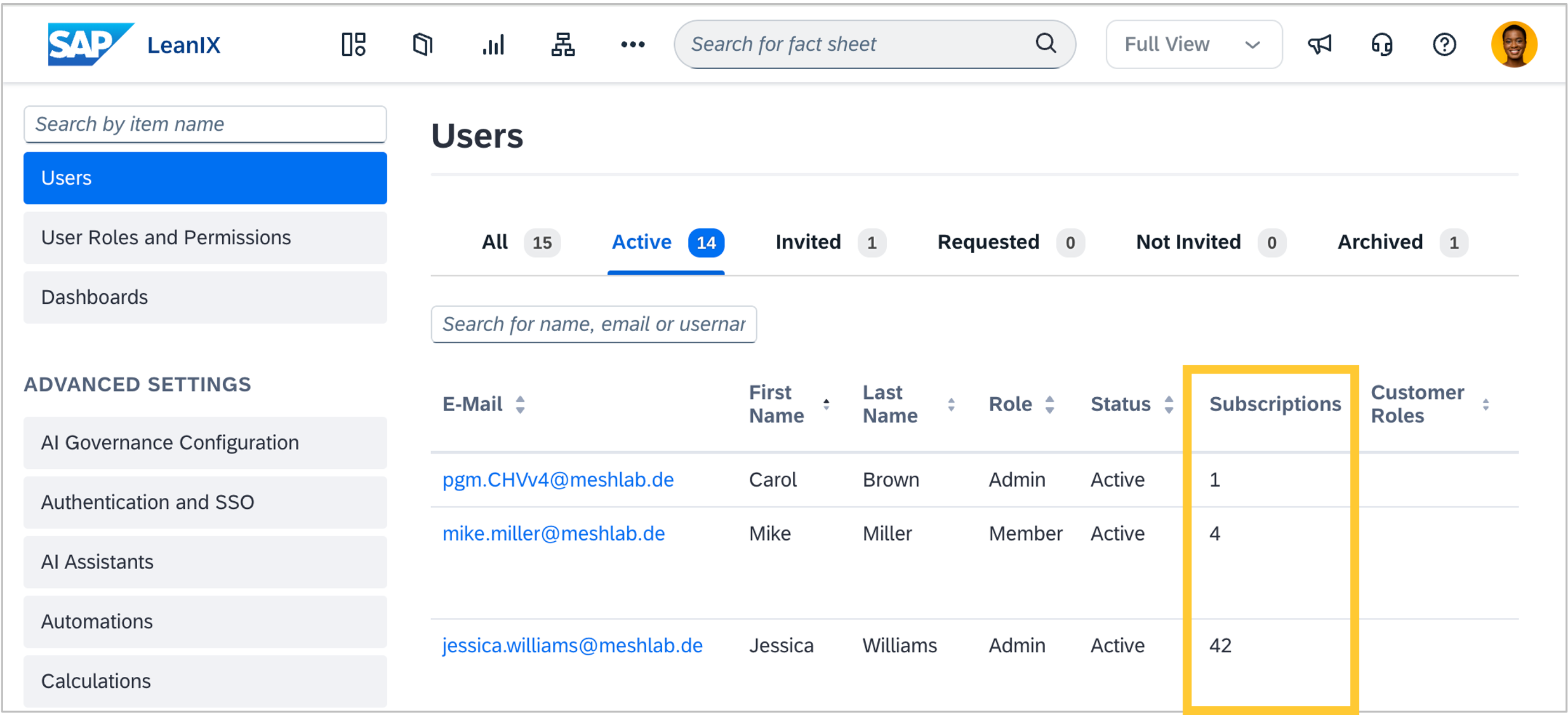
As a workspace administrator, you can now see the total number of fact sheet subscriptions each user holds, directly on the Users overview page. This makes it easier to spot users, including archived users, who still hold subscriptions that need cleanup, for example, when a colleague has left the team.
Meta model configuration
As an admin, you can now create and edit external ID fields directly in the meta model configuration. This includes options to enforce uniqueness across all instances of a field and to enable auto-generation of IDs for new fact sheets. Auto-generated IDs are guaranteed to increase with each new entry.