- DATE:
- AUTHOR:
- SAP LeanIX Product Team
Use multi-select fields for reporting
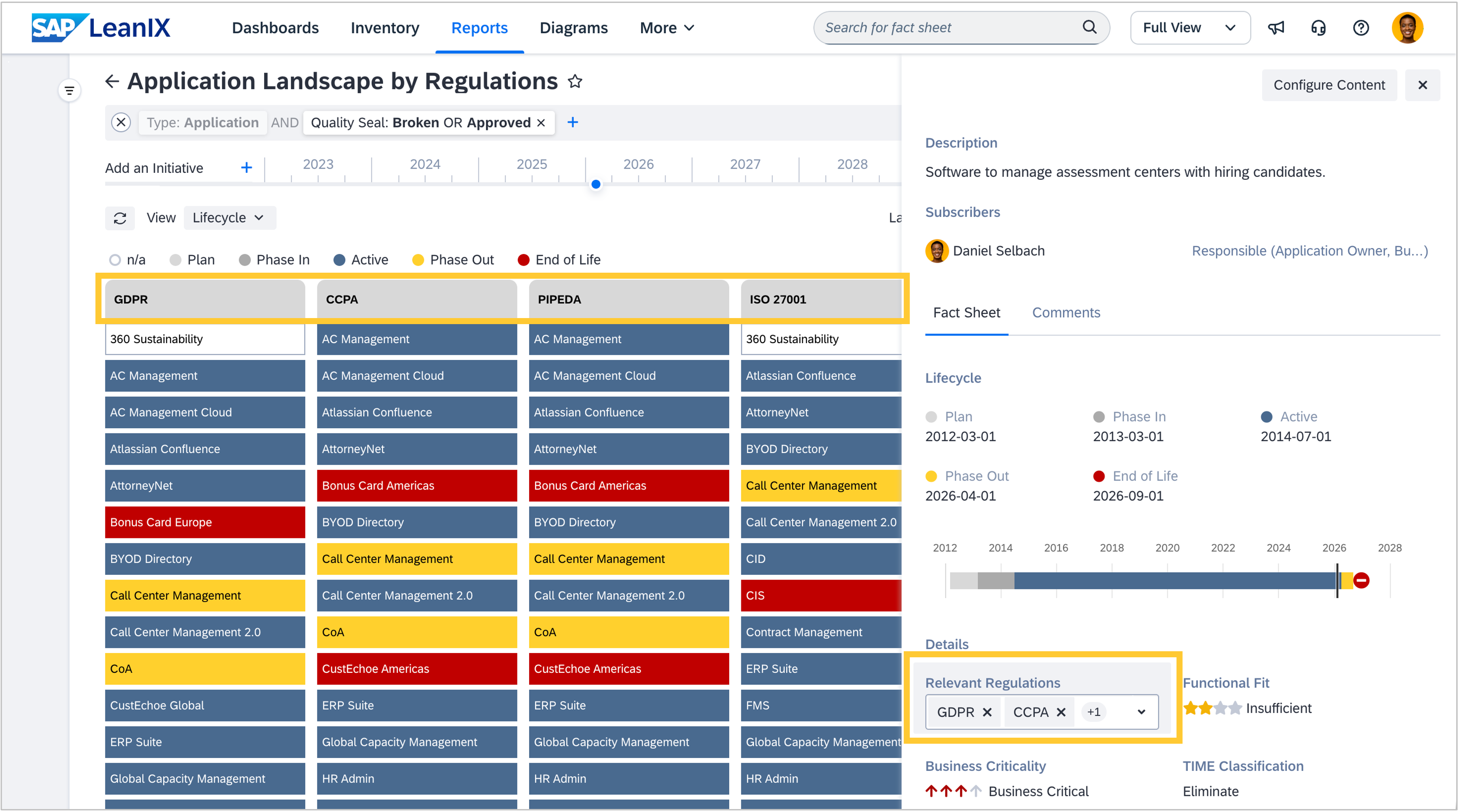
In addition to the predefined single-select fields on fact sheets, customized multi-select fields that allow users to define multiple values on a field help model specific aspects of your enterprise architecture. A common example is documenting regulatory requirements that apply.
You can now use such multi-select fields in reports in the same way as single-select ones. Configure clusters in landscape, matrix, and radar reports, and show and edit the fields in the reports' side panel. This enables many reporting options for multi-select fields. Limitations based on the nature of such fields include using them for left- and right-hand properties and color-coded views, because multi-select field values lack assigned colors, and showing many colors for each item contradicts the purpose of a heat map.