- DATE:
- AUTHOR:
- SAP LeanIX Product Team
Sync your SAP SuccessFactors org structure into your workspace
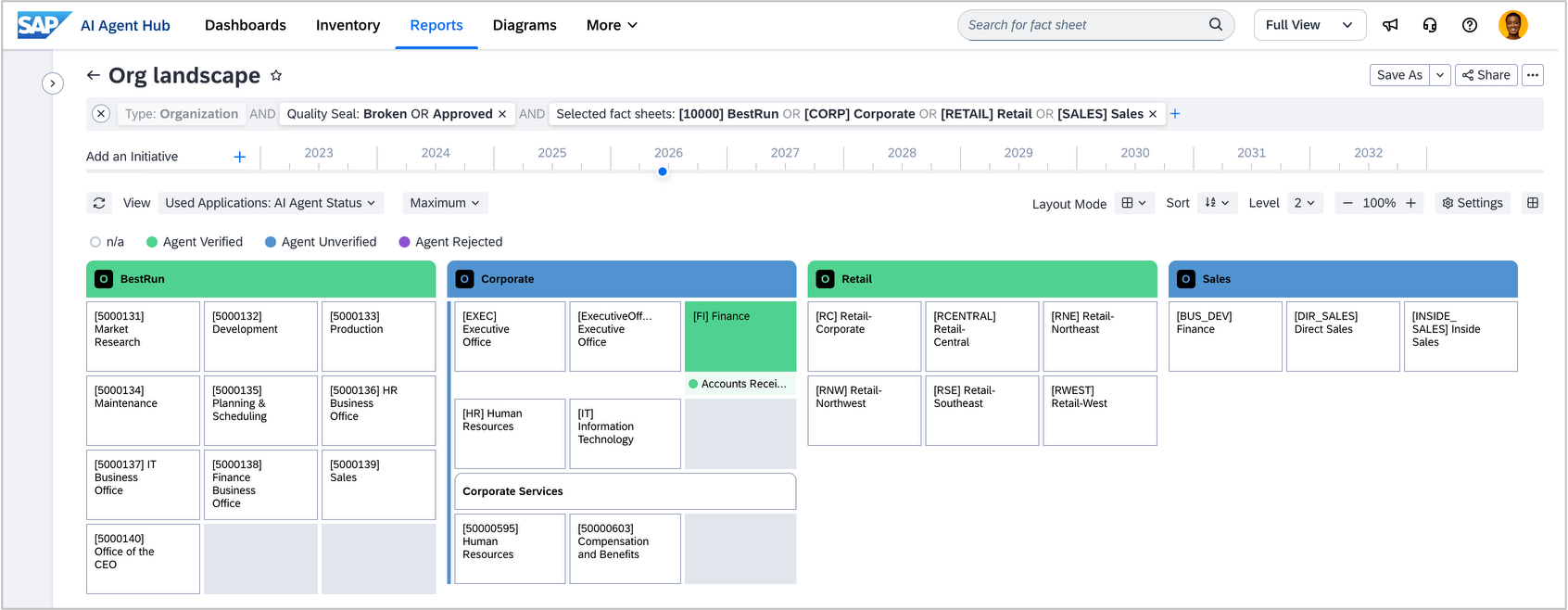
Keeping your organizational structure accurate in your workspace has traditionally meant manual updates, a time-consuming process that quickly falls out of step with how your organization actually looks. If you manage your org structure in SAP SuccessFactors, the new integration removes this burden. Your inventory stays up to date automatically, giving enterprise architects a live, authoritative picture of the org to work from.
The integration brings in organizational entities and units, such as legal entities, business units, divisions, and departments, with nested hierarchies, levels, and relations, while giving you the control to modify and edit them.
This means your organization fact sheets stay accurate without any manual intervention when the organizational setup changes. You can also get a clear picture of organizational size when linking fact sheets to the applications a team owns or uses.
Setup is managed on both the SAP SuccessFactors and SAP LeanIX sides. A SuccessFactors admin configures the export and sync schedules, while a LeanIX admin enables the integration, which triggers a meta-model extension. Once set up, organizational data is pushed automatically into your workspace.
In Q3 2026, we will extend the integration in the other direction, pushing AI agent data from your workspace into SAP SuccessFactors. This means your agents will be visible within SAP SuccessFactors alongside your organizational hierarchy, enabling you to surface the agent landscape by department, team, or reporting line and giving business leaders and AI governance owners visibility into which agents are operating within their organizational scope.