- DATE:
- AUTHOR:
- SAP LeanIX Product Team
Spot risks and gaps in your landscape without the clutter
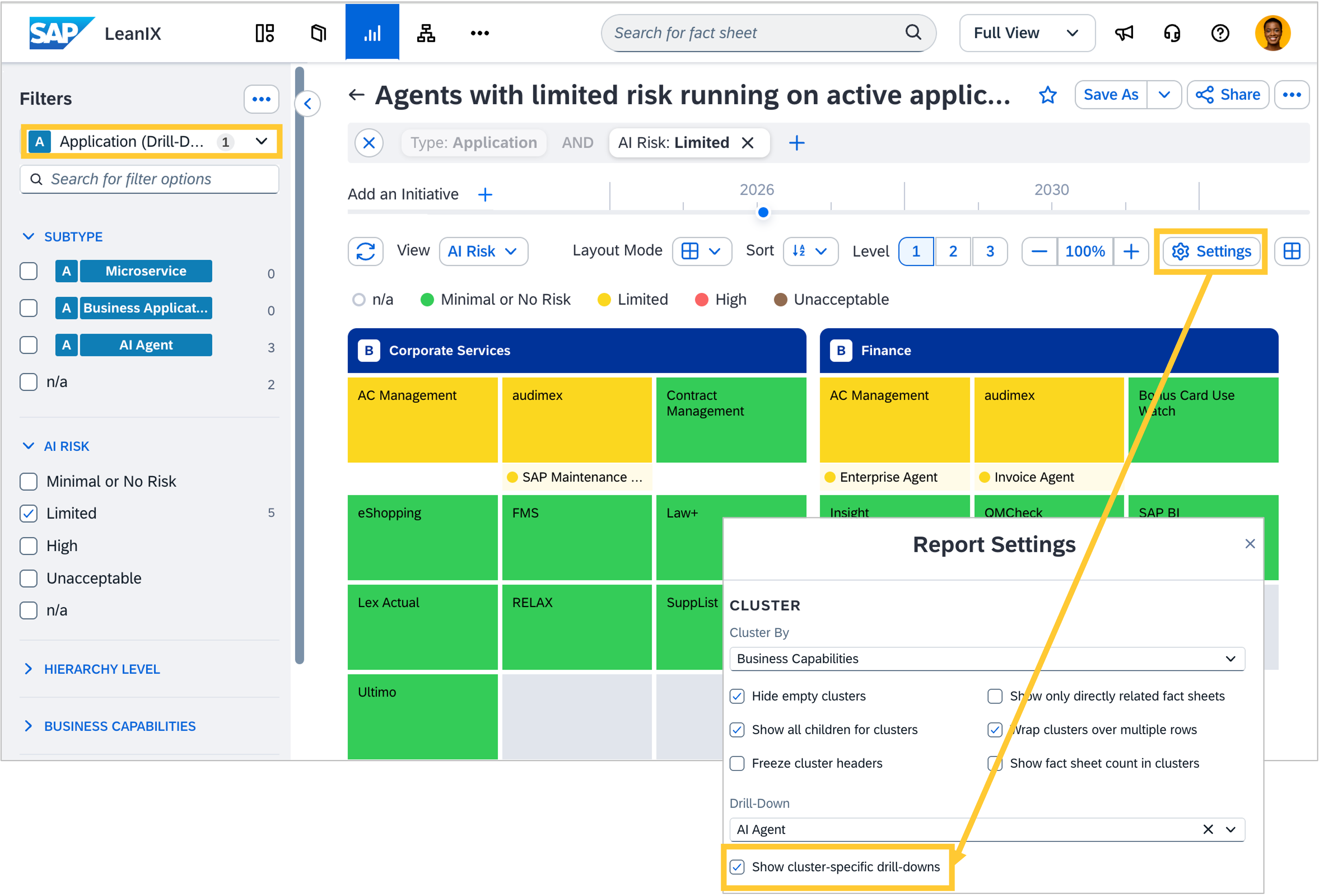
You now have precise control over what appears in each cluster of your landscape and matrix reports, with two new settings for drill-down items. If you work with AI agents, for example, the same agent often runs on an application that supports many business capabilities, but the agent is only relevant to one or two of them. Without a way to reflect that context, reports fill up with items that do not belong, making it harder to draw conclusions.
Enable "Show cluster-specific drill-downs" in the report settings, and each column automatically shows only the items relevant to that cluster. Additionally, you can now filter on drilled-down fact sheets via the filter sidebar, so you can slice the view further and focus on exactly what you need.
Both settings work independently and can be combined. They apply to any use case where you work with drill-downs, not just AI agents, across all report types that support drill-downs.