- DATE:
- AUTHOR:
- SAP LeanIX Product Team
Plan with consistent future architecture data: introducing the committed future
Understanding your architecture across the past, present, and future is an imperative for enterprise architects. Planning the future is possible in your workspace today through initiatives and transformations, and we are now improving how that works with a new concept: the committed future. Two related changes arriving in September and October are also covered below.
Introducing the committed future
With the committed future, marking an initiative as committed makes its expected impacts visible to everyone in your workspace by default. The commitment is fully reversible if plans change. Today, there is no shared default view of planned changes, and executing a transformation cannot be undone. The committed future addresses both: you decide what is planned, every user sees the expected future state, and you can reverse it if priorities shift. Over time, as part of a broader initiative, fields across fact sheets will also carry time-sensitive data, covering not just the future but also the past, giving you a complete picture of how your architecture evolves.
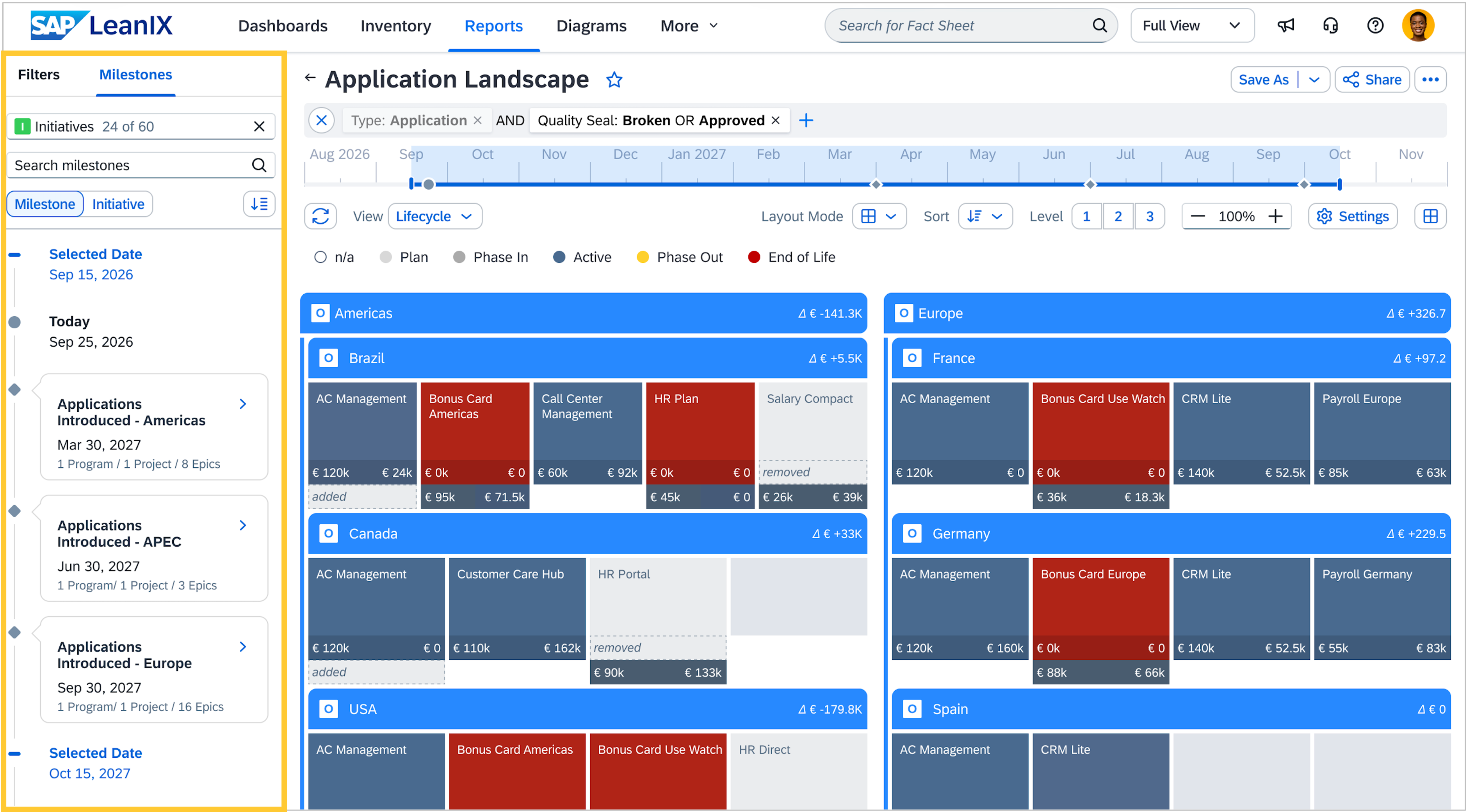
Along with the committed future, the initiative selector evolves into the milestone selector, focused on pulling milestones onto the timeline rather than applying initiative impacts, which the committed future handles automatically. We are targeting the committed future for early 2027.
September 30: relation validity changes
As we shared earlier this year, relations in transformations will retain their validity periods rather than being removed. The second and final wave of this change goes live on September 30 and applies automatically to workspaces that already have transformations. No action is required. See the full details here.
October 19: milestones visible across all timeline reports
From October 19, the initiative selector moves from above the report to the left panel. You will still use it to manually select which initiatives to apply. Alongside the repositioned selector, a new chronological view shows milestones from your selected initiatives, giving you context for when and why changes are happening and helping you position the time slider.
Automatic initiative impacts across your workspace will be reflected iteratively in your reports, starting in early 2027.