- DATE:
- AUTHOR:
- SAP LeanIX Product Team
Manage your custom code in a central place
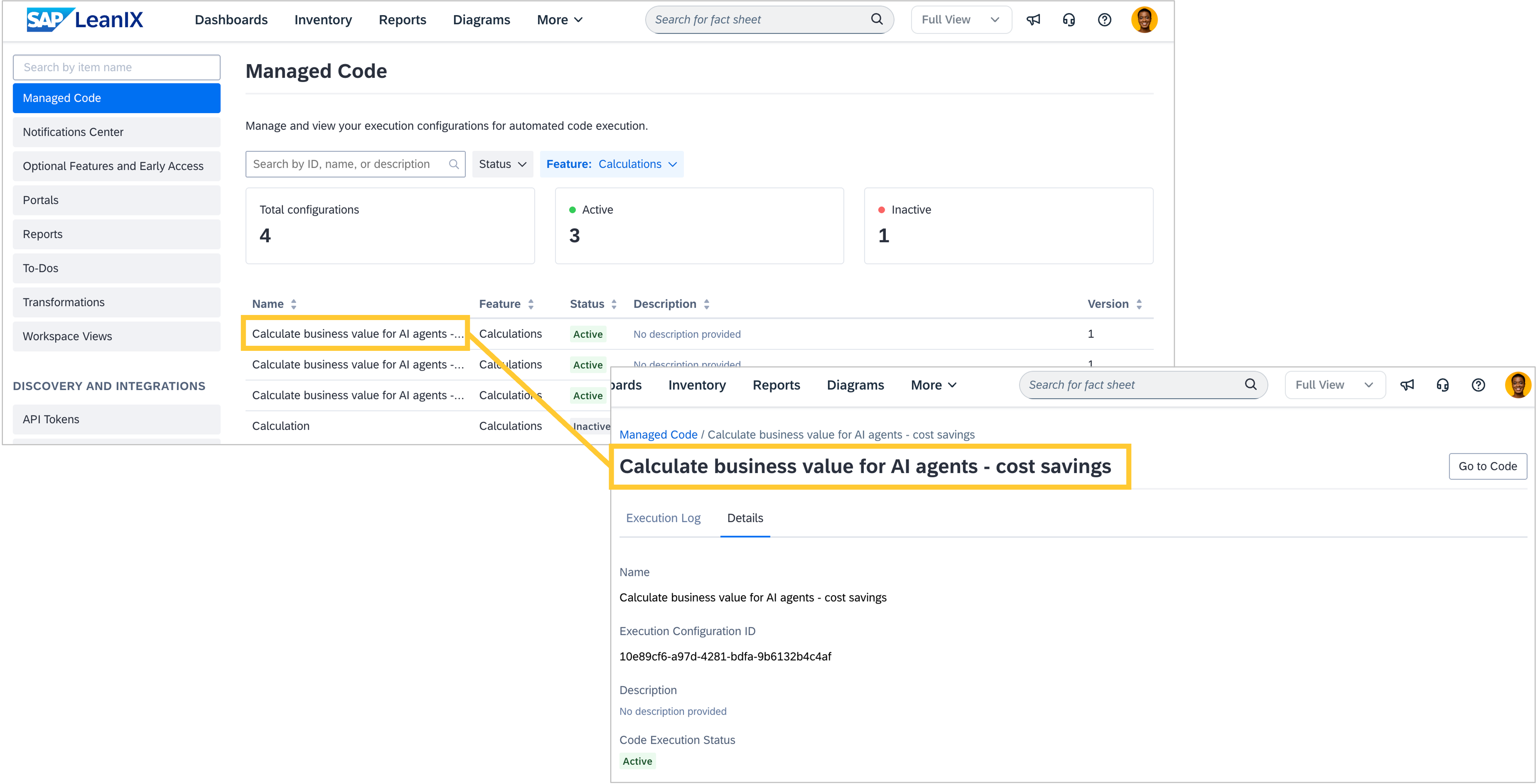
We introduced a central place in the admin area of your workspace to view and manage all custom code used across your workspace in automations, calculations, and webhooks. This allows you to monitor execution logs to track history, troubleshoot issues, and ensure your code runs as expected. Navigate to the new section "Managed Code" in the administration area to:
View all custom code configurations used in automations, calculations, and webhooks.
Monitor execution logs to track history and resolve issues.
Navigate directly to the relevant feature to update or maintain your code.
All configurations that contain custom code are listed, and you can filter by the feature they are used in or search by ID, name, or description. For every configuration, there are additional details available incl. an execution log, execution status or the creation date. This information allows you to troubleshoot failures and confirm expected behavior.
To view or update your custom code for calculations and webhooks, navigate directly to the feature using the "Go to Code" button on the configuration details page. This opens the corresponding page where you can edit the code in its dedicated editor.