- DATE:
- AUTHOR:
- SAP LeanIX Product Team
Let AI guide you to optimize your IT landscape
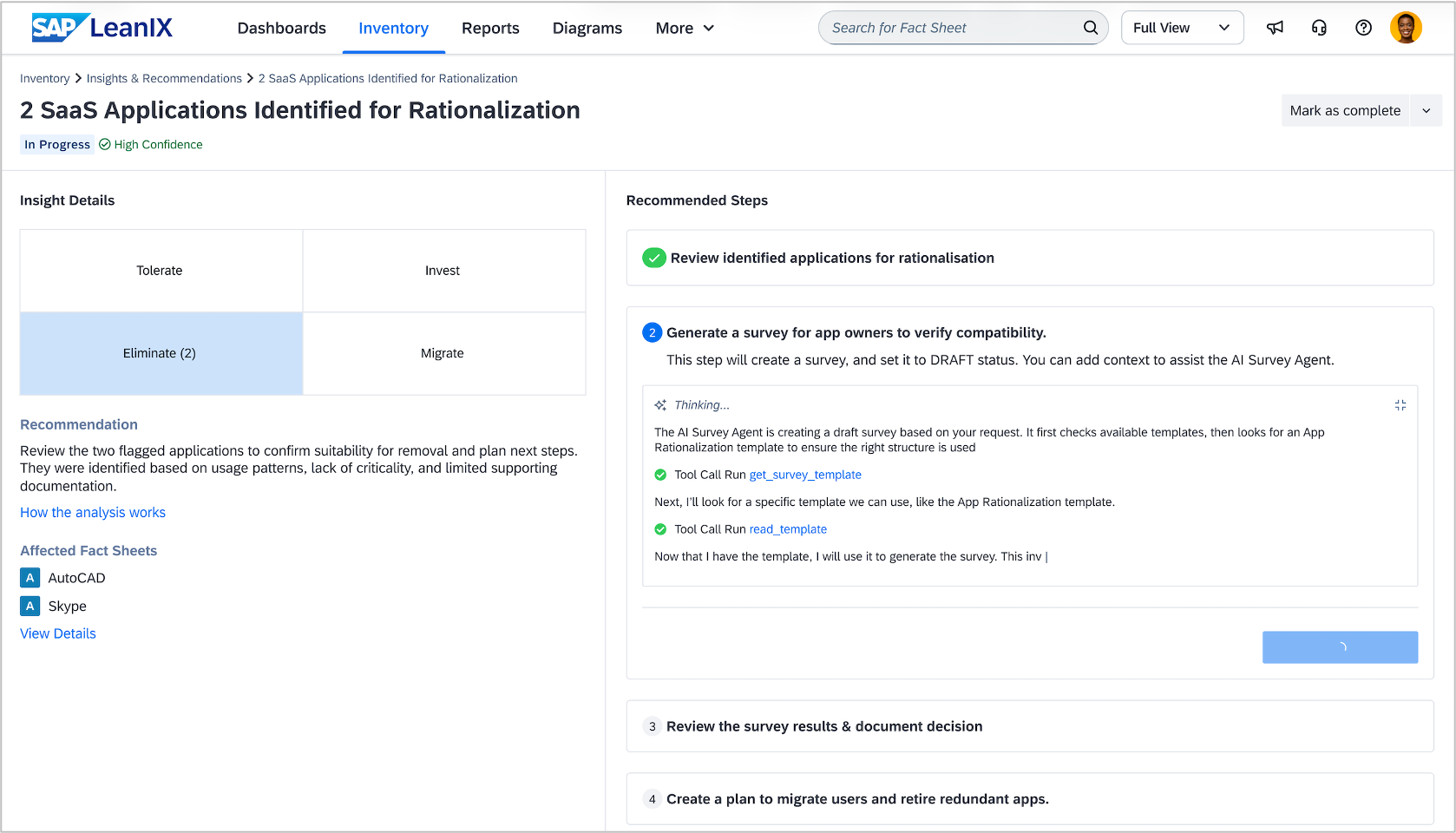
Analyzing your IT landscape for improvement opportunities is one of the most time-intensive tasks in enterprise architecture. With AI-assisted architecture guidance, we take a step toward doing this analysis for you — surfacing insights that highlight areas for improvement and guiding you through the steps to act on them. Architecture guidance analyzes your inventory and identifies concrete opportunities to optimize your IT landscape. It combines data from your workspace with anonymized benchmarks from organizations of similar industry and size, giving you insights that reflect both your specific context and industry best practices.
Two insights at launch
Architecture guidance launches with two insight types. TIME classification applies the Gartner TIME framework to your application portfolio, comparing technical and functional fit against industry benchmarks to surface rationalization candidates. Feature redundancy identifies applications with overlapping functionality, helping you consolidate and reduce complexity. Each insight comes with recommended steps that help you act — use AI to instantly create survey drafts, document architecture decisions, and plan transformations, all within your existing workflows. You stay in control, reviewing and confirming every AI-generated artifact before it is finalized.
How to get started
Architecture guidance is available to admin users in workspaces with SAP LeanIX Application Portfolio Management and is disabled by default. Activate it under Administration > Optional Features & Early Access. Once activated, it will appear under the "More" button in the main navigation bar. For detailed setup instructions and documentation, see the SAP Help Portal.
A first release — built to grow
This is the first release of AI-assisted architecture guidance. Because insights are derived from your specific workspace data, industry context, and organizational structure, they are inherently context-sensitive — meaning results will vary across workspaces in ways that other features typically don't. Over the coming months, we will closely monitor how insights perform across different environments to understand where guidance is already strong and where it needs to improve. Your feedback plays a key role in this process — use the thumbs-up or thumbs-down option on any insight to help us learn and refine the results.