- DATE:
- AUTHOR:
- SAP LeanIX Product Team
Manage your optional and beta features via self-activation
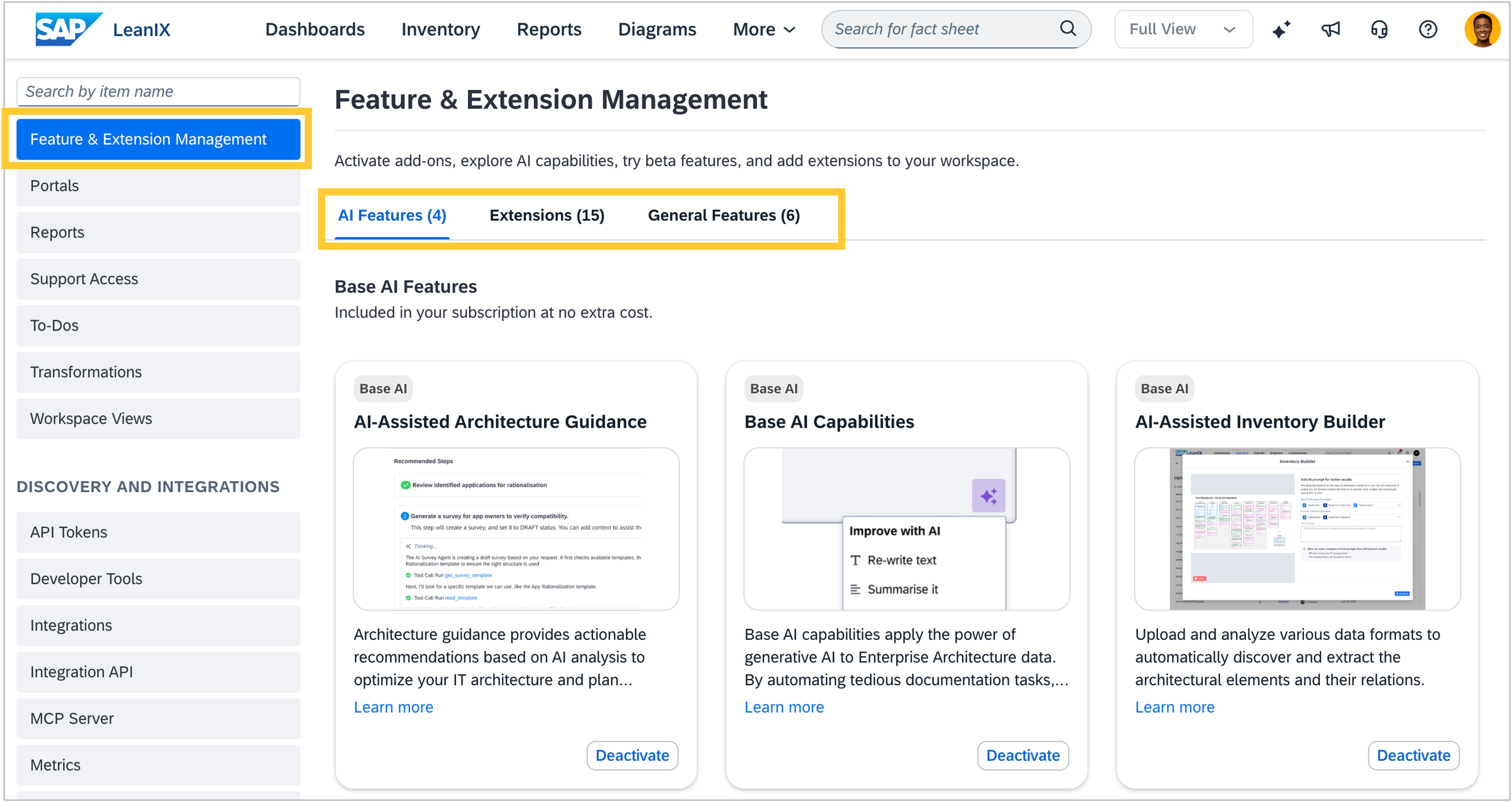
As an admin, you can now more easily find, understand, and activate your workspace's optional capabilities. Previously, AI features, extensions, and general settings were all on a single long page, making it difficult to get an overview of what was available and what each option did. The page has been renamed from "Optional Features and Early Access" to "Feature & Extension Management" and reorganized into three focused tabs: AI Features, Extensions, and General Features. A card-based design with clearer labels and descriptions makes it easier to scan each category and decide what to activate.
The AI Features tab also makes the subscription cost model explicit. Each AI capability now indicates whether it falls under Base AI (included in your subscription) or Premium AI (which consumes SAP AI Units), a distinction that was previously invisible. You also find guidance on how to unlock Base AI features, on pricing of Premium AI features, and how to purchase AI units.
Before the end of the year, a Beta Features tab will be added for eligible workspaces. Through this tab, admins can self-activate selected functionality before it becomes generally available. Each beta will display its availability window, auto-expire after a defined timeframe (such as 90 days), and require a signed Test and Evaluation Agreement. Betas will only be visible and activatable in a sandbox workspace. Details on how to become eligible will be shared when the Beta Features tab is released.