- DATE:
- AUTHOR:
- SAP LeanIX Product Team
Update your inventory through natural language with expanded MCP write access
Previously, MCP write access was limited to a small number of toolsets. Changes to most of your inventory still required switching to the UI, regardless of which AI tool you were working in.
You can now create, update, and delete fact sheets directly from the AI tool you are working in, without switching to the inventory UI for every change. Instead of spending time on routine updates, you can update fields, relations, tags, subscriptions, and more through conversational prompts and focus on the architectural actions that build on the data. This makes it easier for business users, such as application owners, to interact with workspace data without in-depth knowledge of the workspace UI.
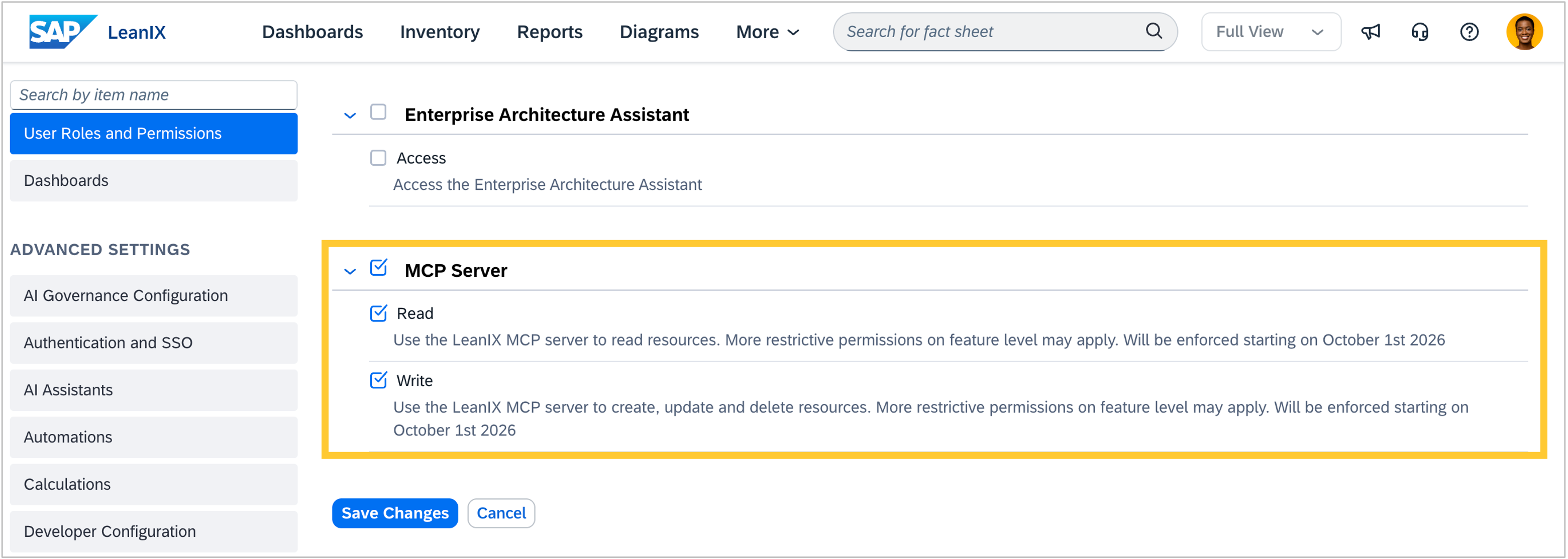
MCP access respects individual user permissions, meaning access to domains such as surveys and architecture decisions may vary depending on a user's role. Write operations are disabled by default for all roles except admins, and admins can centrally enable or disable MCP access in the administration area.