- DATE:
- AUTHOR:
- SAP LeanIX Product Team
Sync work items from Jira on-premise products and benefit from import rules
In September, we released a new integration for Atlassian Jira Cloud, specifically designed for workspaces with SAP LeanIX Architecture and Road Map Planning. It enables teams to connect initiative fact sheets directly with Jira work items across multiple instances. We have now extended the integration to support Jira on-premise products, Jira Server, and Jira Data Center (version 8.14 and above).
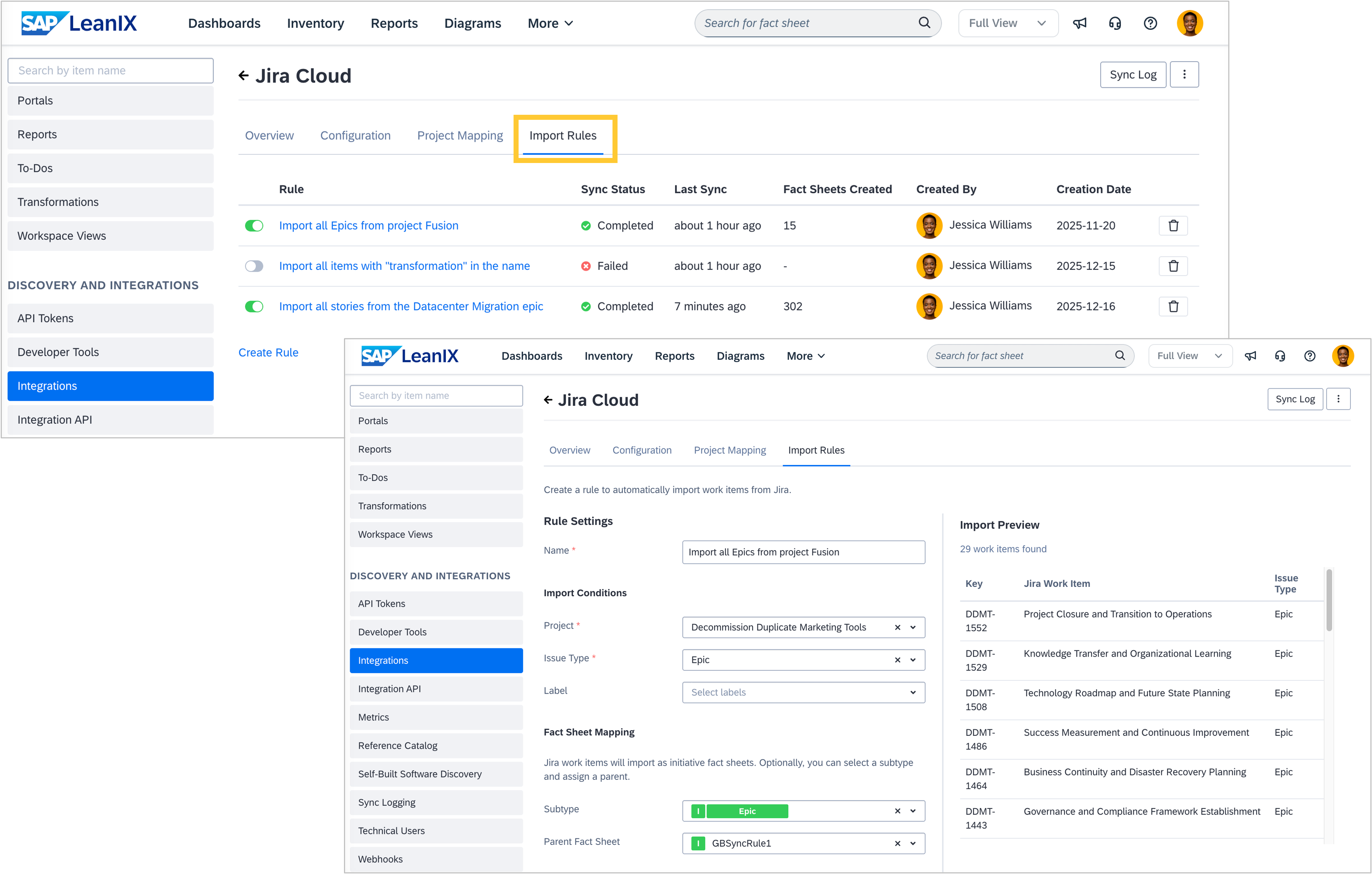
Additionally, we have released an enhancement of the integration (for both Jira Cloud and on-premise products), which augments the way to import Jira work items into your workspace. Until now, the only way to sync Jira work items with your workspace was to manually select them on an individual initiative fact sheet. This imported them as child fact sheets of the respective initiative.
Additionally, you can now set up automated import rules in the admin area, to define which work items to import, how they should appear in your inventory and then conduct a bulk import. To filter import items, you can select Jira projects, issue types (for example, epic or story), and Jira labels. You can also define whether the imported work items should be created as a subtype or a child fact sheet of a certain parent initiative. Jira work items matching these rules will be automatically synced once the rules are saved and regularly updated in a nightly sync run. This leads to reduced maintenance effort, increased data completeness, and consequently greater trust in your data.
All new capabilities are available for workspaces with Architecture and Road Map Planning as part of the Jira integration. The Jira Marketplace App remains untouched by these changes.