- DATE:
- AUTHOR:
- SAP LeanIX Product Team
Weekly feature improvement and bugfix summary
Architecture decisions
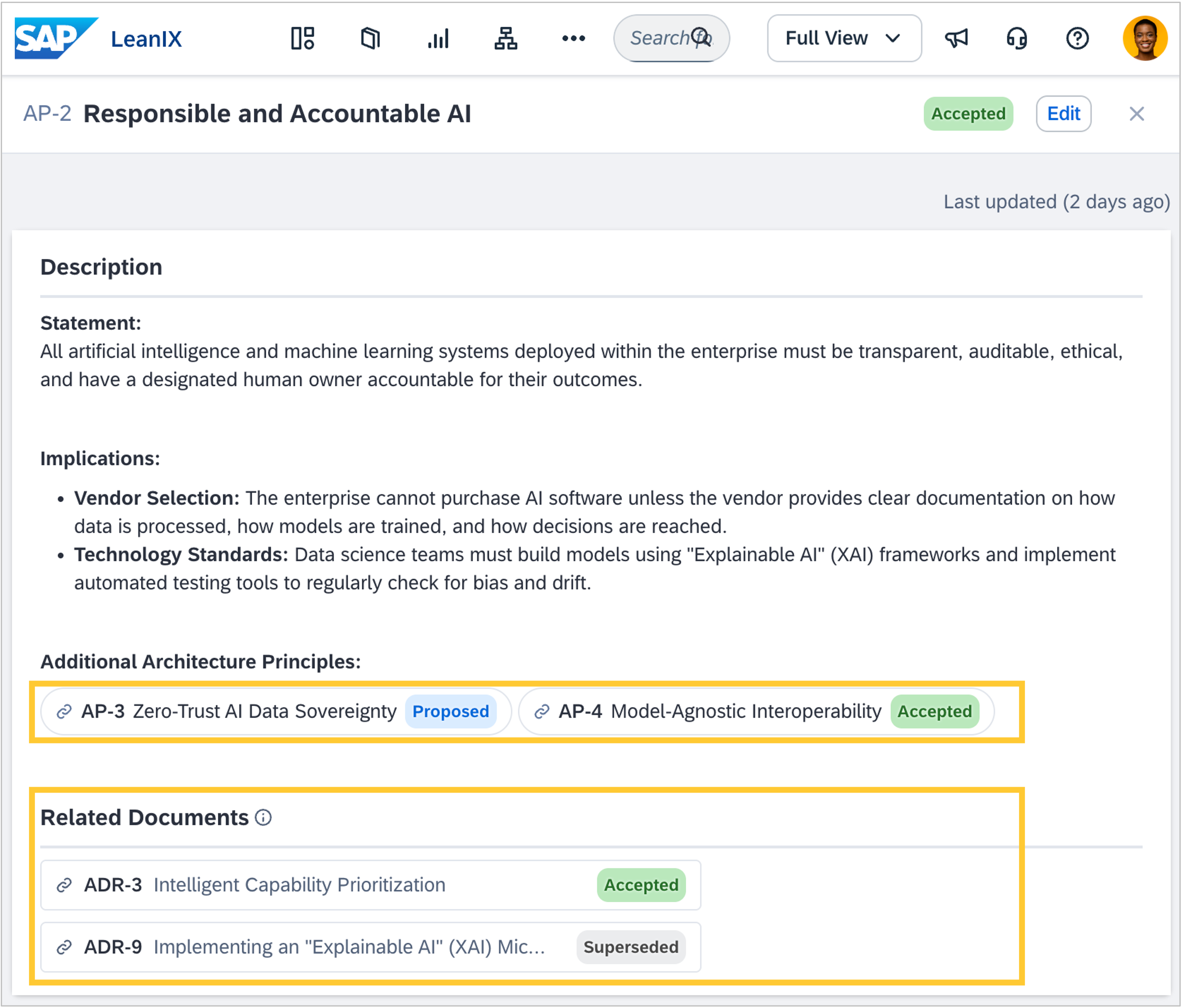
Architecture decisions can now be linked to one another through the related documents field, which creates automatic two-way backlinks between decisions. This makes it possible to trace how one architectural choice informed another, audit for consistency across domains, or provide reviewers with the full context of a decision chain. A picker dialog lets you search and filter decisions by template, status, or creator when selecting related documents. When writing decision text, you can also insert an inline reference to any decision that displays its ID, title, and current status. Learn more in Working with Architecture Decisions.
Calculations
Workspace admins can now use tags and subscriptions as inputs when setting up calculations, on a fact sheet, and on its related fact sheets. This makes it possible to build governance logic such as data quality scores based on tagging, compliance filters for production-tagged applications, or ownership checks that verify a responsible subscriber is maintained. Calculations re-run automatically when tags or subscriptions change, and they treat them as read-only inputs. Learn more in Configuring Calculations.
Architecture guidance
You can now grant non-admin roles read and management access to architecture guidance, allowing architects, reviewers, and domain owners to work with guidance insights without admin privileges. Configure the permissions in your workspace Roles and Permissions settings.
Adoption KPIs
In the admin section, the adoption KPIs dashboard now shows how many distinct users and how many total views each individual report, diagram, and dashboard received. Previously, view counts were available only by report type or workspace area; you can now drill down by name to see which specific saved reports, diagrams, and dashboards your team visits most. See Monitor Workspace Usage and Adoption for details.
Custom reports
We fixed a bug where npm run dev and npm run login failed with an authentication error following a server-side update on 3 September 2026. If you tried to run your custom report development environment since then and encountered an authentication error, update to the latest version: npm install @sap/vite-plugin-leanix-custom-report@latest. Then run npm run dev to start your development environment. This will prompt a new login. Once you have signed in, custom report development will work as before. Custom reports already deployed in your workspace are not affected.