- DATE:
- AUTHOR:
- SAP LeanIX Product Team
Govern and verify AI assets with an evolved extension
We have evolved our approach to AI and AI agent governance, based on insights from you, the wider market and our own utilization. As agents have become a clear part of the AI landscape we launched a new AI governance extension which combines elements from our previously separate AI governance and adoption and AI agent extensions. This new extension serves as the meta model foundation for the SAP AI Agent Hub capabilities in your workspace. It gives your workspace the fact sheets, reports, and verification mechanisms needed to discover, track, and govern AI agents, MCP servers, and AI models. If you have previously installed the AI governance and adoption or AI agent extensions, or both, this extension consolidates their capabilities and adds new functionality on top. For details on compatibility and what this means for your existing setup, see the section below.
What the extension adds
The extension introduces dedicated fact sheet subtypes for AI agents, business applications, MCP servers, and AI models, along with new attributes for tracking AI usage, risk, and potential across your landscape. It also adds a dedicated AI agents report collection, KPIs for the architecture executive dashboard, saved searches for common AI governance workflows, and automated calculations for AI agent business value.
Verify AI assets with greater flexibility
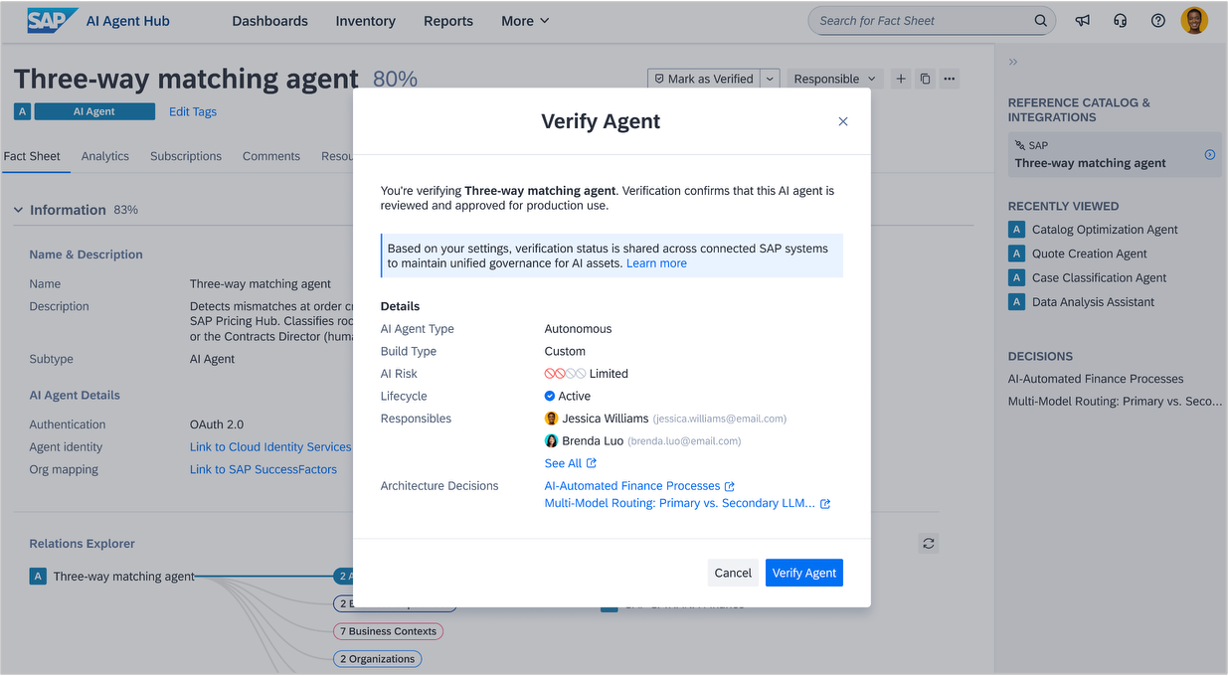
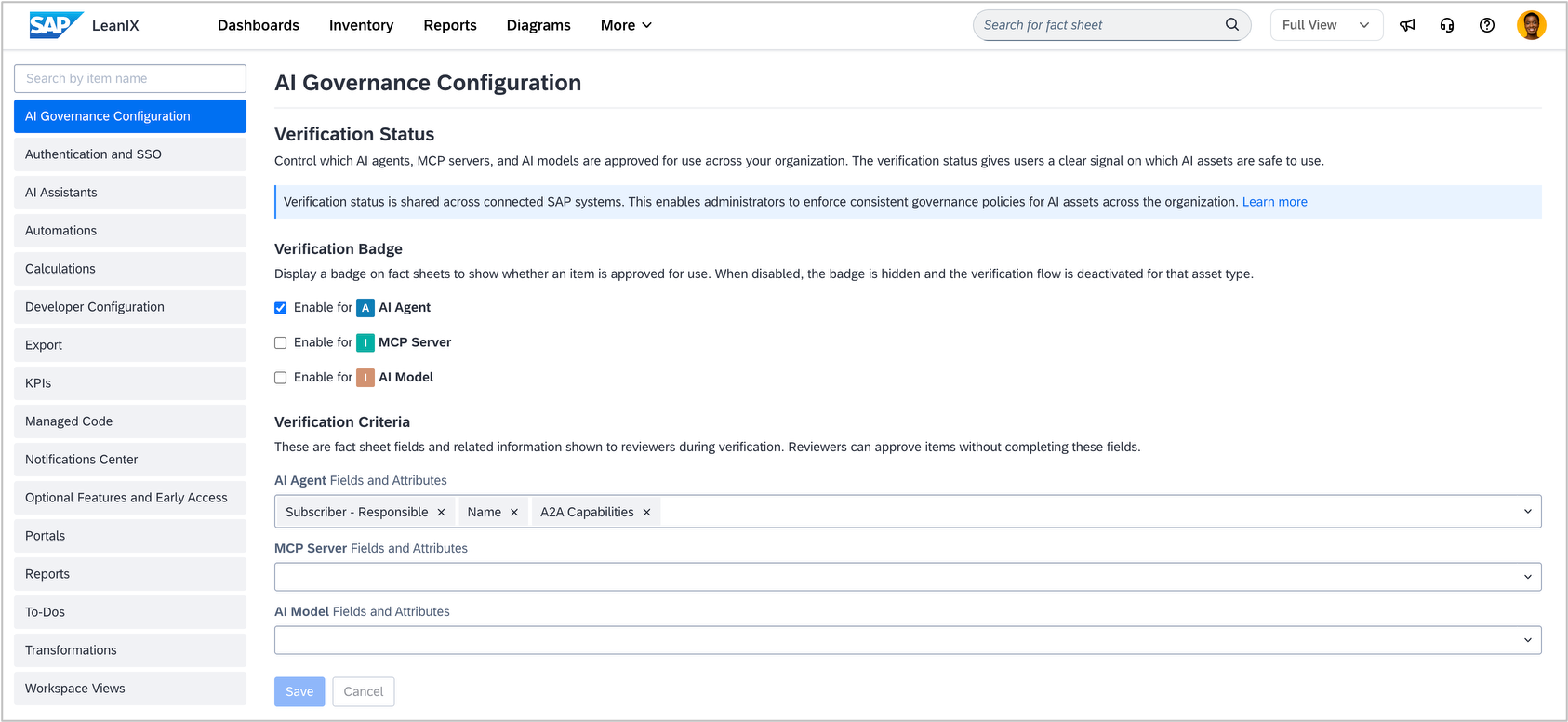
The extension includes the new verification badge, a flexible way to document and track the trust and approval status of AI agents, MCP servers, and AI models directly on their fact sheets. Unlike the static approval state field from the earlier AI agent extension, the verification field lets you define custom verification criteria and statuses individually for each asset, giving your teams a consistent and adaptable way to track which AI assets are cleared to run in production. As an admin, you can configure the verification behavior for each asset type under Administration > AI Governance Configuration. There, you can enable the verification badge for AI agents, MCP servers, and AI models individually, and define which fact sheet fields reviewers should check during the verification process.
Activating the extension
The extension is activated by default in workspaces created after May 11, 2026. As an admin, you can activate it for workspaces created before May 11, 2026 under Administration > Optional Features and Early Access. If you have previously activated the AI governance and adoption or AI agent extension, activation does not affect your existing data. On AI agent fact sheets, the fields "AI agent type" and "AI agent nature" are renamed to "autonomy level" and "build type" respectively. The approval state field is preserved if it was part of your workspace, but we recommend transitioning to the verification field going forward.