- DATE:
- AUTHOR:
- SAP LeanIX Product Team
Edit faster and navigate more easily in the redesigned inventory table view
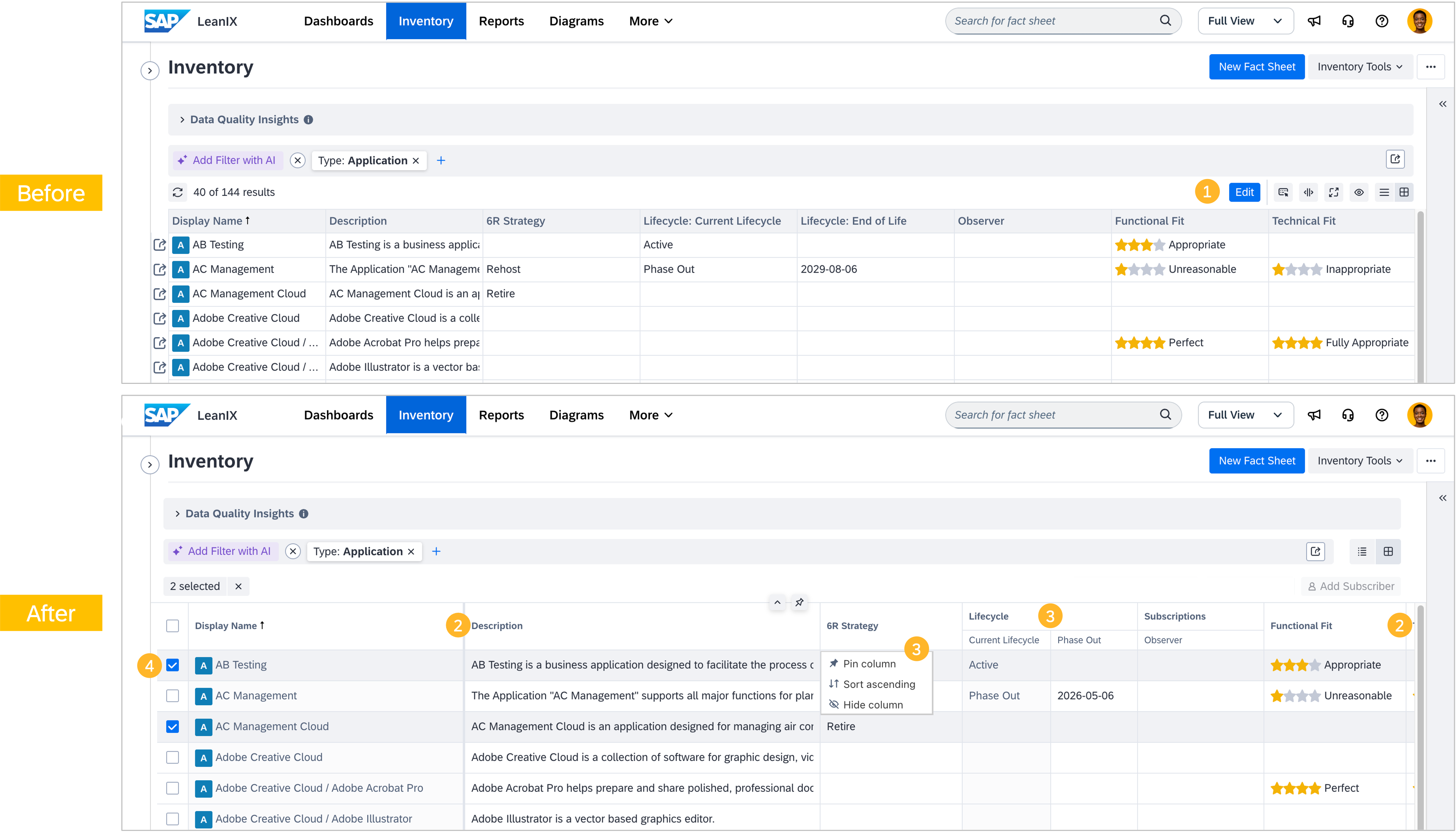
As announced, we released a redesigned table view across your workspace inventory. This redesign removes unnecessary steps from the editing workflow and better uses your available screen space. Here is an overview of what has changed.
1. Direct editing — no more edit mode: The Edit button has been removed. Instead of switching to edit mode first, you can click any cell to start editing right away. Removing the edit button does not grant additional permissions to users; a user's individual permissions are always respected.
2. More space for your data: The table makes better use of your screen in three ways: Columns extend beyond the visible screen width and are accessible via smooth horizontal scrolling. Each column width adapts automatically to the field's content type. As you scroll down through a long list, the top bar automatically collapses to free up vertical space. A floating button lets you jump back to the top instantly. When switching to table view, the left and right side panels automatically collapse to give more horizontal space to the table.
3. Column management improvements: Several column management capabilities were added or improved. You can pin any column to keep it anchored at the left edge as you scroll horizontally. Pinned columns can be unpinned just as easily. Columns can be hidden directly from the column header, without opening the manage columns panel. Columns of the same type, such as Tags, Subscriptions, or relational fields, are grouped under a single shared header, making the table cleaner and easier to navigate. The “Auto-adjust width” button resets all columns to their default widths, rather than attempting to fit everything on screen at once.
4. Multi-select and bulk actions: You can select multiple fact sheets using checkboxes and apply actions to all of them at once: for example, archive or restore a fact sheet, or add a subscriber.
The changes have taken effect automatically, and no actions are required from you. Your existing column selections and saved searches were preserved.