- DATE:
- AUTHOR:
- SAP LeanIX Product Team
Call APIs in automation actions and trigger them via relation changes
We have released two improvements that significantly expand the possibilities of using automations within your workspace.
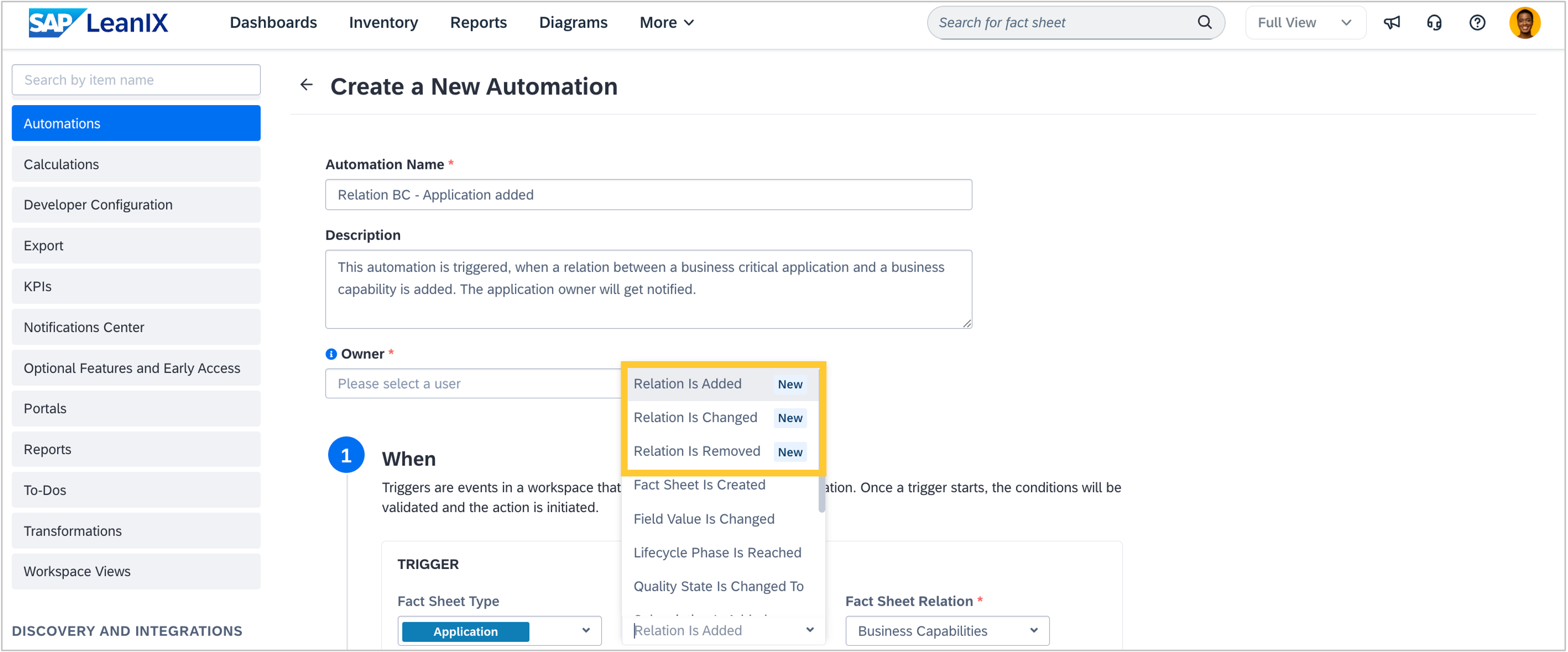
First, you can now trigger automations when relations between fact sheets are created, updated (e.g., field value on a relation has changed), or deleted. This unlocks powerful automation scenarios for managing fact sheet relationships. Example scenarios:
Auto-notify on dependencies: Notify an application owner and a business capability owner when a critical application is linked to a business capability.
Maintain data quality: Send an email or trigger a different workflow when a relation's support type changes from "leading" to "supporting".
Enforce governance: Tag an IT component with the tag "Review" when its relation to a Tech Category is removed.
Secondly, you can now configure scripts that call the SAP LeanIX APIs to perform actions within automations. This allows you to configure simple or cascaded automation scenarios, reducing manual effort. It eliminates the need for third-party solutions, as the scripts run in a secure environment within SAP LeanIX.
For example, you can initiate the following actions:
Inherit subscriptions from related fact sheets: If you add IT components to an application, existing subscriptions from the application will be automatically added to all related IT components. Changes of subscribers can be inherited and synced in the same way. You can even visualize on the fact sheet that the subscription was inherited.
Roll-up relations from a child to a parent: If you link an application to a parent application, it inherits all business context relations of the parent application. This can save you time in setting up your process and application management on different hierarchy levels and keeping them in sync.
Change field values on related fact sheets: If an initiative reaches the end of life, the quality seal of all impacted applications breaks, to ensure they are reviewed and updated.
If you need to set up multiple automations for a single scenario, you can reuse a script across them. Relying on agentic coding tools, such as Claude Code or others, to write scripts on your behalf is an additional efficiency booster.
The above examples are only a glimpse of what is possible, as the automations are highly customizable according to your use cases and needs, and since you can leverage any SAP LeanIX API. The biggest impact might be with the Pathfinder REST API, as it allows you to edit fact sheet details. Additionally, you can consider scenarios that leverage the APIs for surveys, user management, or to-dos.
Find help on setting up the integrations, as well as tutorials for the above-mentioned examples, in the SAP Help Portal. We will enrich it with further examples during the next weeks.