- DATE:
- AUTHOR:
- SAP LeanIX Product Team
Weekly feature improvement and bugfix summary
Inventory
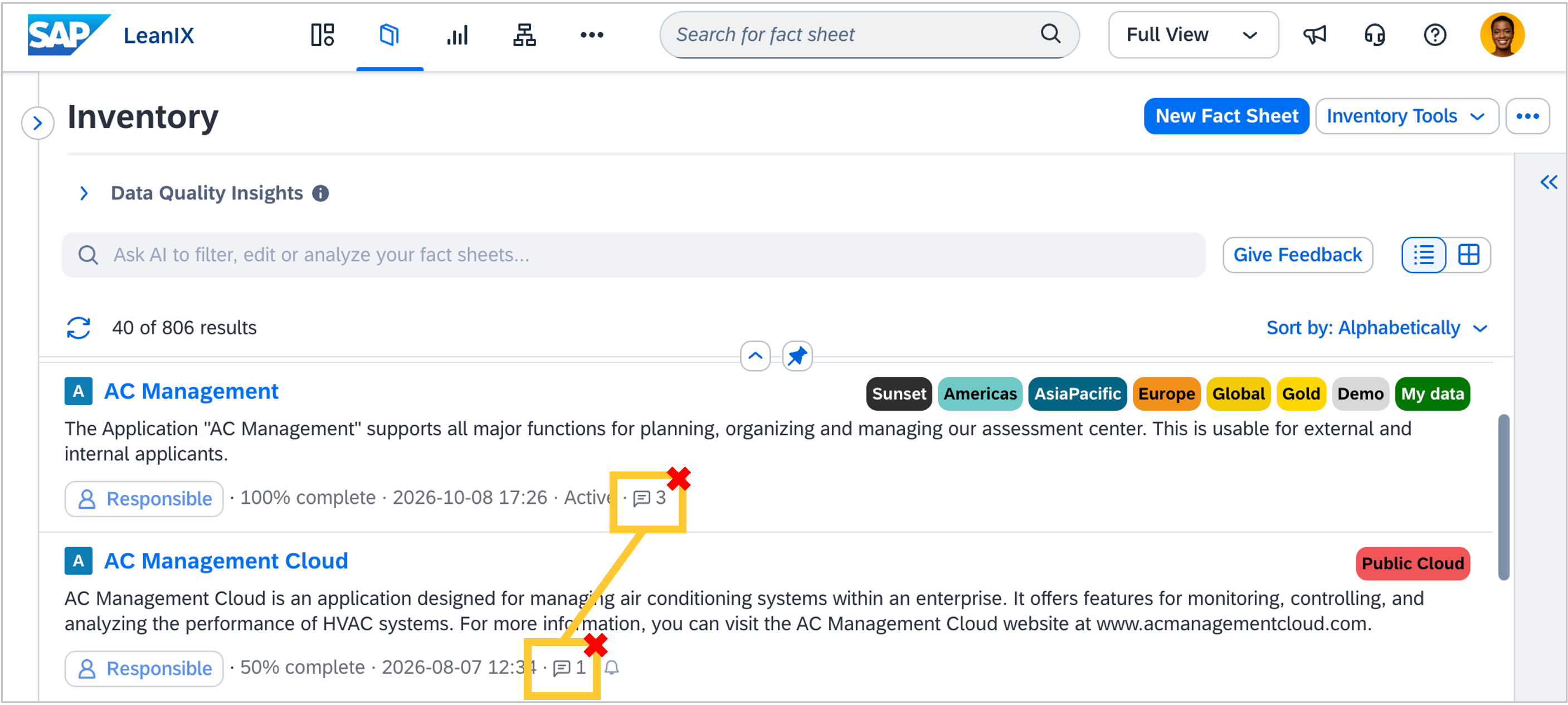
As announced on October 9, the comment count bubble no longer appears next to fact sheet names in the inventory list. Comments remain fully accessible from each fact sheet's detail view. For context on this change and available alternatives, see the announcement.
Saving changes on a fact sheet with calculated fields no longer freezes the page. The fact sheet page could become unresponsive after saving changes when calculated fields were present. The page now stays fully interactive while calculated fields update in the background.
Calculation target fields in the inventory table stay read-only when relation subcolumns are added. Adding a relation subcolumn to the inventory table view could make calculation target fields, such as Total Cost of Ownership, appear editable, even though their values are controlled by a calculation. These fields now correctly remain read-only regardless of the table column configuration.
Dropdown cells in the inventory table now display correctly when a long value is selected. Selecting a long dropdown value caused the cell to render incorrectly, and clicking away could push the column manager panel off-screen. Both issues are resolved.
Write access fields are now fully visible in the inventory table for users in a virtual workspace role (access control list group). Users logged in under an ACL role could see the write access (permittedWriteACL) column in the inventory table only for their own ACL group, not for other groups configured on the same fact sheet. The fact sheet detail view already showed the full values; the table view now matches.
Quality seal approval is no longer blocked by hidden lifecycle fields. Approving a quality seal could fail with an error about a mandatory lifecycle phase even when the lifecycle field in question was conditionally hidden based on the fact sheet's category. Fact sheets where the lifecycle field is not visible due to conditional configuration can now be approved without filling in lifecycle phases for those hidden fields.
Enterprise Architecture Assistant
The EA Assistant can now update relation attributes. Users can ask the EA Assistant to update attributes on relations between fact sheets, such as setting Usage Type to "Owner" on an Application-to-Organization relation. Previously, the assistant had no write access to relation attributes and would respond that it could not complete the action, instead offering manual UI steps.
Automations
Suspended automation templates now show the reason for deactivation. When an automation template is disabled, for example because a loop was detected, it now displays the reason. Previously, a suspended template showed no explanation, making it difficult to understand why it had stopped running.
Discovery
Discovery inbox actions now run as the triggering user. Fact sheet actions taken in any discovery inbox (creating fact sheets, updating fields, and creating relations) are now performed on behalf of the user who triggered them, rather than as a system account. User permissions are applied correctly: if a user lacks permission to perform an action, they see a clear error. Users are also warned immediately when they click the link button if their permissions are insufficient, before the action is attempted.
Meta Model Configuration
Configuring search options on a new external ID field in the meta model configuration no longer fails. Toggling options such as "Include in quick search" on a newly created external ID field before applying changes caused a backend validation error. This has been fixed. Existing persisted external ID fields now also correctly show search options as read-only, consistent with other field types.
External ID fields can no longer be added as a field on a relation, as they're only intended on fact sheet types to avoid duplication. Attempts to create an external ID field on a relation through the meta model configuration now return a validation error.