- DATE:
- AUTHOR:
- SAP LeanIX Product Team
Navigate your SAP landscape with smarter discovery suggestions
When reviewing your SAP landscape in your workspace, it can be hard to tell at a glance which systems were directly observed, which were inferred, and how they all relate to each other. A series of improvements to SAP Discovery make the inbox easier to navigate, surface richer context for each discovery item, and extend HANA database identification to SAP Private Cloud environments.
Richer context for discovery items
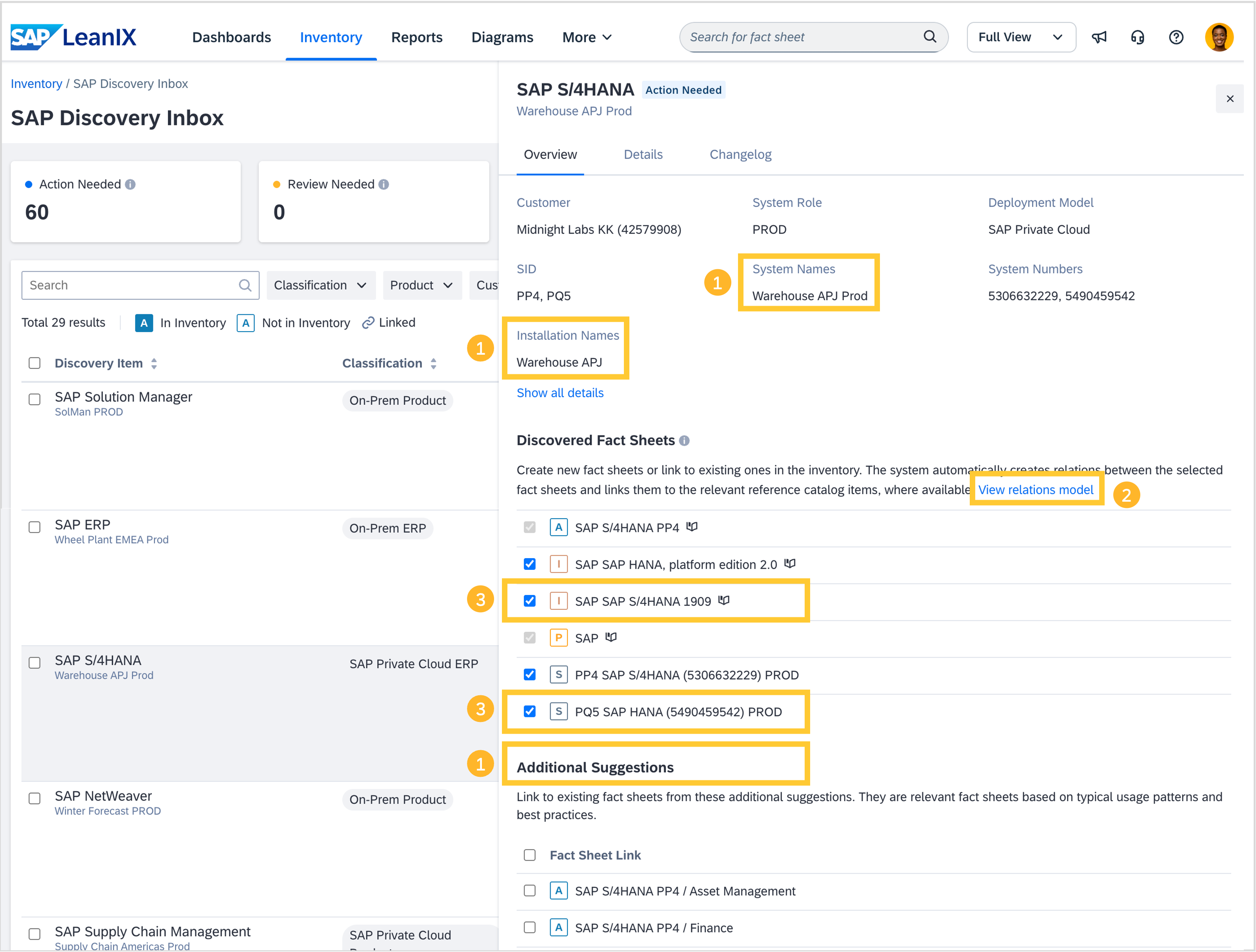
ERP module-level applications identified from your SAP S/4HANA and ERP 6 systems are now clearly marked as "Suggested" in the inbox, distinguishing inferred applications from directly observed systems. The inbox also now shows the full system name and installation name alongside the SID, system number, and installation number, so you no longer need to look up IDs separately to recognize which SAP system you are reviewing.
Relation diagram in the inbox
A visual diagram now appears directly in the inbox for each discovery item, showing how the connected fact sheets (application, IT component, provider, and interface) relate to each other. This gives you a clear structural overview of your SAP landscape before you confirm a link.
HANA database identification for on-premise and SAP Private Cloud
SAP Discovery can now identify which SAP HANA database system serves a given ERP or other SAP system, for both on-premises and SAP Private Cloud environments. HANA systems in SAP Private Cloud are surfaced - typically in the context of the SAP application they are connected to - in the discovery inbox rather than being suppressed, making your full database landscape visible without manual fact sheet creation.