- DATE:
- AUTHOR:
- SAP LeanIX Product Team
Weekly feature improvement and bugfix summary
Inventory
We fixed a bug where sorting a column in the inventory table view sorted by the column where a cell was already selected, rather than the column you clicked.
As an admin, the notification email sent after a successful workspace data export now includes clearer guidance for cases where the one-time download link does not work. The message explains that network security tools may scan and consume the link before you can click it, and directs you to the exports tab in the workspace administration area to download the file again within 24 hours.
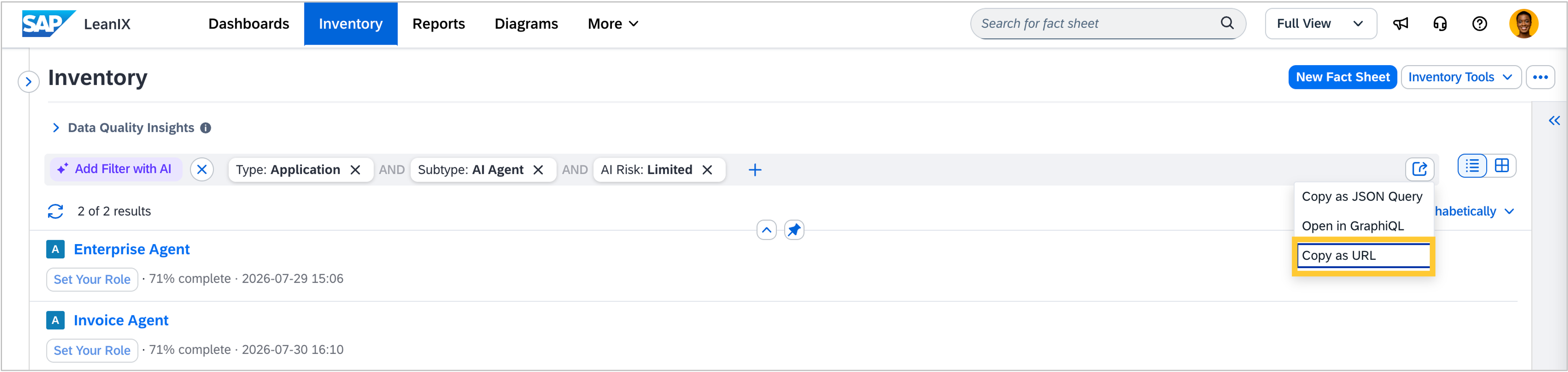
You can now copy your current inventory view as a shareable URL directly from the inventory. Use the new Copy as URL option in the export menu to capture your active filters and selected view type, whether table or list. Anyone who opens the link lands on the same filtered view without having to recreate it. Learn more in the SAP Help Portal.
Reports
We fixed a bug in the matrix report where drill-down items displayed inconsistent view styling when the view field shared a technical key with a field on the drill-down fact sheet type. Items now render consistently regardless of technical key overlaps in the data model.
Calculations
We fixed a bug where calculations that read data from a related fact sheet could fail silently and produce no output. This happened because the relation name used internally did not match the actual relation in the data model.
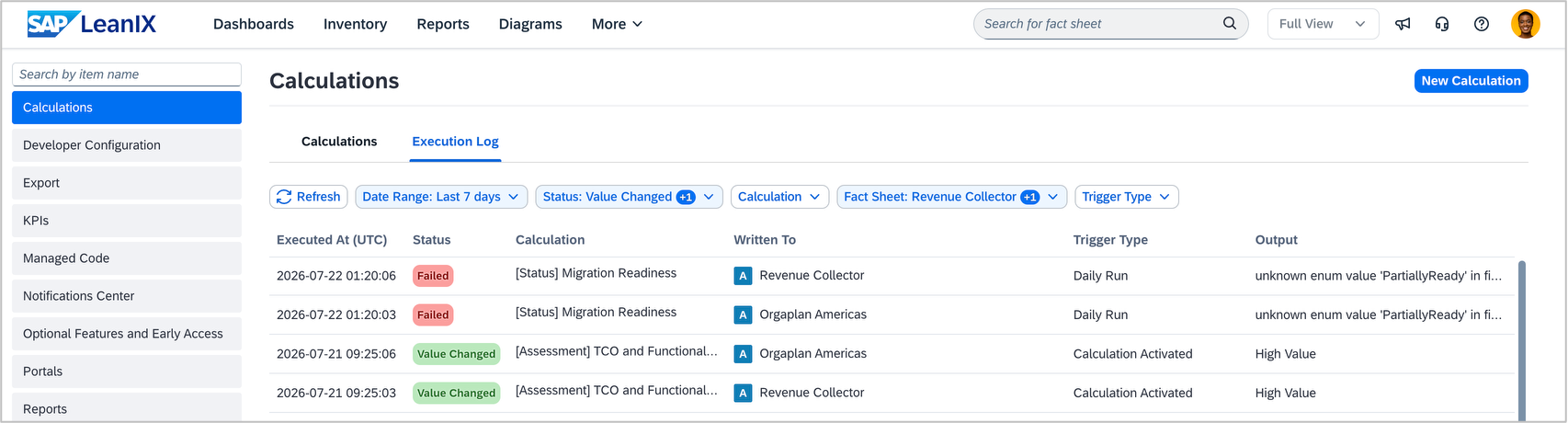
As an admin, you can now verify that calculations are running correctly and troubleshoot issues faster, because the execution log shows all runs, not just failures. The previous error log offered limited filtering and no run-level detail. Select any log entry to review its status, timing, trigger, target fact sheet and field, input, output, previous value, and the code that ran.
Enterprise Architecture Assistant
We have made three improvements to the Enterprise Architecture Assistant:
The Enterprise Architecture Assistant now correctly handles requests about diagrams. Previously, asking the assistant to open or show a diagram could result in an unhelpful response about reports instead.
When you ask the assistant to update a read-only field because the data is mastered in an external system, it now explains the limitation and directs you to the source system rather than failing silently.
The assistant now correctly retrieves and displays transformation data when you ask about it. Previously, it could respond that transformations exist but cannot be shown.
AI agent discovery
AI agent fact sheets are now pre-populated with a richer set of fields from the agent card when you use the AI agent API, including the service endpoint, capabilities, authentication schemes, skills, provider details, version, and documentation URL. Previously, only the agent's name and description were automatically transferred. This reduces manual data entry and ensures your AI agent inventory reflects the full context captured in the agent card from the moment it is linked.
Organizations that require OAuth 2.0- or certificate-based authentication for ServiceNow can now use these methods to discover AI agents in ServiceNow.
Reference catalog
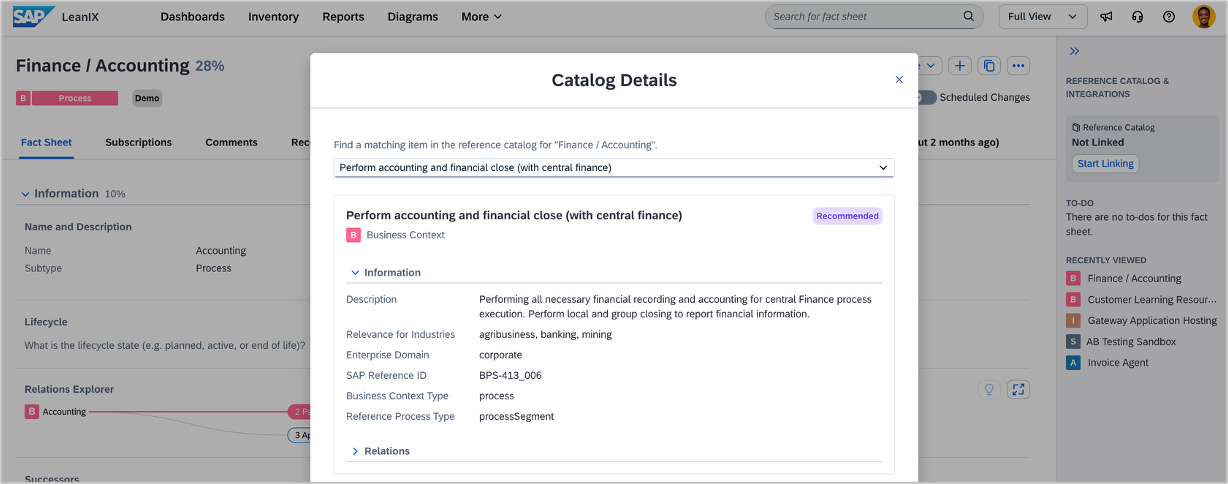
You can now link individual business context fact sheets to SAP reference processes in the reference catalog, using the same linking pattern already available for business capabilities. The link surfaces additional reference context from the SAP reference architecture on the fact sheet and does not change any existing data.
Over time, aligning process fact sheets with catalog content contributes to more accurate recommendations from the Enterprise Architecture Assistant. To link a fact sheet, open any business context fact sheet and use the catalog linking option. See the SAP Help Portal for details.
Meta model configuration
We fixed a bug where fields configured to appear only under certain conditions remained hidden even when those conditions were met. This could happen when the dropdown values used to define the condition were written in a different letter casing than in the data model (for example, “microservice” instead of “Microservice”). Learn more about conditional attributes.
User and access management
We made two improvements to authentication flows.
If you use SSO to sign in, logging into a workspace is now one step shorter when your identity provider is configured for exactly one workspace: you are taken directly to that workspace without an intermediate workspace selection step. Learn more in Authentication to SAP LeanIX Services.
You can now define your subdomain and workspace name directly in the MCP server URL configuration of your AI client. Once set up, these values are automatically passed to your workspace login page, so you do not need to enter them manually. For setup instructions, see the MCP server documentation.
Adoption KPIs
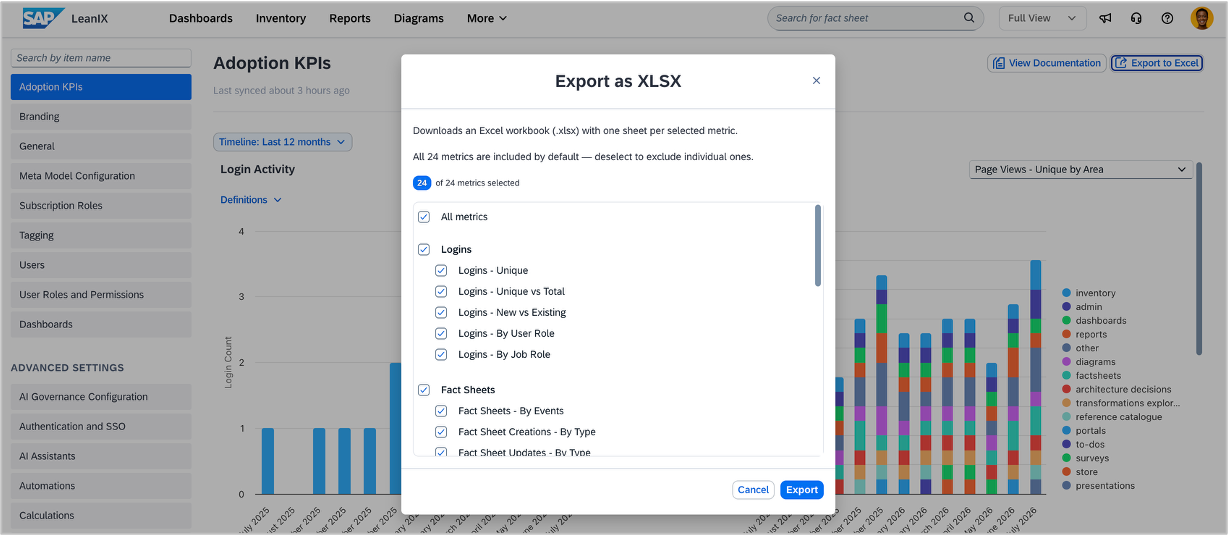
As an admin, you can now export your workspace adoption data as an Excel file for use in internal reporting. All metrics available in the adoption KPIs dashboard can be exported, including login activity, fact sheet counts, and report views. Select the metrics you need and download them as a single workbook.
Webhooks
If you are creating webhooks, you now receive an email when a webhook subscription is automatically deactivated due to repeated delivery failures, so you can act promptly rather than discovering the issue by chance on the configuration page. The notification is enabled by default for all new subscriptions and can be disabled on the subscription’s configuration page. See the SAP Help Portal for details.