- DATE:
- AUTHOR:
- SAP LeanIX Product Team
Weekly feature improvement and bugfix summary
Change announcement
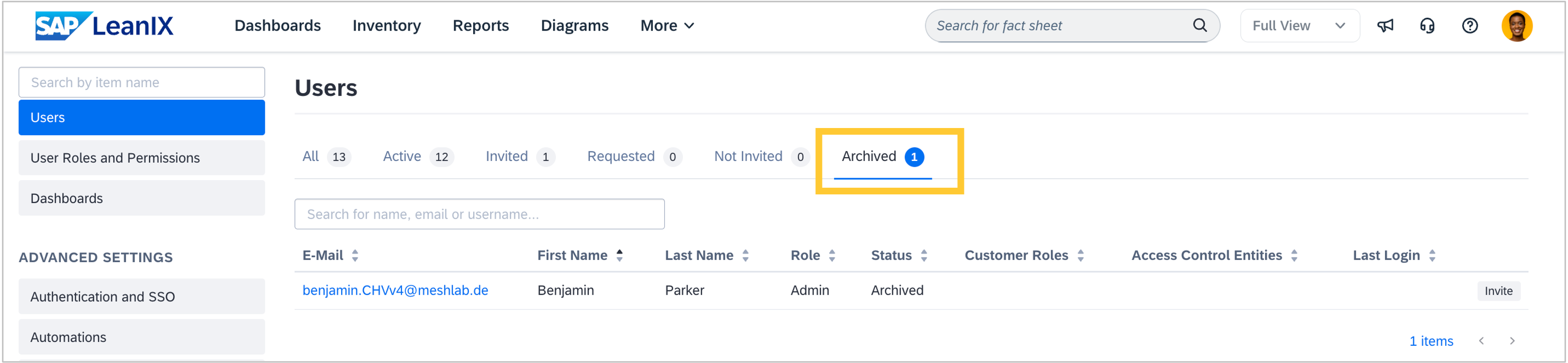
Starting July 1st, 2026, SAP LeanIX will automatically delete archived users 90 days after they have been archived. Under the EU General Data Protection Regulation (GDPR) and similar privacy legislation, personal data must not be retained longer than necessary, and data subjects have the right to erasure. This change ensures compliance with these requirements and cannot be disabled. As an admin, you will notice this in the user management area of the admin section.
The rule applies to all archived users. For users archived on or before July 1st, 2026, the 90-day period starts on July 1st — meaning they will be deleted on September 29th, 2026. For users archived after July 1st, deletion follows exactly 90 days from their individual archival date. For example, a user archived on July 15th, 2026, will be deleted on October 13th, 2026. Close to the change, you will find more information on the SAP Help Portal.
Authentication and SSO
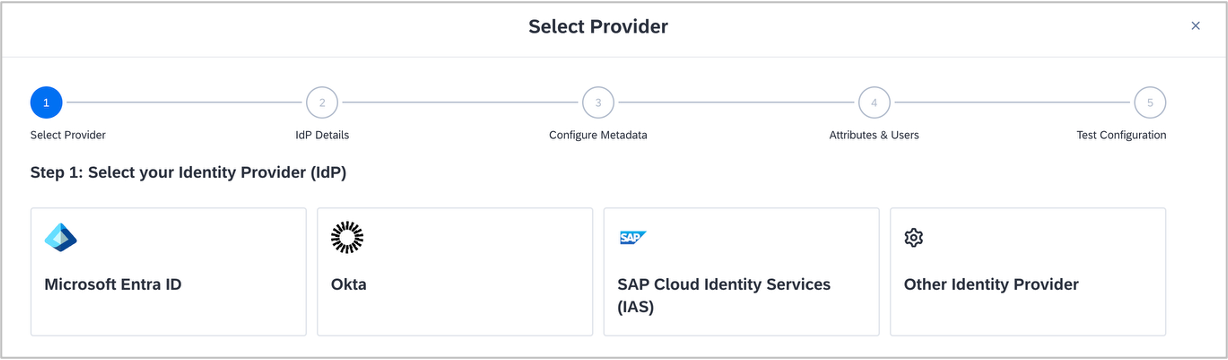
As an admin, setting up Single Sign-On in your workspace is now more guided. We have expanded the setup wizard in the authentication & SSO section from 2 to 5 steps, with dedicated setup instructions for Entra ID, Okta, and SAP IAS available directly in the workspace. For less common identity providers, more detailed guidance is available in the SAP Help Portal. The improved flow helps ensure that all required settings in your identity provider are configured correctly before activating SSO, reducing the risk of login issues after activation.
If you haven’t migrated to the new authentication service yet, the updated setup wizard makes this easier — migration is required by May 15, 2026. See the SSO migration documentation for guidance.
Inventory
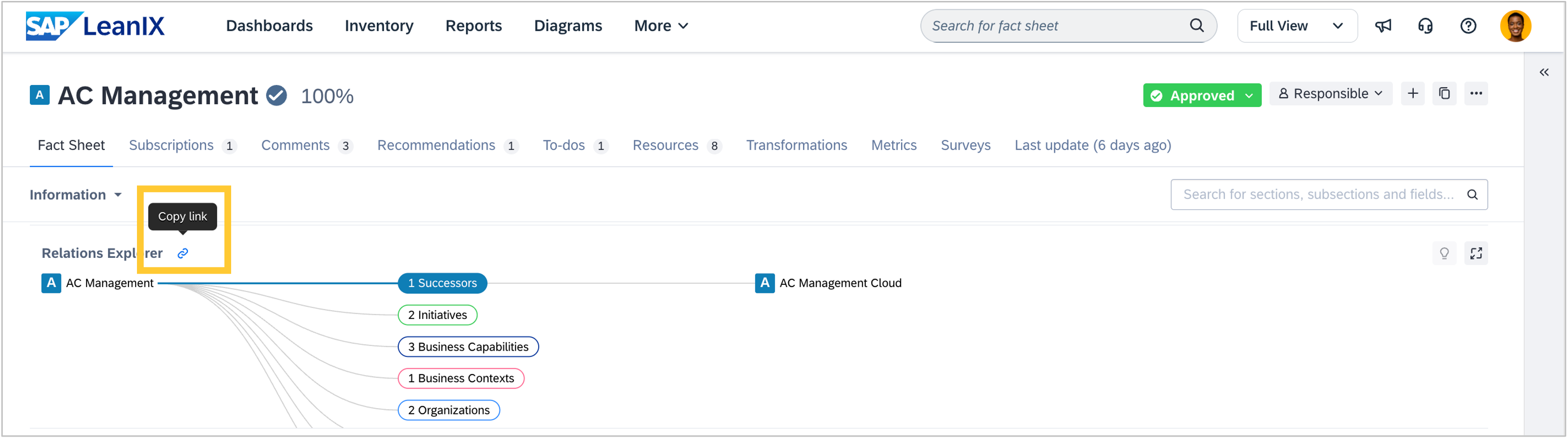
We fixed a bug where copying a direct link to the relation explorer from a fact sheet details page and opening it in a new tab resulted in an error. Shared links to the relation explorer now open correctly.
Obsolescence Risk Management
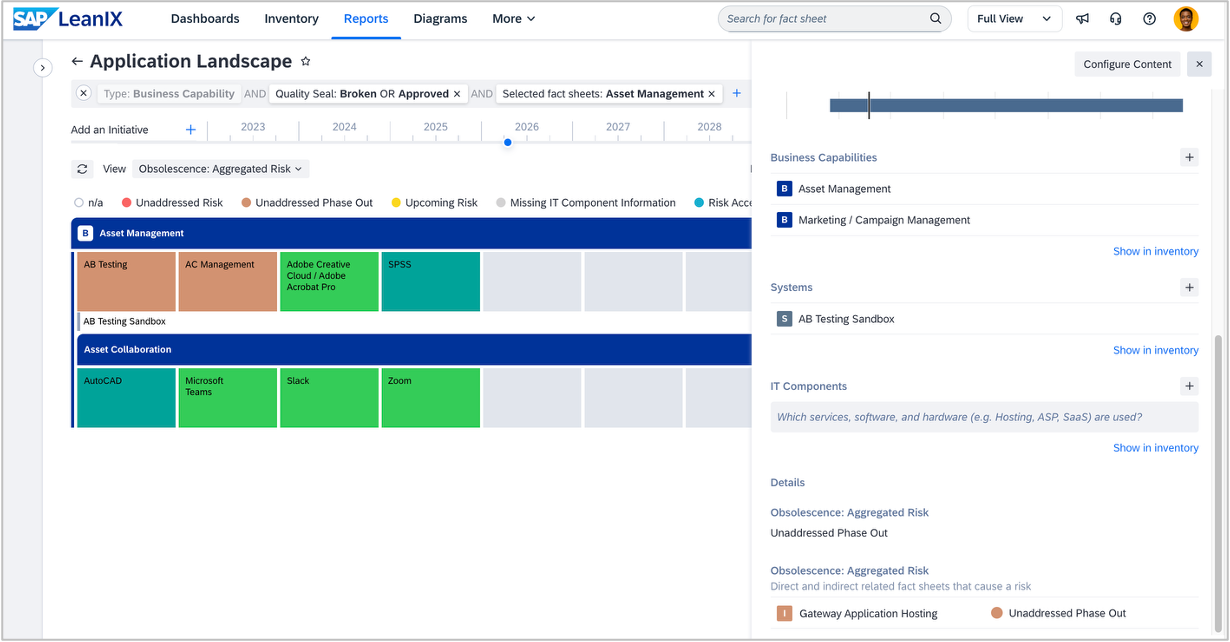
In workspaces with SAP Technology Risk and Compliance, when leveraging the optional system fact sheet type, we have enhanced the obsolescence risk statuses and views in reports to ensure risks are surfaced when applications are indirectly linked to IT components via a system fact sheet.
With this release, system fact sheets no longer interfere with the risk acknowledgment logic, so you can confidently rely on the views to surface aging applications and their infrastructure dependencies.
Diagrams
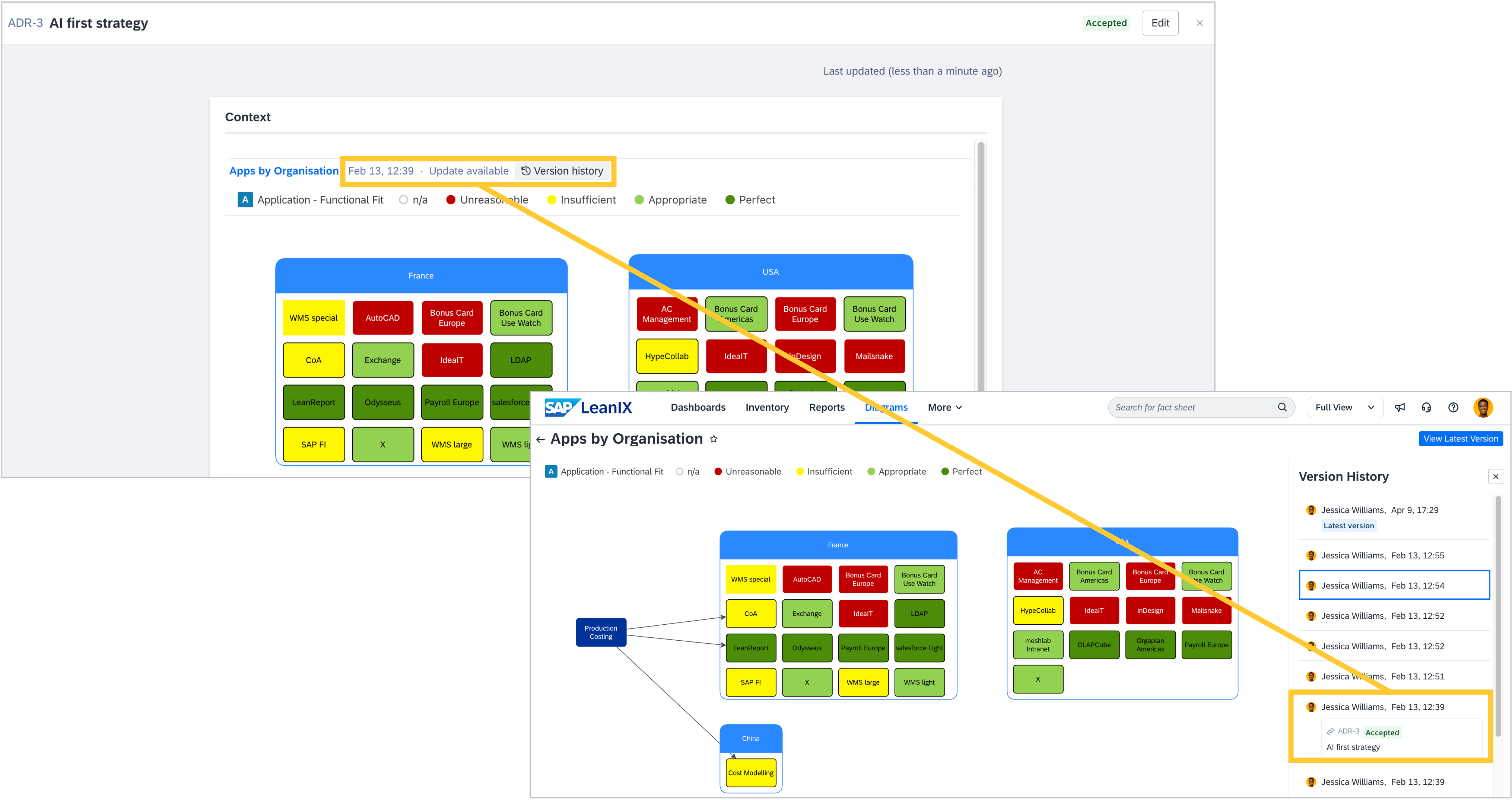
In workspaces with SAP Architecture and Road Map Planning, you can now embed specific versions of a diagram in an architecture decision. Previously, you could only embed the latest version. When a diagram is embedded, its version is locked to the state it was in at that particular moment, meaning it will not automatically update when a newer diagram version is saved. While the diagram version is locked, you can also view earlier or later versions by clicking on "Version history" directly within the architecture decision. In the diagram's version history, you can see which architecture decisions reference each version, providing a clear audit trail of which state of your architecture informed each decision.