- DATE:
- AUTHOR:
- SAP LeanIX Product Team
Weekly feature improvement and bugfix summary
Inventory
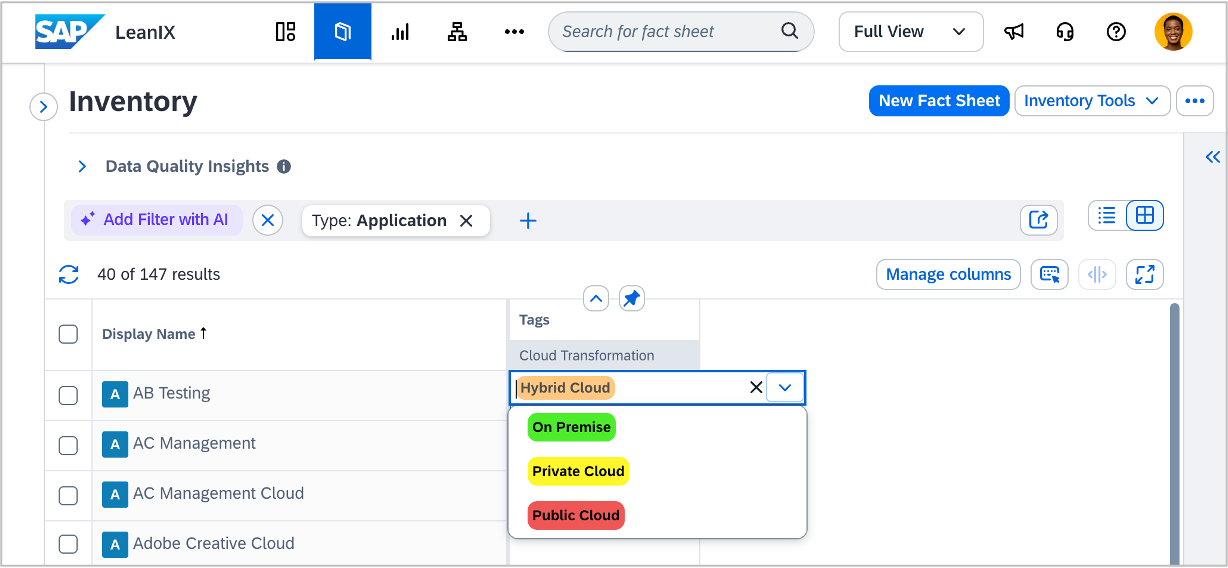
We have fixed three bugs in the inventory table view:
The table no longer becomes progressively slower when editing cells after scrolling through many fact sheets. It now maintains consistent responsiveness regardless of how many rows have been loaded or how many columns are visible.
Table views displaying a large number of relation columns no longer crash or become unresponsive.
Pressing the backspace key in the cell editor no longer removes all existing tags from the fact sheet. Tags are now only removed when the search field is empty.
Reports
We have fixed a bug and made one improvement to reports:
Back navigation from the reports and diagrams tab did not work as expected, which has now been fixed.
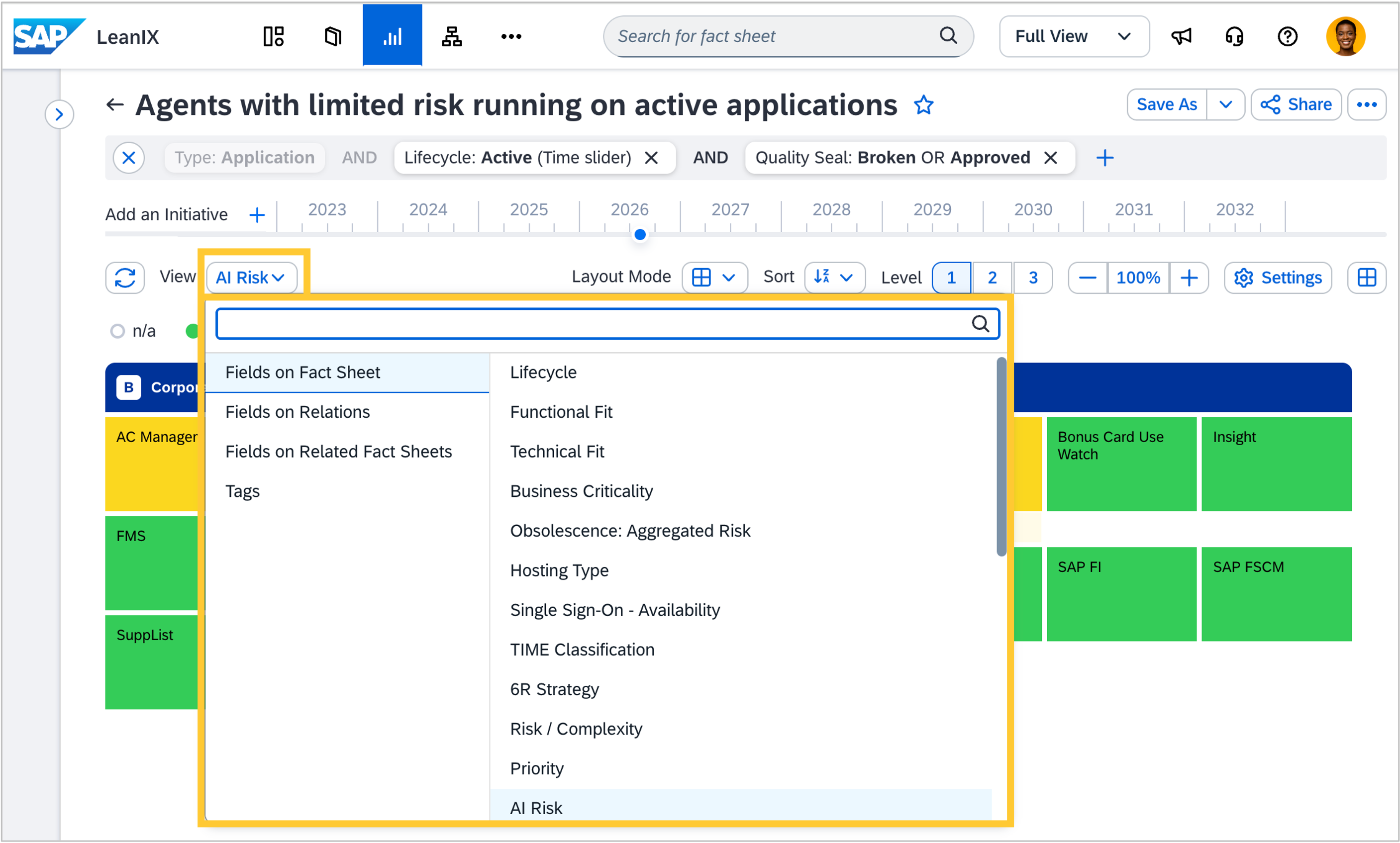
The view selector in landscape, matrix, roadmap, and radar reports is now searchable and organized by category, making it faster to find the right view.
Architecture decisions
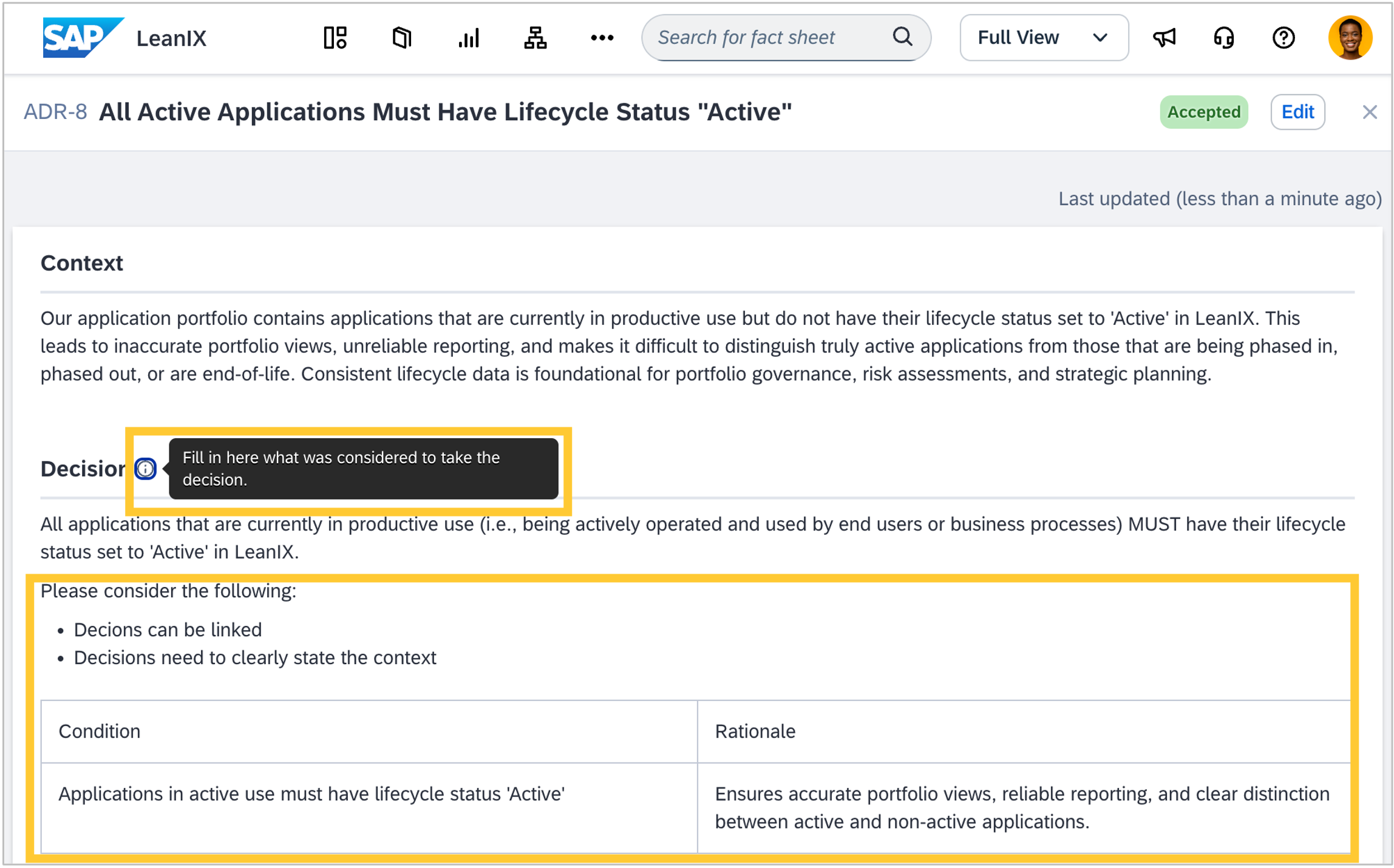
You can now add guidance and default content to every field in your architecture decision templates, so authors start from a structured draft instead of an empty form. Template admins can pre-populate text fields with best-practice structures such as comparison tables, checklists, or guided paragraphs, and add a description to any field that appears as an inline hint while the decision is being written. This guidance also benefits AI-assisted authoring: when a decision is drafted through the Enterprise Architecture Assistant or via the MCP server, the assistant reads each field’s description as instructions and fills fields accordingly.
Enterprise Architecture Assistant
We fixed a bug in which the Enterprise Architecture Assistant returned an error when a conversation grew large due to multiple tool calls. Long multi-turn conversations now work reliably.
Architecture guidance
We fixed a bug where similar architecture insights were generated multiple times for the same context, making the insights overview feel repetitive. Duplicate insights have been removed, so the architecture guidance section now shows a cleaner, more focused set of recommendations. For some workspaces, the total number of visible insights may be lower as a result.
Obsolescence risk management
In workspaces with SAP Technology Risk and Compliance, two improvements make obsolescence risk management more accurate and traceable when your landscape includes system fact sheets:
You can now set the obsolescence risk status (risk accepted or risk addressed) on the relation between system and IT component fact sheets, so aggregated risk scores on linked applications correctly reflect mitigation decisions made via the system layer. This is consistent with the existing behavior on the direct application → IT component path. See technology obsolescence risk statuses and views in reports for details.
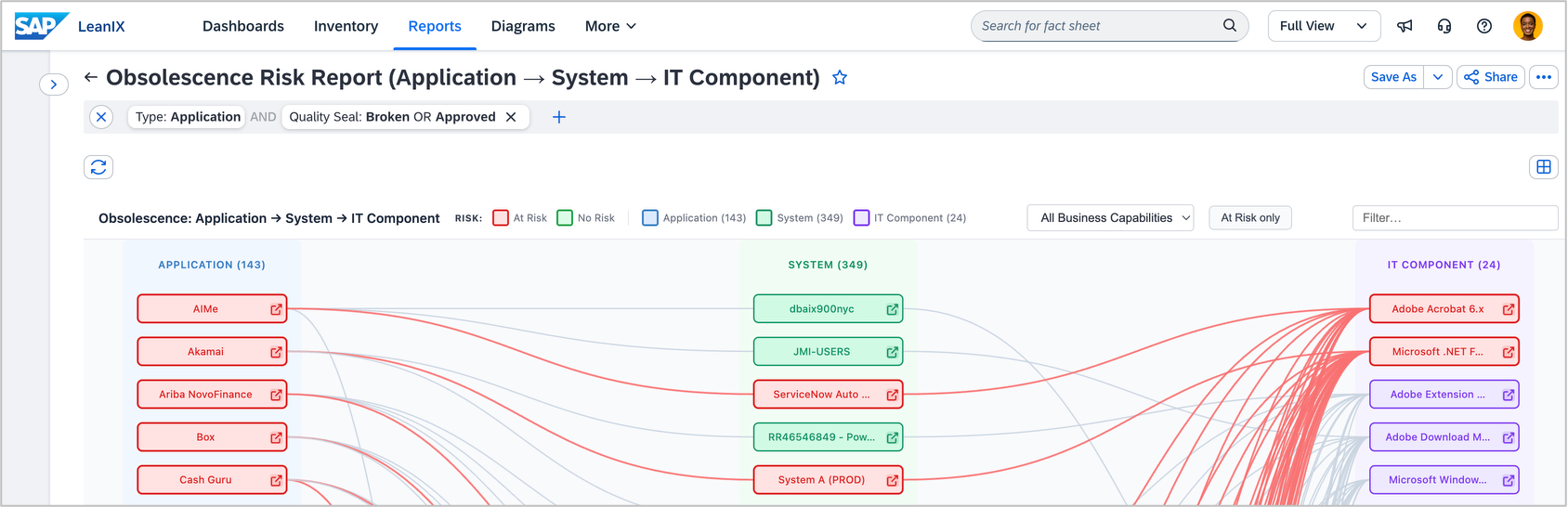
A new custom report in the extension hub lets you trace how obsolescence risk propagates across your application, system, and IT component landscape and filter results by business capability. When IT component fact sheets are collected via the ServiceNow integration, with aggregation and linkage enabled, the report also identifies the exact hardware configuration items on which at-risk software is installed, each with a direct link to the ServiceNow record.
SAP discovery
The SAP Build integration now discovers released versions of SAP Build Process Automation projects and their corresponding deployments, giving you a more complete picture of which automation processes are actively running across your SAP BTP landscape. Previously, the integration only surfaced design-time projects, with no visibility into which versions had been released or deployed to a runtime environment. Each released version and deployment now appears as its own item in the discovery inbox.
Meta model configuration
We fixed a bug and made an improvement to the meta model configuration:
Deleting a custom fact sheet type failed when it had a large number of archived fact sheets. The operation now completes successfully regardless of how many fact sheets are associated with the type being deleted.
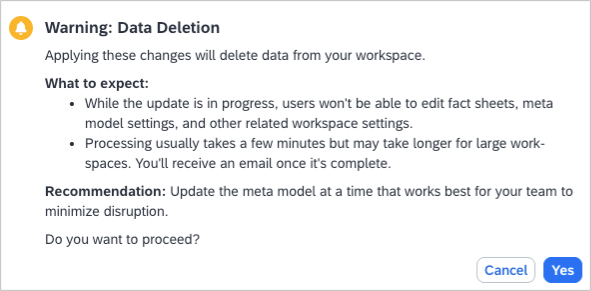
When deleting a field or a relation in the meta model temporarily locks the workspace, the experience is clearer for both audiences, end users and admins. End users now see a message explaining that their workspace admin is updating the meta model and that editing will be available again once it is complete. Admins now see a clearer confirmation dialog before applying changes that delete data, a progress message while the lock is active, and a completion notification when editing is restored, including an email.