- DATE:
- AUTHOR:
- SAP LeanIX Product Team
Change announcement: Fact sheet relations gain time-based status indicators
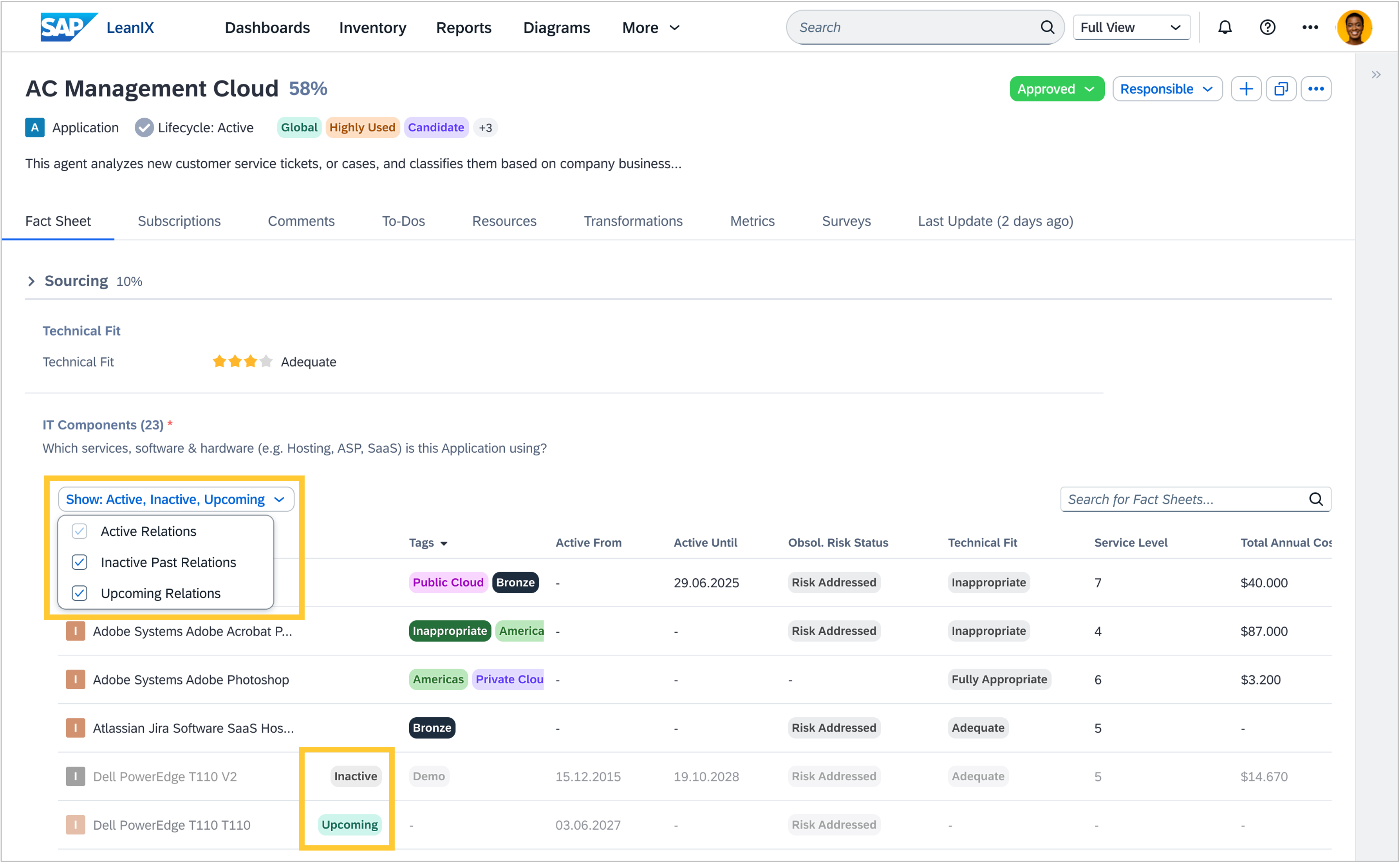
Starting on 19 November, it will be easier to tell at a glance which relations on your fact sheet pages are currently active, which have expired, and which are not yet in effect. Instead of inspecting "Active from" and "Active until" date fields individually, you will see status badges directly in the relations table and can filter out the relations you do not need to see right now.
In the relations table, a new filter bar labeled "Show: Active, Inactive, Upcoming" lets you choose which relations to display. Relations with an "Active until" date that has already passed are marked with a grey "Inactive" badge. Relations with an "Active from" date that has not yet arrived are marked with a green "Upcoming" badge. Relations without validity dates, or with dates that place them within the current period, remain visible as before with no badge.
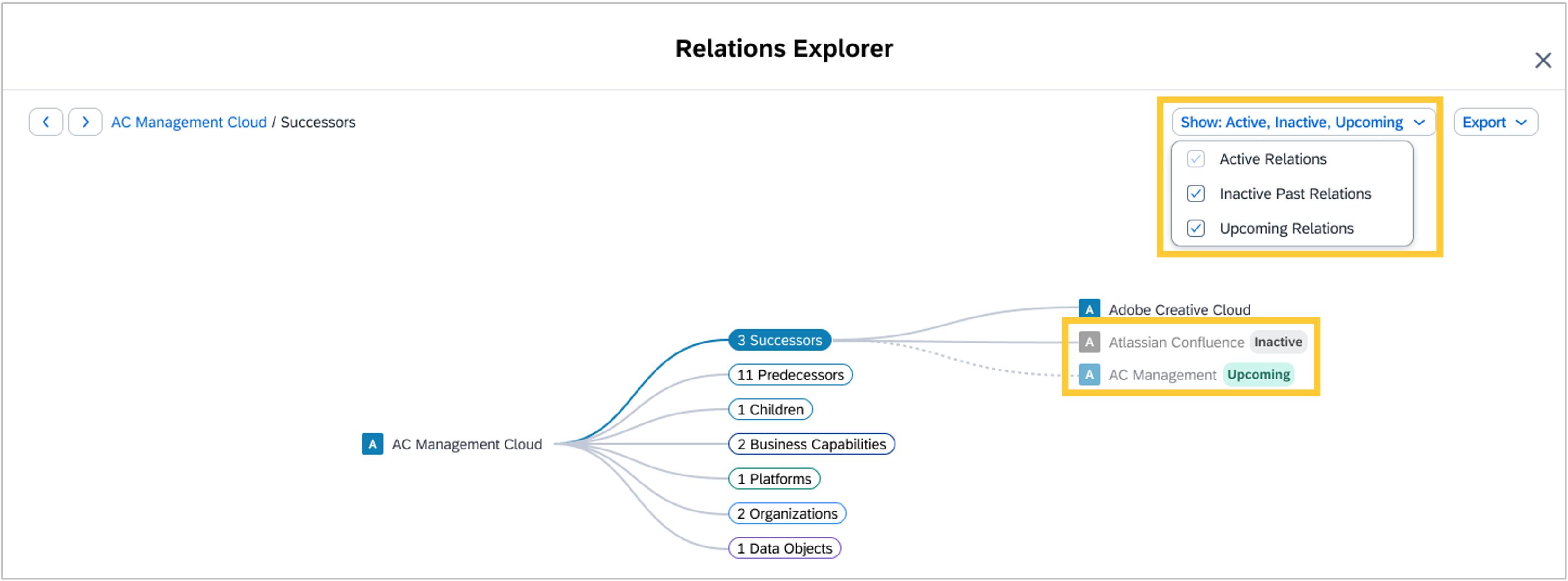
The same filter is available in the Relations Explorer on the fact sheet details page, where inactive relations are shown in grey and upcoming relations are shown with the same green badge.
This change applies to any workspace where "Active from" or "Active until" dates are set directly on relations. No action is required, and no data is changed. We will publish a follow-up announcement once this change goes live.