- DATE:
- AUTHOR:
- SAP LeanIX Product Team
Access developer tools from the main navigation with updated permissions
With the advent of generative AI, we anticipate that an increasing number of users will be able to build custom integrations with SAP LeanIX using our REST and GraphQL APIs. At the same time, we aim to make developers first-class citizens of SAP LeanIX and simplify working with our APIs for technically inclined users. As a step towards narrowing the gap between technical and UI-based functionalities, we have released the following improvements:
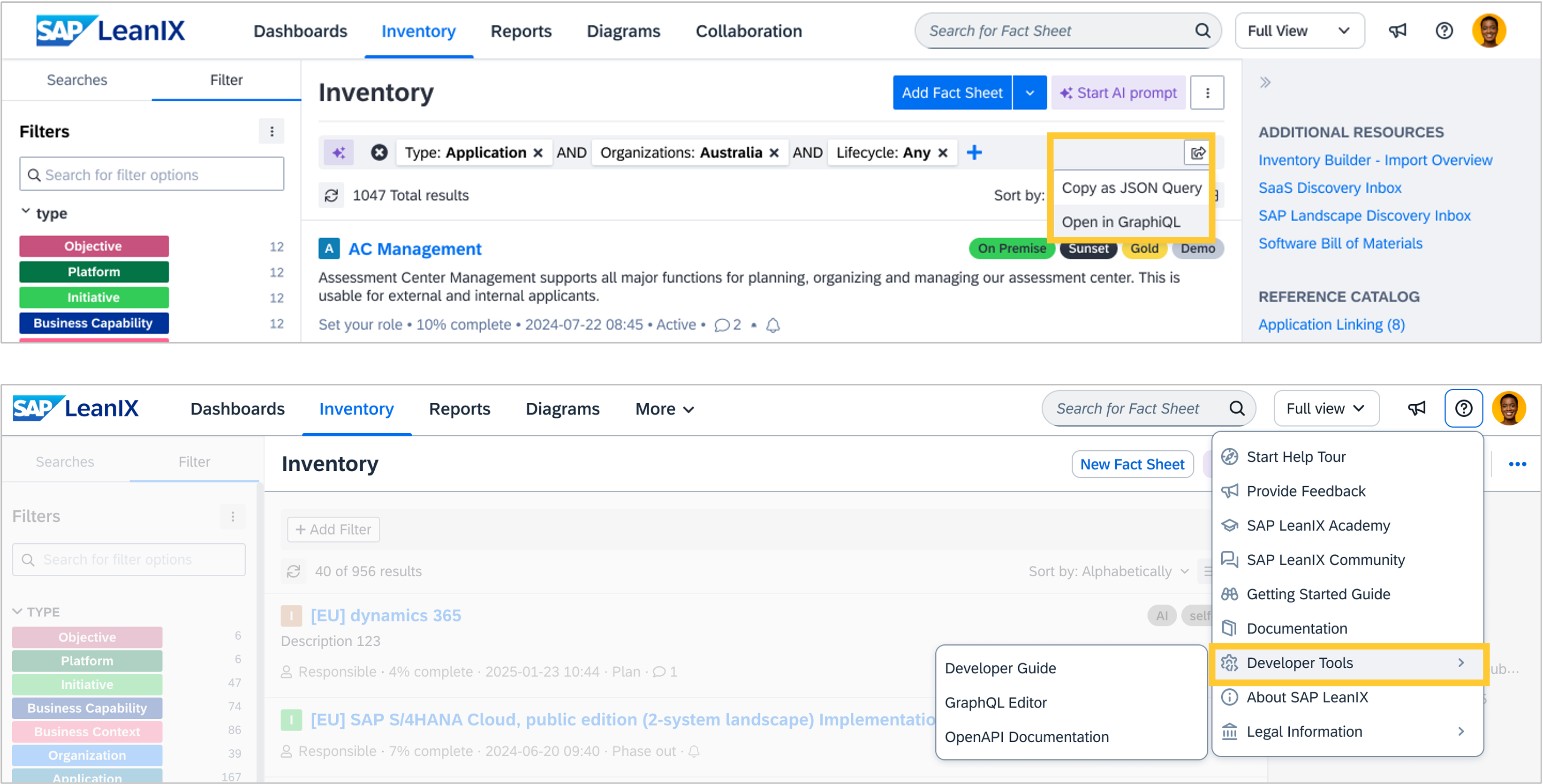
We have created a new button in the inventory filter bar to allow you to copy the GraphQL query matching the filter settings into a JSON format and open it in the GraphiQL integrated development environment. With this functionality, you can first apply filters to your data in the inventory and then retrieve the corresponding GraphQL query directly from the inventory. This makes building and testing queries much easier and integrated into your workflow.
Additionally, developer tools are now available via the help menu, accessible by clicking the "?" icon. Making it accessible beyond the administration area opens up API development for non-admin roles (member, viewer, custom roles), thereby democratizing access and increasing security controls. To ensure you stay in control, we respect the permissions to read and write data as defined by the workspace administrators.
Lastly, the developer features are bundled into a new permission that can be configured by workspace administrators in the "User Roles and Permissions" section of the admin area. By default, they are disabled for all roles except the admin role.